


06Barcode generator
ZplCore.Barcodes.Barcode creates barcodes without any ZPL: 144 symbologies (enum Symbology), output as raster, vector or ZPL graphic.
Try it online on zplCloud.com: Barcode to ZPL · QR Code to ZPL
var bc = new Barcode
{
    Symbology = Symbology.Ean13,
    Code = "950600013435",                 // check digit is appended
    Unit = BarcodeUnit.Millimeter,
    Dpi = 300,
    BarWidth = 0.33,                       // X-Dimension (100 %)
    BarHeight = 22,
};
File.WriteAllBytes("ean13.png", bc.ToPng());
File.WriteAllBytes("ean13.webp", bc.ToWebp(90));
File.WriteAllText("ean13.svg", bc.ToSvg());    // vector
File.WriteAllBytes("ean13.pdf", bc.ToPdf());   // vector, physical size
File.WriteAllText("ean13.eps", bc.ToEps());    // PostScript
string gfa = bc.ToZplGraphic(50, 100);         // ^FO50,100^GFA,…^FS for any ZPL label

using var bmp = new SKBitmap(1200, 600);       // or straight onto your own canvas
using var canvas = new SKCanvas(bmp);
canvas.Clear(SKColors.White);
bc.Draw(canvas, 40, 40);
SKSize size = bc.Size;                         // pixels at Dpi, incl. quiet zone and text
Raster
ToBitmap(), ToPng(), ToJpeg(q), ToWebp(q)
Vector
ToSvg(), ToPdf() (physical size), ToEps(), Draw(SKCanvas, x, y)
ZPL
ToZplGraphic(x, y) – ^FO…^GFA…^FS for any Zebra label
Sample files: ean13.svgean13.pdfean13.epsswissqr.svgswissqr.pdfgs1-datamatrix.epsean13-gfa.zpl


All options
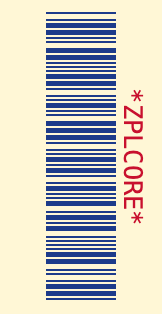
var bc = new Barcode
{
    Symbology = Symbology.Code39,
    Code = "ZPLCORE",
    Unit = BarcodeUnit.Pixel,                      // Pixel, Millimeter, Inch, Mil
    Dpi = 203,
    BarWidth = 2,                                  // narrow bar / module
    BarHeight = 70,                                // 1D only; 2D modules are square
    WideRatio = 2.5,                               // wide:narrow for Code 39, 2 of 5, Codabar …
    QuietZone = 6,                                 // modules (null: 10 for 1D, 4 for 2D)
    AddChecksum = true,                            // optional check digit
    ForeColor = new SKColor(0x1d, 0x3b, 0x8a),
    BackColor = new SKColor(0xff, 0xf7, 0xd6),
    TextColor = new SKColor(0xc8, 0x10, 0x2e),
    TextPosition = BarcodeTextPosition.Above,      // None, Below, Above
    HumanReadableText = "*ZPLCORE*",            // instead of the encoded data
    FontSize = 9,                                  // pt; 0 = automatic
    Rotation = 90,                                 // 0, 90, 180, 270
};
// more: Typeface, GuardBars, BearerBars/BearerBarWidth, Supplement,
// QrErrorCorrection, Pdf417Columns, Pdf417SecurityLevel, MaxiCodeMode, DataBarSegmentsPerRow
| Property | Default | Meaning |
|---|---|---|
Symbology, Code | Code128, "" | Symbology and data |
Unit | Pixel | Unit for BarWidth/BarHeight/BearerBarWidth: Pixel, Millimeter, Inch, Mil |
Dpi | 300 | Resolution for raster and unit conversion |
BarWidth | 2 | Narrow bar or module size |
BarHeight | 80 | Height of linear codes (2D modules are square) |
WideRatio | 3.0 | Wide-to-narrow (2.0–3.0) for two-width codes |
QuietZone | null | Quiet zone in modules (null: 10 for 1D, 4 for 2D) |
ForeColor, BackColor, TextColor | Black/White/Black | Colors (also in SVG/PDF/EPS) |
TextPosition | Below | Human-readable text: None, Below, Above |
HumanReadableText | null | custom human-readable text instead of the data (null = automatic, incl. check digit) |
FontSize, Typeface | 0, null | font size in points (0 = proportional to the module), typeface |
GuardBars | true | extend EAN/UPC guard bars into the human-readable text |
BearerBars, BearerBarWidth | None (ITF-14: Frame), 4 | bearer bars: Frame or HorizontalRules |
Supplement | null | 2- or 5-digit EAN/UPC add-on |
AddChecksum | false | optional check digit (Code 39, 2 of 5, Code 11 …) |
Rotation | 0 | 0, 90, 180, 270 degrees |
QrErrorCorrection | 'M' | L, M, Q, H (QR, Micro QR, rMQR, GS1 QR) |
Pdf417Columns, Pdf417SecurityLevel | 0, 2 | PDF417 columns (0 = automatic), security level |
MaxiCodeMode | 4 | MaxiCode mode 2–6 |
DataBarSegmentsPerRow | 4 | segments per row for DataBar Expanded Stacked |
ModuleShape, FinderShape | Square, Square | 2D module shape (Square, Circle, RoundedSquare, Diamond); QR finder (Square, Rounded, Circle) |
LogoImage, LogoSizePercent, LogoOpacity, LogoBackground | null, 20, 1, true | logo in the center of 2D codes (QR: error correction H) |
LightMarginIndicator | false | EAN/UPC: </> in the quiet zones |
TextFormatPattern, HumanReadableAlignment | null, Center | format the human-readable text (mask or {0:…}) and align it (Center, Left, Right, Justify) |
CodeEncoding | Text | data as text, Base64 or hex |
ProcessTilde | false | ~~, ~dNNN, ~1 (FNC1), ~2IICC (Structured Append), ~eNNNNNN (ECI) |
QrVersion, QrMask | 0, -1 | force QR version 1–40 and mask 0–7 |
StructuredAppendInfo / StructuredAppend(i, n) | null | split data across several symbols (QR, Data Matrix, Aztec, MaxiCode, PDF417) |
Special symbols
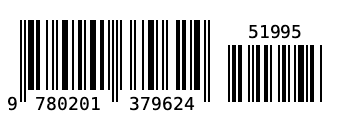
EAN-13 with 5-digit add-on
var bc = new Barcode
{
    Symbology = Symbology.Ean13,
    Code = "978020137962",
    Supplement = "51995",          // 2- or 5-digit add-on to the right
    GuardBars = true,              // edge digits extend into the human-readable text
    Dpi = 203, BarWidth = 2, BarHeight = 70,
};
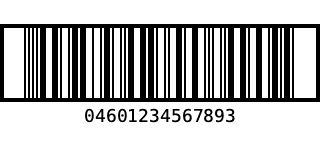
ITF-14 with bearer frame
var bc = new Barcode
{
    Symbology = Symbology.Itf14,
    Code = "0460123456789",        // 13 digits → check digit 3 is appended
    Dpi = 203, BarWidth = 2, BarHeight = 70,
    BearerBars = BearerBarStyle.Frame,   // default for ITF-14; HorizontalRules = top/bottom only
    BearerBarWidth = 4,
};
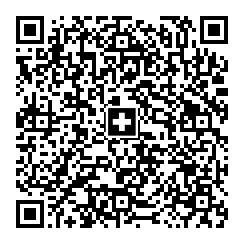
Swiss QR (QR-bill)
string payload = string.Join("\n",
    "SPC", "0200", "1", "CH4431999123000889012",
    "S", "Muster AG", "Bahnhofstrasse", "1", "8000", "Zürich", "CH",
    "", "", "", "", "", "", "",
    "1949.75", "CHF",
    "S", "Pia Rutschmann", "Marktgasse", "28", "9400", "Rorschach", "CH",
    "QRR", "210000000003139471430009017", "Rechnung 4711", "EPD");
var bc = new Barcode
{
    Symbology = Symbology.SwissQrCode,   // UTF-8, EC level M, Swiss cross in the centre
    Code = payload,
    Unit = BarcodeUnit.Millimeter, Dpi = 203,
    BarWidth = 0.5,
};
EPC QR (GiroCode)
// EPC069-12 (GiroCode / SEPA credit transfer): fields are validated (length, BIC, amount, IBAN without spaces)
string payload = QrExtras.EpcPayload(
    name: "Max Mustermann",
    iban: "DE89 3704 0044 0532 0130 00",
    amount: 12.50m,
    bic: "COBADEFFXXX",
    remittance: "Rechnung 4711");
var bc = new Barcode { Symbology = Symbology.EpcQrCode, Code = payload, Dpi = 203, BarWidth = 4 };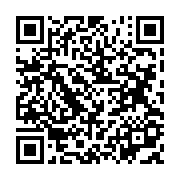
QrExtras.EpcPayload builds the payload (version 002, UTF-8) and validates lengths, BIC, amount and reference/remittance information.
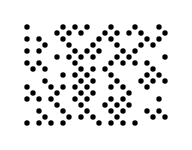
Ultracode (color) & DotCode (dots)
var ultra = new Barcode { Symbology = Symbology.Ultracode, Code = "Ultracode 2026", Dpi = 203, BarWidth = 6 };
var dot = new Barcode { Symbology = Symbology.DotCode, Code = "DotCode 2026", Dpi = 203, BarWidth = 6 };
File.WriteAllBytes("ultracode.png", ultra.ToPng());   // coloured modules (cyan, magenta, yellow, green …)
File.WriteAllText("dotcode.svg", dot.ToSvg());        // DotCode as round dots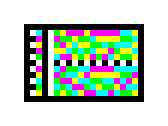
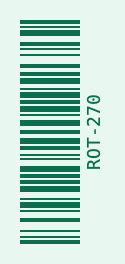
Rotated & colored
var bc = new Barcode
{
    Symbology = Symbology.Code128,
    Code = "ROT-270",
    Dpi = 203, BarWidth = 2, BarHeight = 60,
    Rotation = 270,
    ForeColor = new SKColor(0x0b, 0x6e, 0x4f),
    BackColor = new SKColor(0xe8, 0xf7, 0xf0),
    TextColor = new SKColor(0x0b, 0x6e, 0x4f),
};
Logo, module and finder shapes
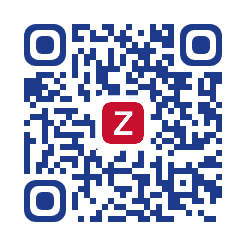
QR with logo
// logo: e.g. SKBitmap.Decode("logo.png")
var bc = new Barcode
{
    Symbology = Symbology.QrCode,
    Code = "https://example.com/zplcore",
    Dpi = 203, BarWidth = 6,
    LogoImage = logo,                   // QR: error correction is raised to H
    LogoSizePercent = 22,               // width in % of the symbol
    LogoBackground = true,              // BackColor area behind the logo
    FinderShape = FinderShape.Rounded,  // Square, Rounded, Circle
    ForeColor = new SKColor(0x1d, 0x3b, 0x8a),
};
Round modules, dots, diamonds
var round = new Barcode
{
    Symbology = Symbology.QrCode, Code = "Runde Module", Dpi = 203, BarWidth = 6,
    ModuleShape = ModuleShape.RoundedSquare, FinderShape = FinderShape.Circle,
};
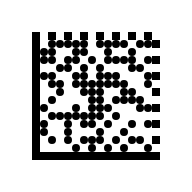
var dots = new Barcode
{
    Symbology = Symbology.DataMatrix, Code = "Punkte 2026", Dpi = 203, BarWidth = 8,
    ModuleShape = ModuleShape.Circle,    // Square, Circle, RoundedSquare, Diamond
};
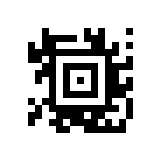
var diamond = new Barcode { Symbology = Symbology.Aztec, Code = "Diamond", Dpi = 203, BarWidth = 7, ModuleShape = ModuleShape.Diamond };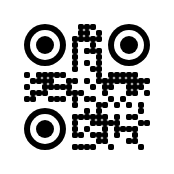
Artistic codes: halftone QR, bar motifs, readability check
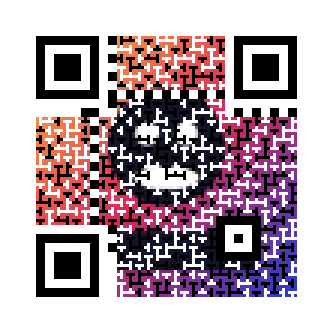
Artistic codes stay scannable because the SDK decodes every designed symbol after rendering at the target resolution with zxing-cpp and ZXing.Net – on a camera-blurred image (Gaussian, σ = 0.3 module), not just the perfect pixels. A halftone image or bar motif that does not read is weakened in steps (75 %, 50 %, 25 %, off); shapes and logos are reported only. The result is cached per content and settings and can be switched off with VerifyReadability = false. In the label model Label.Validate(record, dpi) reports codes that do not read or were weakened; a thermal printer gets everything as black-and-white ^GFA.
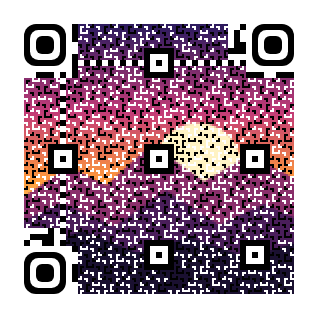
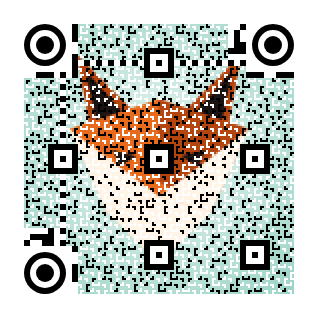
Halftone QR: a picture in the code
// photo: e.g. SKBitmap.Decode("picture.jpg")
var thermal = new Barcode
{
    Symbology = Symbology.QrCode,
    Code = "https://zplcore.com",
    Dpi = 203, BarWidth = 6,            // module at least 3 dots (3 × 3 sub-modules)
    HalftoneImage = photo,              // error correction is raised to H
    HalftoneStrength = 0.6,             // share of the sub-modules that follow the image (0–1)
};
var colour = new Barcode
{
    Symbology = Symbology.QrCode, Code = "https://zplcore.com", Dpi = 300, BarWidth = 9,
    HalftoneImage = photo,
    HalftoneColor = true,               // image colours for PNG, SVG, PDF (thermal printing: black and white)
};
var check = thermal.CheckReadability(); // Readable, AppliedHalftoneStrength, Messages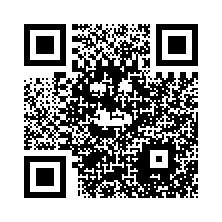
Bar motifs: skyline, grass, your own image
var skyline = new Barcode
{
    Symbology = Symbology.Ean13, Code = "950600013435", Dpi = 300, BarWidth = 4, BarHeight = 240,
    BarArt = BarArt.Skyline,            // RoundedEnds, Skyline, Grass, Waves, Image
    BarArtHeightPercent = 30,           // upper part of the bars (5–40 %), the rest stays scan zone
};
var grass = new Barcode { Symbology = Symbology.Code128, Code = "ZPLCORE-2026", Dpi = 300, BarWidth = 4, BarHeight = 200, BarArt = BarArt.Grass };
var image = new Barcode
{
    Symbology = Symbology.Itf14, Code = "1540014128876", Dpi = 300, BarWidth = 4, BarHeight = 220,
    BarArt = BarArt.Image, BarArtImage = mountains,   // dark, opaque pixels keep the bar
};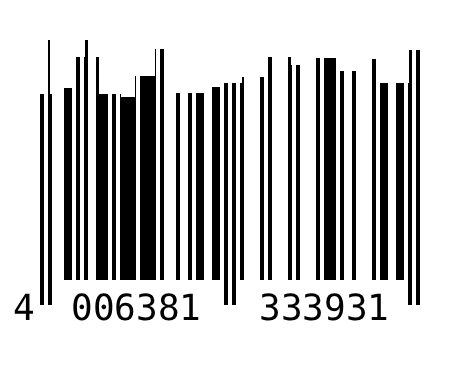
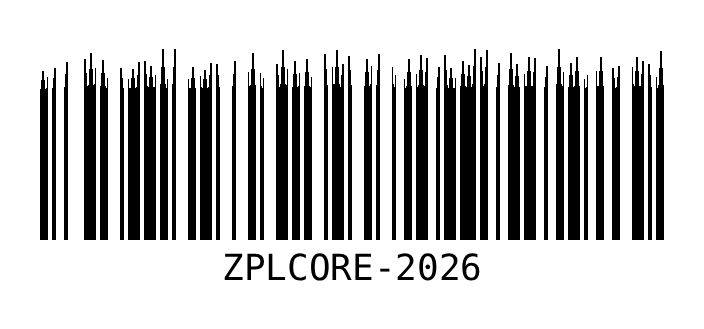
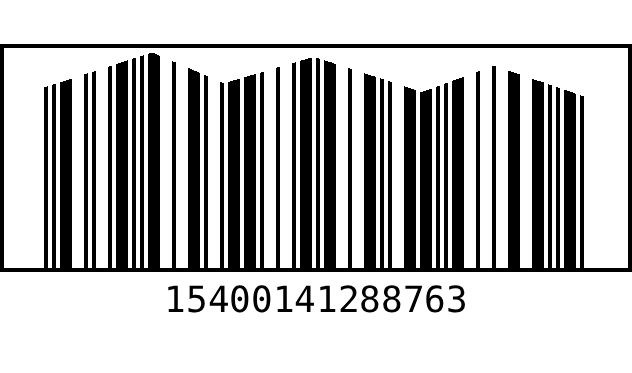
Halftone: each module is split into 3 × 3 sub-modules; the centre sub-module and all finder, separator, timing, alignment, format and version modules keep the data unchanged, the others follow the image (error diffusion or the image colours). QR Code / GS1 QR Code only, error correction H, module ≥ 3 dots. Bar motifs only change the upper part of the bars (5–40 %, default 30 %); quiet zones, bar widths and the scan zone stay untouched. Motifs: RoundedEnds, Skyline, Grass, Waves, Image. In the label format: halftoneImageData, halftoneStrength, barArt, barArtHeightPercent, barArtImageData, logoOpacity, logoBackground, verifyReadability, validationErrorMessage.
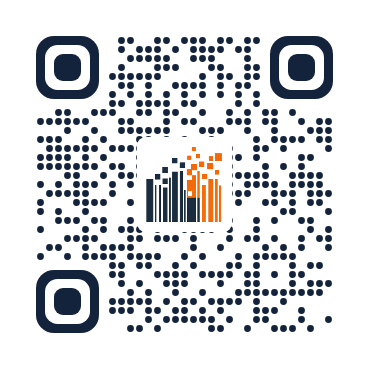
The zplCore mark as QR code
// mark: branding/zplcore-mark-256-transparent.png, markOnWhite: branding/zplcore-mark-256.png
var logo = new Barcode            // level 1: the mark as logo, round modules and finders
{
    Symbology = Symbology.QrCode, Code = "https://zplcore.com", Dpi = 203, BarWidth = 6,
    LogoImage = mark, LogoSizePercent = 24,
    ModuleShape = ModuleShape.Dot, FinderShape = FinderShape.Rounded,
    ForeColor = new SKColor(0x1b, 0x2a, 0x3e),
};
var halftone = new Barcode        // level 2: the mark as halftone in the code (thermal printing)
{
    Symbology = Symbology.QrCode, Code = "https://zplcore.com", Dpi = 203, BarWidth = 6,
    QrVersion = 5,                  // more modules = finer picture
    HalftoneImage = markOnWhite, FinderShape = FinderShape.Rounded,
};
var colour = new Barcode
{
    Symbology = Symbology.QrCode, Code = "https://zplcore.com", Dpi = 300, BarWidth = 6, QrVersion = 5,
    HalftoneImage = markOnWhite, HalftoneColor = true, FinderShape = FinderShape.Rounded,
};
// the readable strength is printed: halftone.CheckReadability().AppliedHalftoneStrength
string zpl = "^XA" + logo.ToZplGraphic(30, 30) + halftone.ToZplGraphic(330, 30) + "^XZ";


Demo files (PNG, SVG, ZPL) in samples/artistic/; the live demo has the label as template and ZPL example (“Artistic QR codes”).
More examples and your own image
The artistic codes page shows a gallery of colour and thermal-print examples – every one read back after rendering – and a studio in which you upload your own logo or picture as logo QR, halftone QR or barcode motif and see the readability result right away. The examples are built by samples/DocsExamples/ArtisticShowcase.cs.
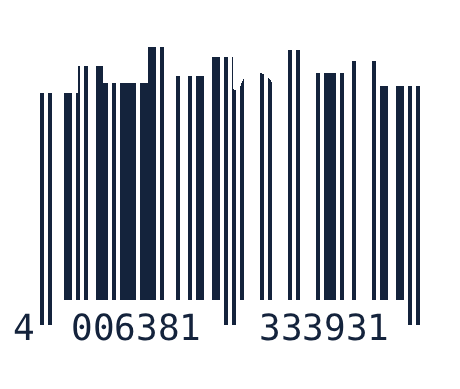
Human-readable text, encoding & Structured Append
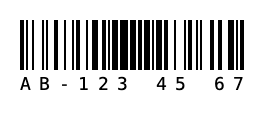
Light margin indicator, text mask, alignment
var ean = new Barcode
{
    Symbology = Symbology.Ean13, Code = "950600013435", Dpi = 203, BarWidth = 2, BarHeight = 60,
    LightMarginIndicator = true,                   // ‹ › in the quiet zones (GS1)
};
var pattern = new Barcode
{
    Symbology = Symbology.Code128, Code = "AB1234567", Dpi = 203, BarWidth = 2, BarHeight = 50,
    TextFormatPattern = "AA-999 99 99",            // mask: A a 9 # X x * ? each take one character
    HumanReadableAlignment = HumanReadableAlignment.Justify,   // Center, Left, Right, Justify
};
// numeric values also as composite format: TextFormatPattern = "{0:### ### ###}"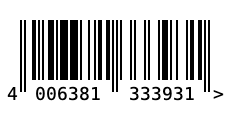
Base64/hex, tilde & ECI, QR version/mask, Structured Append
// pass data as Base64 or hex (binary data)
var b64 = new Barcode { Symbology = Symbology.QrCode, Code = "SGVsbG8gV29ybGQ=", CodeEncoding = CodeEncoding.Base64 };
var hex = new Barcode { Symbology = Symbology.DataMatrix, Code = "48 65 6C 6C 6F", CodeEncoding = CodeEncoding.Hex };

// Tilde-Escapes: ~~ ~dNNN (Byte) ~1 (FNC1) ~2IICC (Structured Append) ~eNNNNNN (ECI)
var eci = new Barcode { Symbology = Symbology.QrCode, Code = "~e000026Gr~d195~d188~d195~d159e", ProcessTilde = true };

// pin QR settings: version 1–40 (0 = automatic), mask 0–7 (-1 = automatic)
var fixedQr = new Barcode { Symbology = Symbology.QrCode, Code = "VERSION 5", QrVersion = 5, QrMask = 3, QrErrorCorrection = 'Q' };

// Structured Append: split data across several symbols (QR, Data Matrix, Aztec, MaxiCode, PDF417)
var part1 = new Barcode { Symbology = Symbology.QrCode, Code = "Teil eins / ", Dpi = 203, BarWidth = 4 }.StructuredAppend(1, 2);
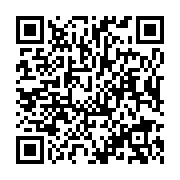
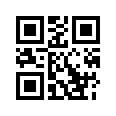
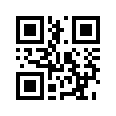
var part2 = new Barcode { Symbology = Symbology.QrCode, Code = "Teil zwei", Dpi = 203, BarWidth = 4 }.StructuredAppend(2, 2);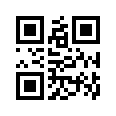
More output formats
Besides PNG/JPEG/WebP, SVG, PDF, EPS and ^GFA: TIFF, PCX, PCL, EPS in CMYK or grayscale, and a ready-made HTML <img> with a data URI.
File.WriteAllBytes("code.tif", bc.ToTiff());                       // 1-bit TIFF (PackBits)
File.WriteAllBytes("code.pcx", bc.ToPcx());
File.WriteAllBytes("code.pcl", bc.ToPcl());                        // PCL5 raster page
File.WriteAllText("code-cmyk.eps", bc.ToEps(EpsColorMode.Cmyk));   // Rgb, Cmyk, Gray
string img = bc.ToHtmlImgTag(HtmlImageFormat.Svg, alt: "Barcode"); // <img src="data:image/svg+xml;base64,…">
Size, border, error behavior & symbology options
Fixed Data Matrix sizes (incl. DMRE) and encoding, PDF417 rows/aspect ratio/compaction, Aztec format/layers/error correction, QR mode (incl. Kanji), Code 128 character set, Han Xin/DotCode/Ultracode parameters and the composite choice CC-A/B/C are properties of Barcode. In addition: sizing modes (None, Fill, FitProportional, AutoSize), padding, border, ErrorBehavior (exception, empty image or image with error text), IsCodeValid and the public class Checksums.
var bc = new BC.Barcode
{
    Symbology = BC.Symbology.DataMatrix, Code = "ZPLCORE-0001",
    DataMatrixSize = "16x48", DataMatrixDmre = true,
    Sizing = BC.BarcodeSizing.FitProportional, TargetWidth = 300, TargetHeight = 120,
    Padding = new BC.BarcodePadding(8), BorderWidth = 2,
    ErrorBehavior = BC.BarcodeErrorBehavior.ErrorDescriptionImage,
};
if (!bc.IsCodeValid(out string? error)) Console.WriteLine(error);
int check = BC.Checksums.Mod10("950600013435");
return bc;
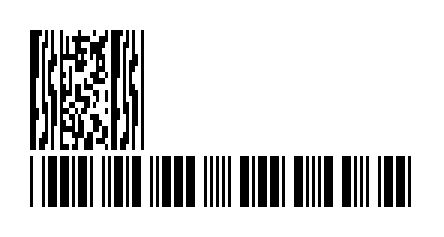
TLC39, Deutsche Post BZL, GS1 dimensions, ECI & more settings
Symbology.Tlc39 produces the Code 39 with 6-digit ECI and a linked MicroPDF417 (part after the comma, spacing Tlc39Gap). Symbology.DeutschePostBzl is experimental ([Experimental("ZPLBZL001")]): Code 128 of the S10 item number with check digit. Also UseQuietZoneForText (human-readable text in the quiet zone), SupplementTopMargin (add-on offset), MagnificationFactor (GS1 nominal size 0.80–2.00 for EAN/UPC), HanXinMode (forced mode), MaxiCodePixelAligned (no grayscale), ArtBarImagePattern (image as module fill), ByteEncodingName with automatic ECI (Eci.FromEncodingName) and Gs1Builder (GTIN, SSCC, date, measures, check digit).
            // TLC39: Code 39 (6-digit ECI) + linked MicroPDF417 after the comma
            var tlc = new BC.Barcode { Symbology = BC.Symbology.Tlc39, Code = "123456,ABCD12345678901234", BarWidth = 3, BarHeight = 90, Tlc39Gap = 6 };

#pragma warning disable ZPLBZL001 // experimental
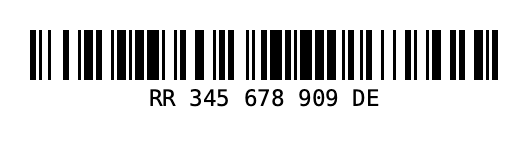
            var bzl = new BC.Barcode { Symbology = BC.Symbology.DeutschePostBzl, Code = "RR34567890DE", BarWidth = 3 }; // check digit appended
#pragma warning restore ZPLBZL001

            var ean = new BC.Barcode
            {
                Symbology = BC.Symbology.Ean13, Code = "950600013435", Dpi = 600,
                MagnificationFactor = 1.0,           // GS1 magnification (0.80–2.00)
                Supplement = "12", SupplementTopMargin = 40,
            };
            var compact = new BC.Barcode { Symbology = BC.Symbology.Code128, Code = "QZ", UseQuietZoneForText = true };
            var hx = new BC.Barcode { Symbology = BC.Symbology.HanXin, Code = "1234567890", HanXinMode = BC.HanXinMode.Numeric };
            var maxi = new BC.Barcode { Symbology = BC.Symbology.MaxiCode, Code = "PIXEL", MaxiCodePixelAligned = true };
            var art = new BC.Barcode { Symbology = BC.Symbology.QrCode, Code = "ART", ArtBarImagePattern = pattern };
            var cyr = new BC.Barcode { Symbology = BC.Symbology.QrCode, Code = "Привет", ByteEncodingName = "ISO-8859-5" }; // ECI 7
            int eci = BC.Eci.FromEncodingName("utf-8");                                                               // 26

            string gs1 = BC.Gs1Builder.Build(("01", BC.Gs1Builder.Gtin("950110153000")[4..]), ("10", "LOT"));
            string date = BC.Gs1Builder.Date("17", new DateOnly(2026, 12, 31));   // (17)261231
            string kg = BC.Gs1Builder.Measure("310", 1.5m, 3);                   // (3103)001500
Gallery: all symbologies
All 144 values of the enum ZplCore.Barcodes.Symbology, including the new Korea Post, Royal Mail Mailmark (4-state), DPD, UPU S10, flattermarken, BC412, UPNQR, Grid Matrix and Code One, plus the application formats (ISBT 128, HIBC, VICS, USPS IMpb …). Each image is produced with new Barcode { Symbology = …, Code = …, Dpi = 203, BarWidth = 2 (2D: 3), BarHeight = 50 }.ToPng().