


02ZplRenderer
ZplRenderer processes ZPL strings, byte arrays (code page 850 as on the printer, or UTF-8 with BOM) and files. Each printed label produces one encoded image – for PDF, one document with one page per label.
Settings (ZplRenderSettings)
var settings = new ZplRenderSettings
{
    Dpi = 300,                                   // 152, 203, 300 or 600
    OutputFormat = ZplOutputFormat.Webp,         // Png, Jpeg, Webp, Bmp, Pdf, Grf
    Quality = 90,                                // JPEG/WebP
    AntiAlias = false,                           // pure 1-bit like a thermal printer
    InkColor = new SKColor(0x1d, 0x3b, 0x8a),    // ribbon
    BackgroundColor = SKColors.LightYellow,      // label stock
    OutputRotation = ZplRotation.Rotate90,
    TraceElements = true,                        // collect the positions of all fields
    Clock = () => new DateTime(2026, 10, 18),    // deterministic ^FC fields
}.WithLabelSizeInches(4, 6);

string json = settings.ToJson();                 // save ...
var restored = ZplRenderSettings.FromJson(json); // ... and load
| Property | Default | Meaning |
|---|---|---|
Dpi | 203 | Print resolution 152/203/300/600 |
LabelWidth / LabelHeight | 4×6 inches | in dots; overridden by ^PW/^LL unless ForceLabelWidth/Height |
InkColor / BackgroundColor | Black / White | Ribbon and paper color |
OutputFormat / Quality | Png / 95 | Png, Jpeg, Webp, Bmp, Pdf, Grf |
OutputRotation | None | Rotate output by 90/180/270° |
AntiAlias / InvertColors | true / false | Smoothing or negative |
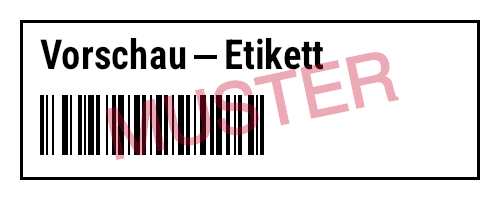
BackgroundImage / WatermarkImage + WatermarkOpacity | – / 0.25 | Pre-print below or watermark above the content |
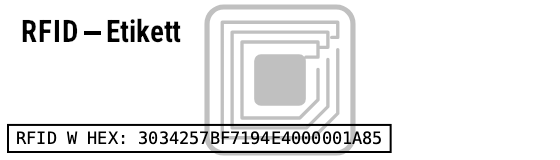
RfidIndicator + RfidIndicatorColor / RfidIndicatorOpacity | Watermark / #C0C0C0 / 1 | gray RFID symbol behind the content on labels with ^RF/^WT/^WF/^RQ (preview formats only, see ^RF) |
ThumbnailSize | 0 | Downscale output to max. N pixels |
RenderOutputIndexes | null | encode only selected labels |
DefaultCodePage | 850 | Field encoding without ^CI |
TraceElements | false | Collect position/content of each field (editors, tests) |
Clock | DateTime.Now | Clock for ^FC |
DrawRfid | false | Draw ^RF data visibly |
PdfTitle/Author/Subject/Keywords/Creator | – | PDF metadata |
PaperWidth/PaperHeight/PaperMargin/LabelGap | 0 | PDF sheet layout: multiple labels per page |
using var watermark = SKBitmap.Decode("muster.png");
var renderer = new ZplRenderer(new ZplRenderSettings
{
    WatermarkImage = watermark,
    WatermarkOpacity = 0.35f,
    ThumbnailSize = 200,              // scale output down to max. 200 px
    RenderOutputIndexes = [0, 2],     // encode only labels 1 and 3
    DrawRfid = true,                  // draw ^RF data as a box
});

// PDF: metadata + several labels per sheet (A4 @ 203 dpi)
var pdf = new ZplRenderer(new ZplRenderSettings
{
    OutputFormat = ZplOutputFormat.Pdf,
    PdfTitle = "Lieferung 42", PdfAuthor = "Lager", PdfSubject = "Versand", PdfKeywords = "zpl",
    PaperWidth = 1680, PaperHeight = 2376, PaperMargin = 40, LabelGap = 16,
}.WithLabelSizeMm(100, 50));
byte[] sheet = pdf.ProcessCommands(zpl)[0];
Watermark
Visible RFID (DrawRfid)
More on zplCloud.com: Guide: Label size and media (^PW, ^LL)
Output formats & bitmaps
PNG · JPEG · WebP · BMP
One image per label. BMP as 24-bit (own encoder).
One document, one page per label at physical size – or a sheet layout. Sample PDF
GRF
The rendered label as a single ^GFA in ^XA…^XZ – for printers without matching fonts.
TIFF · PCX
Tiff: all labels in one multi-page 1-bit TIFF (TiffCompression); Pcx: one 1-bit PCX per label.
PCL · EPL · Fingerprint
The raster image as a PCL 5 page (laser printers), EPL2 GW graphic or Intermec Fingerprint – output ZPL on third-party printers.
ESC/POS
Raster image for receipt printers, including cut.
var renderer = new ZplRenderer(new ZplRenderSettings { OutputFormat = ZplOutputFormat.Tiff }.WithLabelSizeMm(100, 60));
byte[] tiff = renderer.ProcessCommands(zpl)[0];         // ONE multi-page 1-bit TIFF

foreach (var format in new[] { ZplOutputFormat.Pcx, ZplOutputFormat.Pcl, ZplOutputFormat.Epl,
                               ZplOutputFormat.Fingerprint, ZplOutputFormat.EscPos })
{
    renderer.Settings.OutputFormat = format;            // one byte array per label
    List<byte[]> outputs = renderer.ProcessCommands(zpl);
}

// background (e.g. a preprinted form) and watermark from file, data: URI or Base64;
// URLs only asynchronously (size-limited): ZplRenderSettings.LoadImageFromUrlAsync(new Uri("https://…"))
var preview = new ZplRenderSettings()
    .WithBackgroundImage("formular.png")
    .WithWatermarkImage("muster.png", opacity: 0.3f);
SKBitmap logo = ZplRenderSettings.LoadImage("data:image/png;base64,iVBORw0KGgo…");
var renderer = new ZplRenderer(new ZplRenderSettings { TraceElements = true });
foreach (ZplRenderResult result in renderer.Render(zpl))
{
    using SKBitmap bmp = result.Bitmap;              // caller owns the bitmaps
    foreach (var e in result.Elements)
        Console.WriteLine($"{e.Command} @ {e.X},{e.Y} {e.Width}x{e.Height}: {e.Content}");
    File.WriteAllText("label.grf.zpl", ZplExport.ToGrfZpl(bmp));  // as ^GFA graphic
}
Try it online on zplCloud.com: ZPL to PDF · ZPL to PNG · ZPL to JPG · ZPL to SVG
Background & watermark from file, URL or Base64
ZplRenderSettings.LoadImage(source) loads images from a file path, http(s) URL, data: URI or plain Base64. WithBackgroundImage places an image (e.g. a scanned pre-printed form) beneath the label, WithWatermarkImage one above it – see the code above and the watermark example.
Events, status queries & ~WC
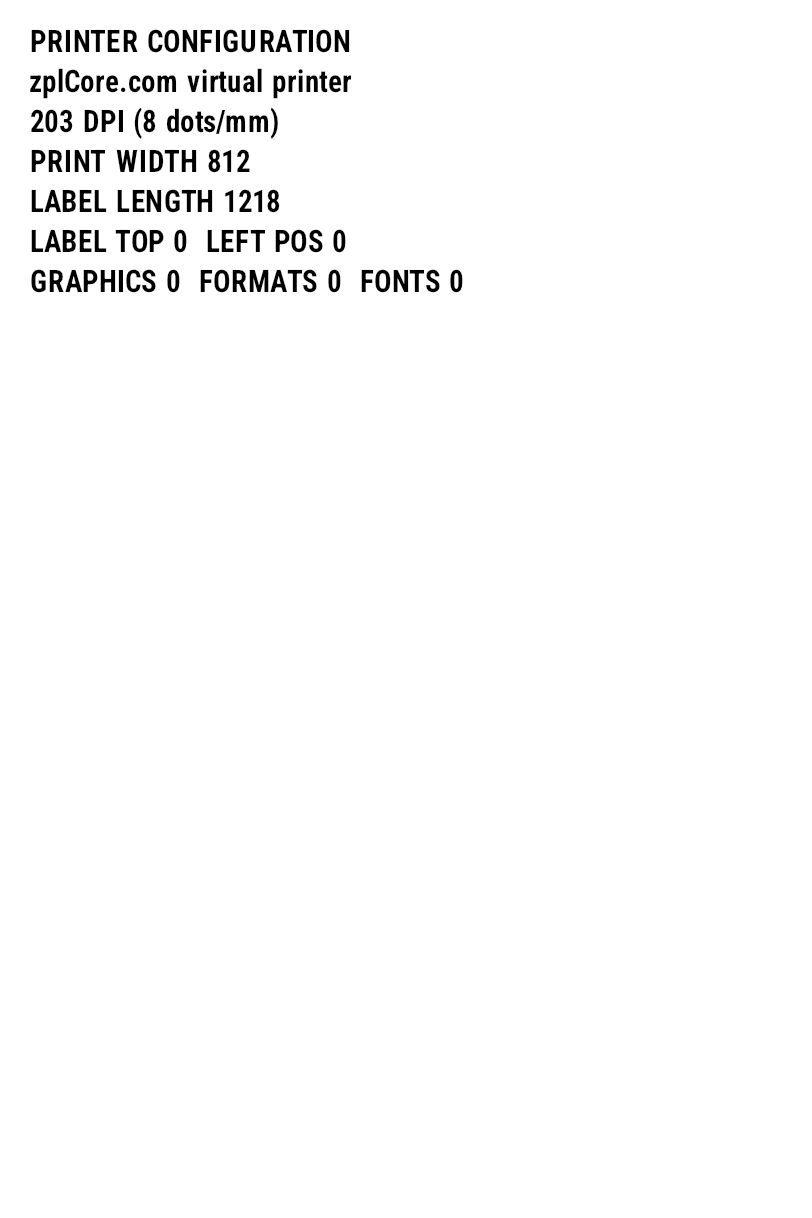
Commands without visual effect (media, darkness, calibration, ~HS …) raise PrinterControl; replies to host queries end up in Responses. LabelRendered fires after each encoded label. ~WC prints a configuration label.
var renderer = new ZplRenderer();
renderer.PrinterControl += (_, e) =>
{
    Console.WriteLine($"Steuerbefehl {e.Command.Prefix}{e.Command.Name} {e.Command.Parameters}");
    // e.Response is prefilled for ~HS and can be overridden
};
renderer.LabelRendered += (_, e) =>
    File.WriteAllBytes($"label{e.Index + 1}.png", e.Data);

renderer.ProcessCommands("~SD25^XA^MD10^FO50,50^GB100,100,4^FS^XZ~HS");
var status = ZplPrinterStatus.Parse(renderer.Responses[0]);
Console.WriteLine(status.IsReady ? "bereit" : "Fehler");
~WC configuration label
Stored formats
Formats (^DF/^XF), graphics (~DG, ~DY, ^IS) and fonts live in renderer.Store (ZplResourceStore), which can also be shared between multiple renderers (new ZplRenderer { Store = shared }).
Printer memory: ^DF / ^XF, ^IS / ^IL
var renderer = new ZplRenderer();

// ^DF stores a format in printer memory, ^XF recalls it, ^FN fills the fields
renderer.ProcessCommands("^XA^DFR:ADR.ZPL^FS^FO50,50^A0N,40,40^FN1^FS^FO50,110^A0N,30,30^FN2^FS^XZ");
var labels = renderer.ProcessCommands(
    "^XA^XFR:ADR.ZPL^FN1^FDMax Mustermann^FS^FN2^FDGraz^FS^XZ" +
    "^XA^XFR:ADR.ZPL^FN1^FDErika Muster^FS^FN2^FDWien^FS^XZ");

// memory persists between calls – like a real printer
Console.WriteLine(string.Join(", ", renderer.Store.Formats));
renderer.Store.AddGraphic("R:LOGO.GRF", SKBitmap.Decode("logo.png"), dither: true);
renderer.Reset();                      // Power-on-Reset (~JR)
^XA^FO10,10^GB300,80,3^FS^FO30,30^A0N,40,40^FDFormular^FS
^ISR:FORM.GRF^XZ                 ← save label as image (and print)
^XA^ILR:FORM.GRF                 ← load image as background
^FO30,120^A0N,30,30^FDVariable Daten^FS^XZ
More on zplCloud.com: Guide: ^DF · Guide: ^XF
Filling ^FN fields: FieldValues
ZplRenderSettings.FieldValues (IReadOnlyDictionary<int, string>) sets the data of every field with that ^FN number – in plain labels and in formats recalled with ^XF, for all labels and ^PQ copies of one call. The value wins over a ^FD default and over the ^XF data block; ^FH, ^FC and ^SN/^SF still apply. Keys without a matching ^FN are reported as diagnostic ZPL1301 (ZplDiagnosticCodes.InvalidFieldValueKey, INVALID_FIELD_VALUE_KEY) on the first label. ZplFields.Find lists the fields with prompt (^FN1"Name") and default value, ZplFields.Fill returns the filled ZPL. CLI: zplcore render label.zpl --field 1=ACME --field 2=Vienna.
Try it online on zplCloud.com: ZPL Template Filler
More on zplCloud.com: Guide: ^FN
// Fill ^FN fields without ^DF/^XF: test data for previews or ERP templates
const string template = "^XA^FO50,50^A0N,40,40^FN1\"Name\"^FDMuster^FS^FO50,110^A0N,30,30^FN2\"Ort\"^FS^XZ";
var renderer = new ZplRenderer(new ZplRenderSettings
{
    FieldValues = new Dictionary<int, string> { [1] = "Erika Muster", [2] = "Wien" },
});
var png = renderer.ProcessCommands(template);      // applies to all labels, also in ^XF formats

// List the fields for a form (number, prompt, default value)
foreach (var f in ZplFields.Find(template))
    Console.WriteLine($"^FN{f.Number} {f.Prompt}: {f.Value}");

// ZPL with the values filled in (^DF/^XF merged into plain labels)
string filled = ZplFields.Fill(template, renderer.Settings.FieldValues!);
Serial numbers, clock, ^MC, ^RF
^MC Map Clear
^MCN keeps the image for the next label (overlay), ^MCY clears it again.
^RF RFID watermark

Labels with an RFID operation (^RF, ^WT, ^WF, ^RQ) show a gray RFID symbol in the preview: centered, approx. 0.86" in size, behind the content, rotated with ^PO I; as a path in SVG/vector PDF. Only PNG/JPEG/WebP/BMP/GIF/PDF/SVG/HTML/EPS – never in GRF, EPL, PCL, Fingerprint, ESC/POS or 1-bit TIFF/PCX. RfidIndicator = ZplRfidIndicator.None turns it off.
^SO / ^ST
Secondary and tertiary clock with offset (e.g. best-before +2 months) or setting the clock. ^CD/^CC/^CT change the control characters, ^TO copies stored objects, ^JM halves the dot density.
More on zplCloud.com: Guide: ^SN