


07GS1
All GS1 symbologies go through a shared parser and validator (ported from BWIPP's gs1process, a table of 534 application identifiers): length, character set, check digits, dates and mandatory/exclusive combinations. Input in bracketed form (01)…(10)… or raw with FNC1/GS.
Try it online on zplCloud.com: GS1-128 · GS1 DataMatrix · GS1 QR Code · GS1 DataBar · Check barcode
More on zplCloud.com: Guide: GS1 AI database · Template: SSCC pallet label (GS1-128)
Recommended for GS1-128: write the data in the bracketed form (01)09521234543213(10)LOT42 – in the label model with BarcodeItem.Symbology = Symbology.Gs1_128 or built and checked with the expression GS1("01", [Gtin], "10", [Lot]). The FNC1 separators after variable-length AIs are set automatically and the barcode prints as a native ^BC; do not set FNC1 (>8) by hand (Label.Validate() reports it).
// GS1-128: AIs in parentheses; the encoder inserts FNC1 and separators, AIs are validated
var gs1 = new Barcode { Symbology = Symbology.Gs1_128, Code = "(01)09521234543213(17)261231(10)LOT42", Dpi = 203, BarWidth = 2, BarHeight = 70 };
var sscc = new Barcode { Symbology = Symbology.Sscc18, Code = "09501234567890123", Dpi = 203, BarWidth = 2, BarHeight = 70 }; // check digit appended
var ean14 = new Barcode { Symbology = Symbology.Ean14, Code = "(01)04601234567893", Dpi = 203, BarWidth = 2, BarHeight = 70 };
var dm = new Barcode { Symbology = Symbology.Gs1DataMatrix, Code = "(01)09521234543213(21)SN12345", Dpi = 203, BarWidth = 5 };

// Composite: "linear part|(AI)2D part" – CC-A/B/C is chosen automatically
var cc = new Barcode { Symbology = Symbology.Ean13Composite, Code = "2112345678900|(99)1234-abcd", Dpi = 203, BarWidth = 2, BarHeight = 60 };

try
{
    new Barcode { Symbology = Symbology.Gs1_128, Code = "(01)09521234543213(17)261301" }.ToPng();
}
catch (FormatException ex)
{
    Console.WriteLine(ex.Message);   // invalid date in AI 17 (month 13)
}
GS1-128

SSCC-18
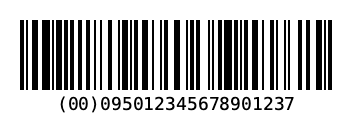
EAN-14

GS1 Data Matrix
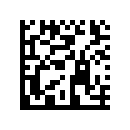
EAN-13 Composite (CC-A)
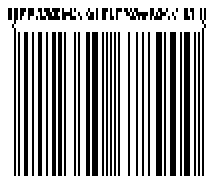
DataBar Expanded Composite
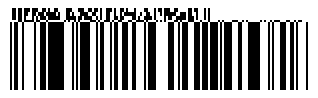
GS1-128 Composite (CC-C)

"linear part|(AI)…". Supported for EAN-13/8, UPC-A/E, GS1-128 and all DataBar variants; CC-A, CC-B or CC-C (GS1-128 only) is chosen by data volume. When encoding, invalid data raises a FormatException with the AI and the reason.Using the parser & validator directly
Gs1.Parse, ParseBracketed, ParseRaw, Validate, ToElementString, ToRaw and NeedsSeparator are public; the result is a Gs1Result with Elements and Errors. For QR there are also QrExtras.Gs1, SwissQr (matrix plus cross geometry) and Epc.
Gs1Result r = Gs1.Parse("(01)09521234543213(17)261301(10)LOT42");   // parenthesised or raw with GS
foreach (Gs1Element e in r.Elements)
    Console.WriteLine($"AI {e.Ai} = {e.Value}");
if (!r.IsValid)
    foreach (Gs1Error err in r.Errors)
        Console.WriteLine(err);              // "AI 17: Invalid month" (err.Ai, err.Code, err.Message)

var ok = Gs1.Parse("(01)09521234543213(10)LOT42(17)261231");
string raw = Gs1.ToRaw(ok.Elements);         // "0109521234543213" + "10LOT42" + GS + "17261231"
string text = Gs1.ToElementString(ok.Elements);
List<Gs1Error> errors = Gs1.Validate(ok.Elements, lintReqs: true);   // incl. mandatory combinations
bool gs = Gs1.NeedsSeparator("10");          // true: variable length → FNC1/GS after it