


06Barcode-Generator
ZplCore.Barcodes.Barcode erzeugt Barcodes ganz ohne ZPL: 144 Symbologien (enum Symbology), Ausgabe als Raster, Vektor oder ZPL-Grafik.
Online ausprobieren auf zplCloud.com: Barcode zu ZPL · QR-Code zu ZPL
var bc = new Barcode
{
    Symbology = Symbology.Ean13,
    Code = "950600013435",                 // Prüfziffer wird ergänzt
    Unit = BarcodeUnit.Millimeter,
    Dpi = 300,
    BarWidth = 0.33,                       // X-Dimension (100 %)
    BarHeight = 22,
};
File.WriteAllBytes("ean13.png", bc.ToPng());
File.WriteAllBytes("ean13.webp", bc.ToWebp(90));
File.WriteAllText("ean13.svg", bc.ToSvg());    // Vektor
File.WriteAllBytes("ean13.pdf", bc.ToPdf());   // Vektor, physische Größe
File.WriteAllText("ean13.eps", bc.ToEps());    // PostScript
string gfa = bc.ToZplGraphic(50, 100);         // ^FO50,100^GFA,…^FS für beliebige ZPL-Etiketten

using var bmp = new SKBitmap(1200, 600);       // oder direkt auf eine eigene Leinwand
using var canvas = new SKCanvas(bmp);
canvas.Clear(SKColors.White);
bc.Draw(canvas, 40, 40);
SKSize size = bc.Size;                         // Pixel bei Dpi, inkl. Ruhezone und Text
Raster
ToBitmap(), ToPng(), ToJpeg(q), ToWebp(q)
Vektor
ToSvg(), ToPdf() (physische Größe), ToEps(), Draw(SKCanvas, x, y)
ZPL
ToZplGraphic(x, y) – ^FO…^GFA…^FS für jedes Zebra-Etikett
Beispieldateien: ean13.svgean13.pdfean13.epsswissqr.svgswissqr.pdfgs1-datamatrix.epsean13-gfa.zpl


Alle Optionen
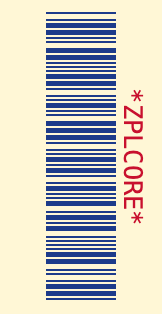
var bc = new Barcode
{
    Symbology = Symbology.Code39,
    Code = "ZPLCORE",
    Unit = BarcodeUnit.Pixel,                      // Pixel, Millimeter, Inch, Mil
    Dpi = 203,
    BarWidth = 2,                                  // schmaler Strich / Modul
    BarHeight = 70,                                // nur 1D; 2D-Module sind quadratisch
    WideRatio = 2.5,                               // breit:schmal für Code 39, 2 of 5, Codabar …
    QuietZone = 6,                                 // Module (null: 10 bei 1D, 4 bei 2D)
    AddChecksum = true,                            // optionale Prüfziffer
    ForeColor = new SKColor(0x1d, 0x3b, 0x8a),
    BackColor = new SKColor(0xff, 0xf7, 0xd6),
    TextColor = new SKColor(0xc8, 0x10, 0x2e),
    TextPosition = BarcodeTextPosition.Above,      // None, Below, Above
    HumanReadableText = "*ZPLCORE*",            // statt der kodierten Daten
    FontSize = 9,                                  // Punkt; 0 = automatisch
    Rotation = 90,                                 // 0, 90, 180, 270
};
// weitere: Typeface, GuardBars, BearerBars/BearerBarWidth, Supplement,
// QrErrorCorrection, Pdf417Columns, Pdf417SecurityLevel, MaxiCodeMode, DataBarSegmentsPerRow
| Eigenschaft | Standard | Bedeutung |
|---|---|---|
Symbology, Code | Code128, "" | Symbologie und Daten |
Unit | Pixel | Einheit für BarWidth/BarHeight/BearerBarWidth: Pixel, Millimeter, Inch, Mil |
Dpi | 300 | Auflösung für Raster und Einheitenumrechnung |
BarWidth | 2 | Schmaler Strich bzw. Modulgröße |
BarHeight | 80 | Höhe linearer Codes (2D-Module sind quadratisch) |
WideRatio | 3.0 | Breit-zu-schmal (2.0–3.0) für Zwei-Breiten-Codes |
QuietZone | null | Ruhezone in Modulen (null: 10 bei 1D, 4 bei 2D) |
ForeColor, BackColor, TextColor | Schwarz/Weiß/Schwarz | Farben (auch in SVG/PDF/EPS) |
TextPosition | Below | Klarschrift: None, Below, Above |
HumanReadableText | null | eigener Klartext statt der Daten (null = automatisch inkl. Prüfziffer) |
FontSize, Typeface | 0, null | Schriftgröße in Punkt (0 = proportional zum Modul), Schrift |
GuardBars | true | EAN/UPC-Randzeichen in die Klarschrift verlängern |
BearerBars, BearerBarWidth | None (ITF-14: Frame), 4 | Schutzbalken: Frame oder HorizontalRules |
Supplement | null | 2- oder 5-stelliges EAN/UPC-Add-on |
AddChecksum | false | optionale Prüfziffer (Code 39, 2 of 5, Code 11 …) |
Rotation | 0 | 0, 90, 180, 270 Grad |
QrErrorCorrection | 'M' | L, M, Q, H (QR, Micro QR, rMQR, GS1 QR) |
Pdf417Columns, Pdf417SecurityLevel | 0, 2 | PDF417-Spalten (0 = automatisch), Sicherheitsstufe |
MaxiCodeMode | 4 | MaxiCode-Modus 2–6 |
DataBarSegmentsPerRow | 4 | Segmente pro Zeile bei DataBar Expanded Stacked |
ModuleShape, FinderShape | Square, Square | Modulform 2D (Square, Circle, RoundedSquare, Diamond); QR-Finder (Square, Rounded, Circle) |
LogoImage, LogoSizePercent, LogoOpacity, LogoBackground | null, 20, 1, true | Logo in der Mitte von 2D-Codes (QR: Fehlerkorrektur H) |
LightMarginIndicator | false | EAN/UPC: </> in den Ruhezonen |
TextFormatPattern, HumanReadableAlignment | null, Center | Klarschrift formatieren (Maske oder {0:…}) und ausrichten (Center, Left, Right, Justify) |
CodeEncoding | Text | Daten als Text, Base64 oder Hex |
ProcessTilde | false | ~~, ~dNNN, ~1 (FNC1), ~2IICC (Structured Append), ~eNNNNNN (ECI) |
QrVersion, QrMask | 0, -1 | QR-Version 1–40 und Maske 0–7 erzwingen |
StructuredAppendInfo / StructuredAppend(i, n) | null | Daten auf mehrere Symbole verteilen (QR, Data Matrix, Aztec, MaxiCode, PDF417) |
Besondere Symbole
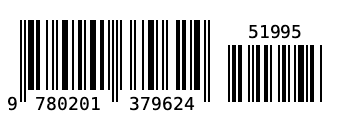
EAN-13 mit 5-stelligem Add-on
var bc = new Barcode
{
    Symbology = Symbology.Ean13,
    Code = "978020137962",
    Supplement = "51995",          // 2- oder 5-stelliges Add-on rechts daneben
    GuardBars = true,              // Randzeichen ragen in die Klarschrift
    Dpi = 203, BarWidth = 2, BarHeight = 70,
};
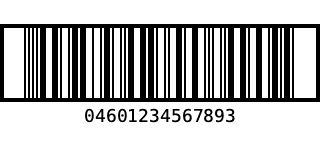
ITF-14 mit Schutzrahmen
var bc = new Barcode
{
    Symbology = Symbology.Itf14,
    Code = "0460123456789",        // 13 Stellen → Prüfziffer 3 wird ergänzt
    Dpi = 203, BarWidth = 2, BarHeight = 70,
    BearerBars = BearerBarStyle.Frame,   // Standard bei ITF-14; HorizontalRules = nur oben/unten
    BearerBarWidth = 4,
};
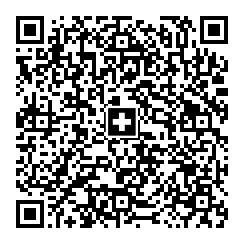
Swiss QR (QR-Rechnung)
string payload = string.Join("\n",
    "SPC", "0200", "1", "CH4431999123000889012",
    "S", "Muster AG", "Bahnhofstrasse", "1", "8000", "Zürich", "CH",
    "", "", "", "", "", "", "",
    "1949.75", "CHF",
    "S", "Pia Rutschmann", "Marktgasse", "28", "9400", "Rorschach", "CH",
    "QRR", "210000000003139471430009017", "Rechnung 4711", "EPD");
var bc = new Barcode
{
    Symbology = Symbology.SwissQrCode,   // UTF-8, EC-Level M, Schweizerkreuz in der Mitte
    Code = payload,
    Unit = BarcodeUnit.Millimeter, Dpi = 203,
    BarWidth = 0.5,
};
EPC-QR (GiroCode)
// EPC069-12 (GiroCode / SEPA-Überweisung): Felder werden geprüft (Länge, BIC, Betrag, IBAN ohne Leerzeichen)
string payload = QrExtras.EpcPayload(
    name: "Max Mustermann",
    iban: "DE89 3704 0044 0532 0130 00",
    amount: 12.50m,
    bic: "COBADEFFXXX",
    remittance: "Rechnung 4711");
var bc = new Barcode { Symbology = Symbology.EpcQrCode, Code = payload, Dpi = 203, BarWidth = 4 };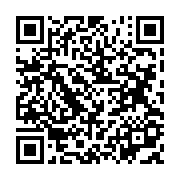
QrExtras.EpcPayload baut den Payload (Version 002, UTF-8) und prüft Längen, BIC, Betrag und Referenz/Verwendungszweck.
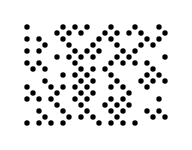
Ultracode (Farbe) & DotCode (Punkte)
var ultra = new Barcode { Symbology = Symbology.Ultracode, Code = "Ultracode 2026", Dpi = 203, BarWidth = 6 };
var dot = new Barcode { Symbology = Symbology.DotCode, Code = "DotCode 2026", Dpi = 203, BarWidth = 6 };
File.WriteAllBytes("ultracode.png", ultra.ToPng());   // farbige Module (Cyan, Magenta, Gelb, Grün …)
File.WriteAllText("dotcode.svg", dot.ToSvg());        // DotCode als runde Punkte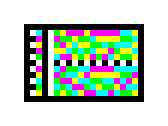
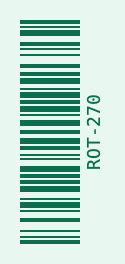
Gedreht & eingefärbt
var bc = new Barcode
{
    Symbology = Symbology.Code128,
    Code = "ROT-270",
    Dpi = 203, BarWidth = 2, BarHeight = 60,
    Rotation = 270,
    ForeColor = new SKColor(0x0b, 0x6e, 0x4f),
    BackColor = new SKColor(0xe8, 0xf7, 0xf0),
    TextColor = new SKColor(0x0b, 0x6e, 0x4f),
};
Logo, Modul- und Finder-Formen
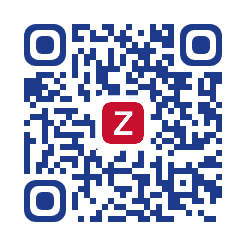
QR mit Logo
// logo: z. B. SKBitmap.Decode("logo.png")
var bc = new Barcode
{
    Symbology = Symbology.QrCode,
    Code = "https://example.com/zplcore",
    Dpi = 203, BarWidth = 6,
    LogoImage = logo,                   // QR: Fehlerkorrektur wird auf H angehoben
    LogoSizePercent = 22,               // Breite in % des Symbols
    LogoBackground = true,              // Fläche in BackColor hinter dem Logo
    FinderShape = FinderShape.Rounded,  // Square, Rounded, Circle
    ForeColor = new SKColor(0x1d, 0x3b, 0x8a),
};
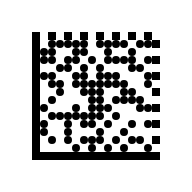
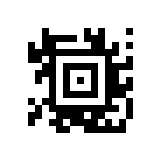
Runde Module, Punkte, Rauten
var round = new Barcode
{
    Symbology = Symbology.QrCode, Code = "Runde Module", Dpi = 203, BarWidth = 6,
    ModuleShape = ModuleShape.RoundedSquare, FinderShape = FinderShape.Circle,
};
var dots = new Barcode
{
    Symbology = Symbology.DataMatrix, Code = "Punkte 2026", Dpi = 203, BarWidth = 8,
    ModuleShape = ModuleShape.Circle,    // Square, Circle, RoundedSquare, Diamond
};
var diamond = new Barcode { Symbology = Symbology.Aztec, Code = "Diamond", Dpi = 203, BarWidth = 7, ModuleShape = ModuleShape.Diamond };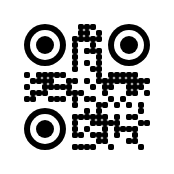
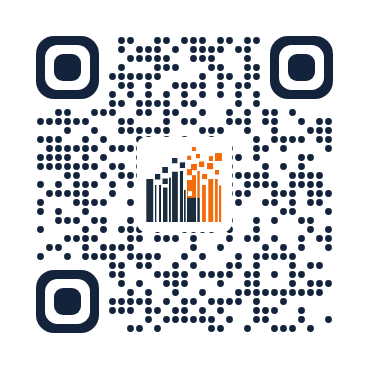
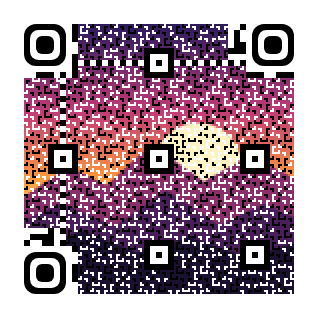
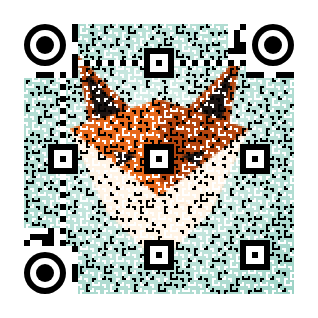
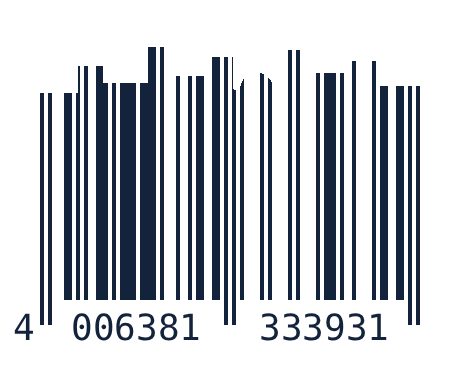
Gestaltete Codes: Halbton-QR, Balkenmotive, Lesbarkeitsprüfung
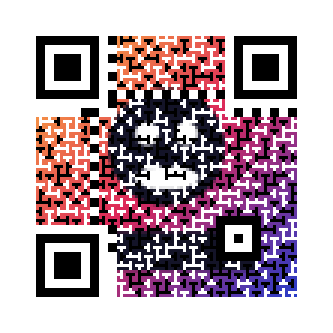
Gestaltete Codes bleiben lesbar, weil das SDK jedes gestaltete Symbol nach dem Rendern bei der Ziel-Auflösung mit zxing-cpp und ZXing.Net gegenliest – gegen ein kamera-unscharfes Bild (Gauß, σ = 0,3 Modul), nicht nur gegen das perfekte Pixelbild. Ein Halbtonbild oder Balkenmotiv, das nicht liest, wird stufenweise abgeschwächt (75 %, 50 %, 25 %, aus); Formen und Logos werden nur gemeldet. Das Ergebnis ist je Inhalt und Einstellung gecacht und mit VerifyReadability = false abschaltbar. Im Etikettenmodell meldet Label.Validate(record, dpi) unlesbare oder abgeschwächte Codes, ein Thermodrucker bekommt alles als ^GFA in Schwarz/Weiß.
Halbton-QR: Bild im Code
// photo: z. B. SKBitmap.Decode("motiv.jpg")
var thermal = new Barcode
{
    Symbology = Symbology.QrCode,
    Code = "https://zplcore.com",
    Dpi = 203, BarWidth = 6,            // Modul mindestens 3 Punkte (3 × 3 Teilmodule)
    HalftoneImage = photo,              // Fehlerkorrektur wird auf H angehoben
    HalftoneStrength = 0.6,             // Anteil der Teilmodule, die dem Bild folgen (0–1)
};
var colour = new Barcode
{
    Symbology = Symbology.QrCode, Code = "https://zplcore.com", Dpi = 300, BarWidth = 9,
    HalftoneImage = photo,
    HalftoneColor = true,               // Bildfarben für PNG, SVG, PDF (Thermodruck: Schwarz/Weiß)
};
var check = thermal.CheckReadability(); // Readable, AppliedHalftoneStrength, Messages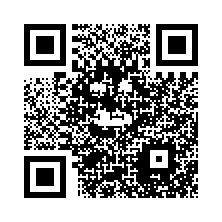
Balkenmotive: Skyline, Gras, eigenes Bild
var skyline = new Barcode
{
    Symbology = Symbology.Ean13, Code = "950600013435", Dpi = 300, BarWidth = 4, BarHeight = 240,
    BarArt = BarArt.Skyline,            // RoundedEnds, Skyline, Grass, Waves, Image
    BarArtHeightPercent = 30,           // oberer Teil der Balken (5–40 %), der Rest bleibt Scanzone
};
var grass = new Barcode { Symbology = Symbology.Code128, Code = "ZPLCORE-2026", Dpi = 300, BarWidth = 4, BarHeight = 200, BarArt = BarArt.Grass };
var image = new Barcode
{
    Symbology = Symbology.Itf14, Code = "1540014128876", Dpi = 300, BarWidth = 4, BarHeight = 220,
    BarArt = BarArt.Image, BarArtImage = mountains,   // dunkle, deckende Pixel behalten den Balken
};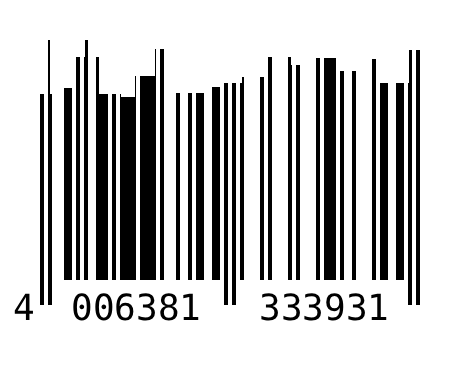
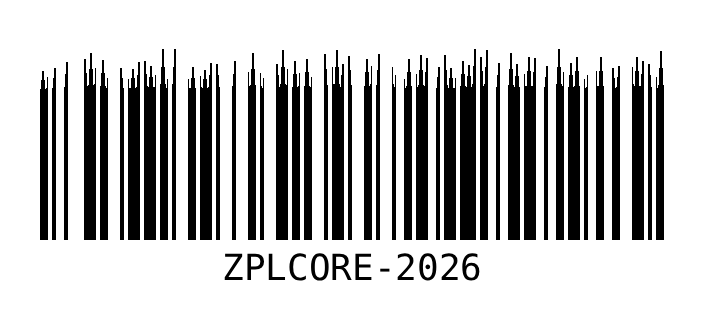
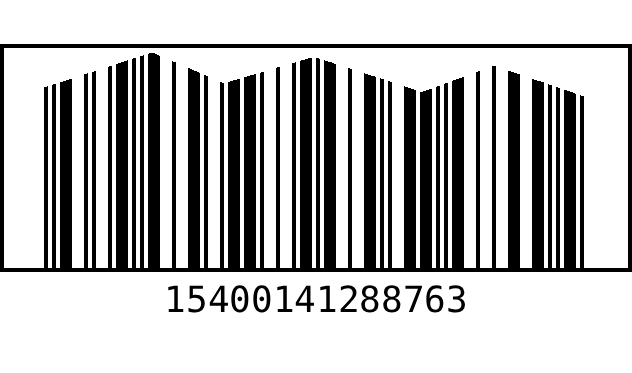
Halbton: jedes Modul wird in 3 × 3 Teilmodule geteilt; das mittlere Teilmodul und alle Finder-, Separator-, Timing-, Alignment-, Format- und Versionsmodule tragen unverändert die Daten, die übrigen folgen dem Bild (Fehlerdiffusion bzw. Bildfarben). Nur QR Code / GS1 QR Code, Fehlerkorrektur H, Modul ≥ 3 Punkte. Balkenmotive verändern nur den oberen Teil der Balken (5–40 %, Standard 30 %); Ruhezonen, Balkenbreiten und die Scanzone bleiben unangetastet. Motive: RoundedEnds, Skyline, Grass, Waves, Image. Im Etikettenformat: halftoneImageData, halftoneStrength, barArt, barArtHeightPercent, barArtImageData, logoOpacity, logoBackground, verifyReadability, validationErrorMessage.
Das zplCore-Zeichen als QR-Code
// mark: branding/zplcore-mark-256-transparent.png, markOnWhite: branding/zplcore-mark-256.png
var logo = new Barcode            // Stufe 1: Zeichen als Logo, runde Module und Eckmarken
{
    Symbology = Symbology.QrCode, Code = "https://zplcore.com", Dpi = 203, BarWidth = 6,
    LogoImage = mark, LogoSizePercent = 24,
    ModuleShape = ModuleShape.Dot, FinderShape = FinderShape.Rounded,
    ForeColor = new SKColor(0x1b, 0x2a, 0x3e),
};
var halftone = new Barcode        // Stufe 2: Zeichen als Halbton im Code (Thermodruck)
{
    Symbology = Symbology.QrCode, Code = "https://zplcore.com", Dpi = 203, BarWidth = 6,
    QrVersion = 5,                  // mehr Module = feineres Bild
    HalftoneImage = markOnWhite, FinderShape = FinderShape.Rounded,
};
var colour = new Barcode
{
    Symbology = Symbology.QrCode, Code = "https://zplcore.com", Dpi = 300, BarWidth = 6, QrVersion = 5,
    HalftoneImage = markOnWhite, HalftoneColor = true, FinderShape = FinderShape.Rounded,
};
// gedruckt wird die lesbare Stärke: halftone.CheckReadability().AppliedHalftoneStrength
string zpl = "^XA" + logo.ToZplGraphic(30, 30) + halftone.ToZplGraphic(330, 30) + "^XZ";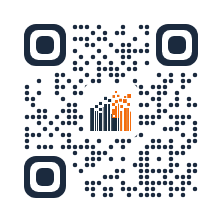
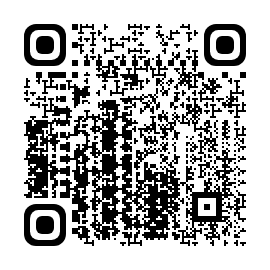
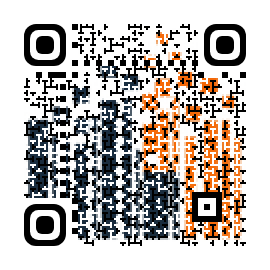
Demo-Dateien (PNG, SVG, ZPL) in samples/artistic/; die Live-Demo hat das Etikett als Vorlage und als ZPL-Beispiel („Gestaltete QR-Codes“).
Weitere Beispiele und eigenes Bild
Die Seite Gestaltete QR-Codes & Barcodes zeigt eine Galerie farbiger und druckfertiger Beispiele – jedes nach dem Rendern gegengelesen – und ein Studio, in dem Sie Ihr eigenes Logo oder Bild als Logo-QR, Halbton-QR oder Barcode-Motiv hochladen und sofort den Lesbarkeitsbefund sehen. Die Beispiele erzeugt samples/DocsExamples/ArtisticShowcase.cs.
Klarschrift, Kodierung & Structured Append
Light Margin Indicator, Textmaske, Ausrichtung
var ean = new Barcode
{
    Symbology = Symbology.Ean13, Code = "950600013435", Dpi = 203, BarWidth = 2, BarHeight = 60,
    LightMarginIndicator = true,                   // ‹ › in den Ruhezonen (GS1)
};
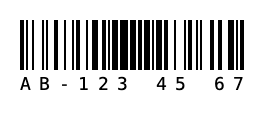
var pattern = new Barcode
{
    Symbology = Symbology.Code128, Code = "AB1234567", Dpi = 203, BarWidth = 2, BarHeight = 50,
    TextFormatPattern = "AA-999 99 99",            // Maske: A a 9 # X x * ? übernehmen ein Zeichen
    HumanReadableAlignment = HumanReadableAlignment.Justify,   // Center, Left, Right, Justify
};
// numerisch auch als Composite-Format: TextFormatPattern = "{0:### ### ###}"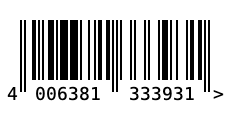
Base64/Hex, Tilde & ECI, QR-Version/-Maske, Structured Append
// Daten als Base64 oder Hex übergeben (Binärdaten)
var b64 = new Barcode { Symbology = Symbology.QrCode, Code = "SGVsbG8gV29ybGQ=", CodeEncoding = CodeEncoding.Base64 };
var hex = new Barcode { Symbology = Symbology.DataMatrix, Code = "48 65 6C 6C 6F", CodeEncoding = CodeEncoding.Hex };

// Tilde-Escapes: ~~ ~dNNN (Byte) ~1 (FNC1) ~2IICC (Structured Append) ~eNNNNNN (ECI)
var eci = new Barcode { Symbology = Symbology.QrCode, Code = "~e000026Gr~d195~d188~d195~d159e", ProcessTilde = true };

// QR fest einstellen: Version 1–40 (0 = automatisch), Maske 0–7 (-1 = automatisch)
var fixedQr = new Barcode { Symbology = Symbology.QrCode, Code = "VERSION 5", QrVersion = 5, QrMask = 3, QrErrorCorrection = 'Q' };

// Structured Append: Daten auf mehrere Symbole verteilen (QR, Data Matrix, Aztec, MaxiCode, PDF417)
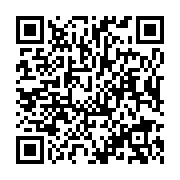
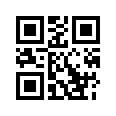
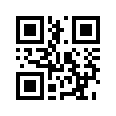
var part1 = new Barcode { Symbology = Symbology.QrCode, Code = "Teil eins / ", Dpi = 203, BarWidth = 4 }.StructuredAppend(1, 2);
var part2 = new Barcode { Symbology = Symbology.QrCode, Code = "Teil zwei", Dpi = 203, BarWidth = 4 }.StructuredAppend(2, 2);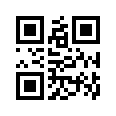
Weitere Ausgabeformate
Neben PNG/JPEG/WebP, SVG, PDF, EPS und ^GFA: TIFF, PCX, PCL, EPS in CMYK oder Graustufen und ein fertiges HTML-<img> mit Data-URI.
File.WriteAllBytes("code.tif", bc.ToTiff());                       // 1-Bit TIFF (PackBits)
File.WriteAllBytes("code.pcx", bc.ToPcx());
File.WriteAllBytes("code.pcl", bc.ToPcl());                        // PCL5-Rasterseite
File.WriteAllText("code-cmyk.eps", bc.ToEps(EpsColorMode.Cmyk));   // Rgb, Cmyk, Gray
string img = bc.ToHtmlImgTag(HtmlImageFormat.Svg, alt: "Barcode"); // <img src="data:image/svg+xml;base64,…">
Größe, Rahmen, Fehlerverhalten & Symbologie-Optionen
Feste Data-Matrix-Größen (inkl. DMRE) und Kodierung, PDF417 Zeilen/Seitenverhältnis/Kompaktierung, Aztec-Format/Lagen/Fehlerkorrektur, QR-Modus (inkl. Kanji), Code-128-Zeichensatz, Han Xin/DotCode/Ultracode-Parameter und die Composite-Wahl CC-A/B/C sind Eigenschaften von Barcode. Dazu Größenmodi (None, Fill, FitProportional, AutoSize), Padding, Rahmen, ErrorBehavior (Ausnahme, leeres Bild oder Bild mit Fehlertext), IsCodeValid und die öffentliche Klasse Checksums.
var bc = new BC.Barcode
{
    Symbology = BC.Symbology.DataMatrix, Code = "ZPLCORE-0001",
    DataMatrixSize = "16x48", DataMatrixDmre = true,
    Sizing = BC.BarcodeSizing.FitProportional, TargetWidth = 300, TargetHeight = 120,
    Padding = new BC.BarcodePadding(8), BorderWidth = 2,
    ErrorBehavior = BC.BarcodeErrorBehavior.ErrorDescriptionImage,
};
if (!bc.IsCodeValid(out string? error)) Console.WriteLine(error);
int check = BC.Checksums.Mod10("950600013435");
return bc;
TLC39, Deutsche Post BZL, GS1-Maße, ECI & weitere Stellschrauben
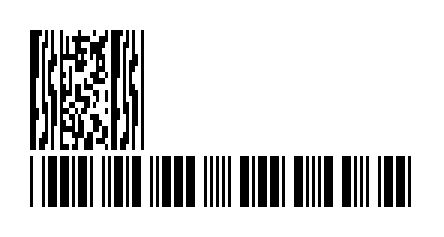
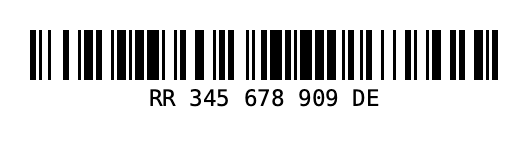
Symbology.Tlc39 erzeugt den Code 39 mit 6-stelliger ECI und verknüpftem MicroPDF417 (Teil nach dem Komma, Abstand Tlc39Gap). Symbology.DeutschePostBzl ist experimentell ([Experimental("ZPLBZL001")]): Code 128 der S10-Sendungsnummer mit Prüfziffer. Dazu UseQuietZoneForText (Klarschrift in der Ruhezone), SupplementTopMargin (Add-on-Versatz), MagnificationFactor (GS1-Nennmaß 0,80–2,00 bei EAN/UPC), HanXinMode (erzwungener Modus), MaxiCodePixelAligned (ohne Graustufen), ArtBarImagePattern (Bild als Modulfüllung), ByteEncodingName mit automatischer ECI (Eci.FromEncodingName) und Gs1Builder (GTIN, SSCC, Datum, Maße, Prüfziffer).
            // TLC39: Code 39 (6-stellige ECI) + verknüpfter MicroPDF417 nach dem Komma
            var tlc = new BC.Barcode { Symbology = BC.Symbology.Tlc39, Code = "123456,ABCD12345678901234", BarWidth = 3, BarHeight = 90, Tlc39Gap = 6 };

#pragma warning disable ZPLBZL001 // experimentell
            var bzl = new BC.Barcode { Symbology = BC.Symbology.DeutschePostBzl, Code = "RR34567890DE", BarWidth = 3 }; // Prüfziffer ergänzt
#pragma warning restore ZPLBZL001

            var ean = new BC.Barcode
            {
                Symbology = BC.Symbology.Ean13, Code = "950600013435", Dpi = 600,
                MagnificationFactor = 1.0,           // GS1-Nennmaß (0,80–2,00)
                Supplement = "12", SupplementTopMargin = 40,
            };
            var compact = new BC.Barcode { Symbology = BC.Symbology.Code128, Code = "QZ", UseQuietZoneForText = true };
            var hx = new BC.Barcode { Symbology = BC.Symbology.HanXin, Code = "1234567890", HanXinMode = BC.HanXinMode.Numeric };
            var maxi = new BC.Barcode { Symbology = BC.Symbology.MaxiCode, Code = "PIXEL", MaxiCodePixelAligned = true };
            var art = new BC.Barcode { Symbology = BC.Symbology.QrCode, Code = "ART", ArtBarImagePattern = pattern };
            var cyr = new BC.Barcode { Symbology = BC.Symbology.QrCode, Code = "Привет", ByteEncodingName = "ISO-8859-5" }; // ECI 7
            int eci = BC.Eci.FromEncodingName("utf-8");                                                               // 26

            string gs1 = BC.Gs1Builder.Build(("01", BC.Gs1Builder.Gtin("950110153000")[4..]), ("10", "LOT"));
            string date = BC.Gs1Builder.Date("17", new DateOnly(2026, 12, 31));   // (17)261231
            string kg = BC.Gs1Builder.Measure("310", 1.5m, 3);                   // (3103)001500
Galerie: alle Symbologien
Alle 144 Werte der Enum ZplCore.Barcodes.Symbology, darunter neu Korea Post, Royal Mail Mailmark (4-State), DPD, UPU S10, Flattermarken, BC412, UPNQR, Grid Matrix und Code One sowie die Anwendungsformate (ISBT 128, HIBC, VICS, USPS IMpb …). Jedes Bild ist mit new Barcode { Symbology = …, Code = …, Dpi = 203, BarWidth = 2 (2D: 3), BarHeight = 50 }.ToPng() erzeugt.