



zplCore.com – High Performance .NET Labelprint Engine
Render ZPL.
Design labels.
zplCore.com is a virtual Zebra printer and a label designer model in one library: ZPL II and EPL2 become PNG, PDF & more, labels built from C# objects become ZPL – millions of times over, streaming. Plus a standalone barcode generator with 144 symbologies and GS1 validation – and print jobs with header and trailer labels and transports for TCP, serial, USB, the Windows spooler and CUPS.
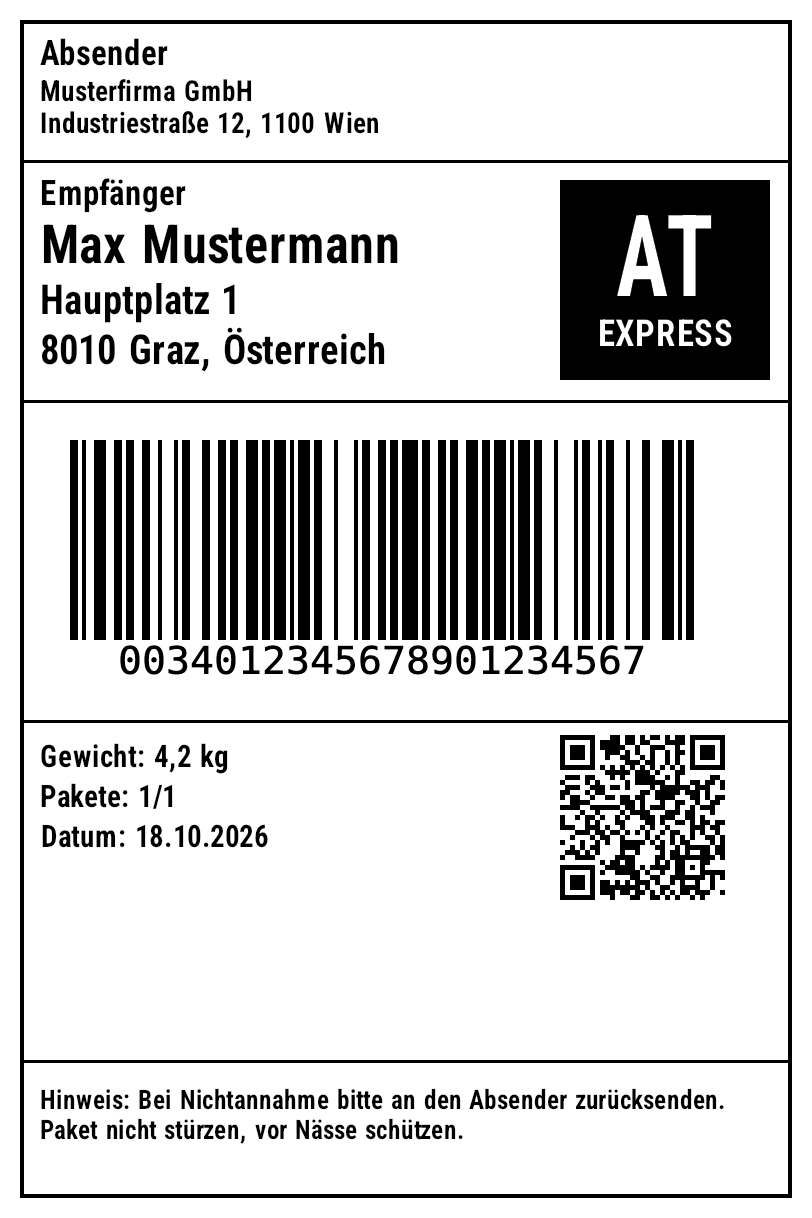
Virtual printer
Keeps graphics, formats and fonts in memory between calls – just like a real Zebra.
Barcodes that decode
144 symbologies, verified bit-exact against bwip-js or zint and, where possible, read back with ZXing.
EPL2 & converter
Render EPL2 or translate it to ZPL – including forms, variables and counters.
GS1
AI validation (534 AIs), GS1-128, SSCC-18, ITF-14, Composite CC-A/B/C.
Label model
Elements in mm/inch, expressions, mask counters, tables, repeaters, sheets, duplex pages, JSON.
Bulk data & print jobs
Typed binding to LINQ, EF Core, LiteDB – streaming with ^DF/^XF, header/trailer label and a cut after the last label.
All scripts
UTF-8, Arabic/Hebrew with bidi, CJK, Thai, Devanagari via HarfBuzz.
Export
PNG, JPEG, WebP, BMP, PDF, GRF, TIFF (CCITT G3/G4, LZW), PCX, PCL, EPL, Fingerprint, ESC/POS, GIF, SVG, HTML, EPS – plus DPI conversion of ZPL.
01Quickstart
Reference the project, feed in ZPL, get images out.
dotnet add reference src/ZplCore/ZplCore.csproj
dotnet build -c Release     # src/ZplCore/bin/Release/net10.0/ZplCore.dll
dotnet test
var renderer = new ZplRenderer(new ZplRenderSettings { Dpi = 203 }.WithLabelSizeMm(100, 150));

List<byte[]> pngs = renderer.ProcessCommands(
    "^XA^FO50,50^A0N,40,40^FDHallo Welt^FS^BY2^FO50,120^BCN,80^FD12345^FS^XZ");
File.WriteAllBytes("label.png", pngs[0]);

renderer.Settings.OutputFormat = ZplOutputFormat.Pdf;      // one PDF, one page per label
File.WriteAllBytes("labels.pdf", renderer.ProcessFile("labels.zpl")[0]);
02ZplRenderer
ZplRenderer processes ZPL strings, byte arrays (code page 850 as on the printer, or UTF-8 with BOM) and files. Each printed label produces one encoded image – for PDF, one document with one page per label.
Settings (ZplRenderSettings)
var settings = new ZplRenderSettings
{
    Dpi = 300,                                   // 152, 203, 300 or 600
    OutputFormat = ZplOutputFormat.Webp,         // Png, Jpeg, Webp, Bmp, Pdf, Grf
    Quality = 90,                                // JPEG/WebP
    AntiAlias = false,                           // pure 1-bit like a thermal printer
    InkColor = new SKColor(0x1d, 0x3b, 0x8a),    // ribbon
    BackgroundColor = SKColors.LightYellow,      // label stock
    OutputRotation = ZplRotation.Rotate90,
    TraceElements = true,                        // collect the positions of all fields
    Clock = () => new DateTime(2026, 10, 18),    // deterministic ^FC fields
}.WithLabelSizeInches(4, 6);

string json = settings.ToJson();                 // save ...
var restored = ZplRenderSettings.FromJson(json); // ... and load
| Property | Default | Meaning |
|---|---|---|
Dpi | 203 | Print resolution 152/203/300/600 |
LabelWidth / LabelHeight | 4×6 inches | in dots; overridden by ^PW/^LL unless ForceLabelWidth/Height |
InkColor / BackgroundColor | Black / White | Ribbon and paper color |
OutputFormat / Quality | Png / 95 | Png, Jpeg, Webp, Bmp, Pdf, Grf |
OutputRotation | None | Rotate output by 90/180/270° |
AntiAlias / InvertColors | true / false | Smoothing or negative |
BackgroundImage / WatermarkImage + WatermarkOpacity | – / 0.25 | Pre-print below or watermark above the content |
RfidIndicator + RfidIndicatorColor / RfidIndicatorOpacity | Watermark / #C0C0C0 / 1 | gray RFID symbol behind the content on labels with ^RF/^WT/^WF/^RQ (preview formats only, see ^RF) |
ThumbnailSize | 0 | Downscale output to max. N pixels |
RenderOutputIndexes | null | encode only selected labels |
DefaultCodePage | 850 | Field encoding without ^CI |
TraceElements | false | Collect position/content of each field (editors, tests) |
Clock | DateTime.Now | Clock for ^FC |
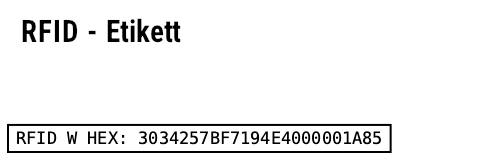
DrawRfid | false | Draw ^RF data visibly |
PdfTitle/Author/Subject/Keywords/Creator | – | PDF metadata |
PaperWidth/PaperHeight/PaperMargin/LabelGap | 0 | PDF sheet layout: multiple labels per page |
using var watermark = SKBitmap.Decode("muster.png");
var renderer = new ZplRenderer(new ZplRenderSettings
{
    WatermarkImage = watermark,
    WatermarkOpacity = 0.35f,
    ThumbnailSize = 200,              // scale output down to max. 200 px
    RenderOutputIndexes = [0, 2],     // encode only labels 1 and 3
    DrawRfid = true,                  // draw ^RF data as a box
});

// PDF: metadata + several labels per sheet (A4 @ 203 dpi)
var pdf = new ZplRenderer(new ZplRenderSettings
{
    OutputFormat = ZplOutputFormat.Pdf,
    PdfTitle = "Lieferung 42", PdfAuthor = "Lager", PdfSubject = "Versand", PdfKeywords = "zpl",
    PaperWidth = 1680, PaperHeight = 2376, PaperMargin = 40, LabelGap = 16,
}.WithLabelSizeMm(100, 50));
byte[] sheet = pdf.ProcessCommands(zpl)[0];
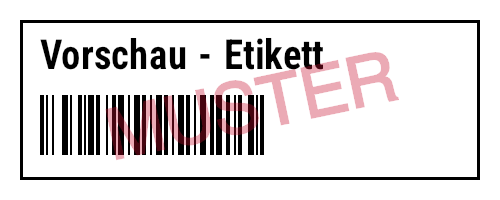
Watermark
Visible RFID (DrawRfid)
Output formats & bitmaps
PNG · JPEG · WebP · BMP
One image per label. BMP as 24-bit (own encoder).
One document, one page per label at physical size – or a sheet layout. Sample PDF
GRF
The rendered label as a single ^GFA in ^XA…^XZ – for printers without matching fonts.
TIFF · PCX
Tiff: all labels in one multi-page 1-bit TIFF (TiffCompression); Pcx: one 1-bit PCX per label.
PCL · EPL · Fingerprint
The raster image as a PCL 5 page (laser printers), EPL2 GW graphic or Intermec Fingerprint – output ZPL on third-party printers.
ESC/POS
Raster image for receipt printers, including cut.
var renderer = new ZplRenderer(new ZplRenderSettings { OutputFormat = ZplOutputFormat.Tiff }.WithLabelSizeMm(100, 60));
byte[] tiff = renderer.ProcessCommands(zpl)[0];         // ONE multi-page 1-bit TIFF

foreach (var format in new[] { ZplOutputFormat.Pcx, ZplOutputFormat.Pcl, ZplOutputFormat.Epl,
                               ZplOutputFormat.Fingerprint, ZplOutputFormat.EscPos })
{
    renderer.Settings.OutputFormat = format;            // one byte array per label
    List<byte[]> outputs = renderer.ProcessCommands(zpl);
}

// background (e.g. a preprinted form) and watermark from file, data: URI or Base64;
// URLs only asynchronously (size-limited): ZplRenderSettings.LoadImageFromUrlAsync(new Uri("https://…"))
var preview = new ZplRenderSettings()
    .WithBackgroundImage("formular.png")
    .WithWatermarkImage("muster.png", opacity: 0.3f);
SKBitmap logo = ZplRenderSettings.LoadImage("data:image/png;base64,iVBORw0KGgo…");
var renderer = new ZplRenderer(new ZplRenderSettings { TraceElements = true });
foreach (ZplRenderResult result in renderer.Render(zpl))
{
    using SKBitmap bmp = result.Bitmap;              // caller owns the bitmaps
    foreach (var e in result.Elements)
        Console.WriteLine($"{e.Command} @ {e.X},{e.Y} {e.Width}x{e.Height}: {e.Content}");
    File.WriteAllText("label.grf.zpl", ZplExport.ToGrfZpl(bmp));  // as ^GFA graphic
}
Background & watermark from file, URL or Base64
ZplRenderSettings.LoadImage(source) loads images from a file path, http(s) URL, data: URI or plain Base64. WithBackgroundImage places an image (e.g. a scanned pre-printed form) beneath the label, WithWatermarkImage one above it – see the code above and the watermark example.
Events, status queries & ~WC
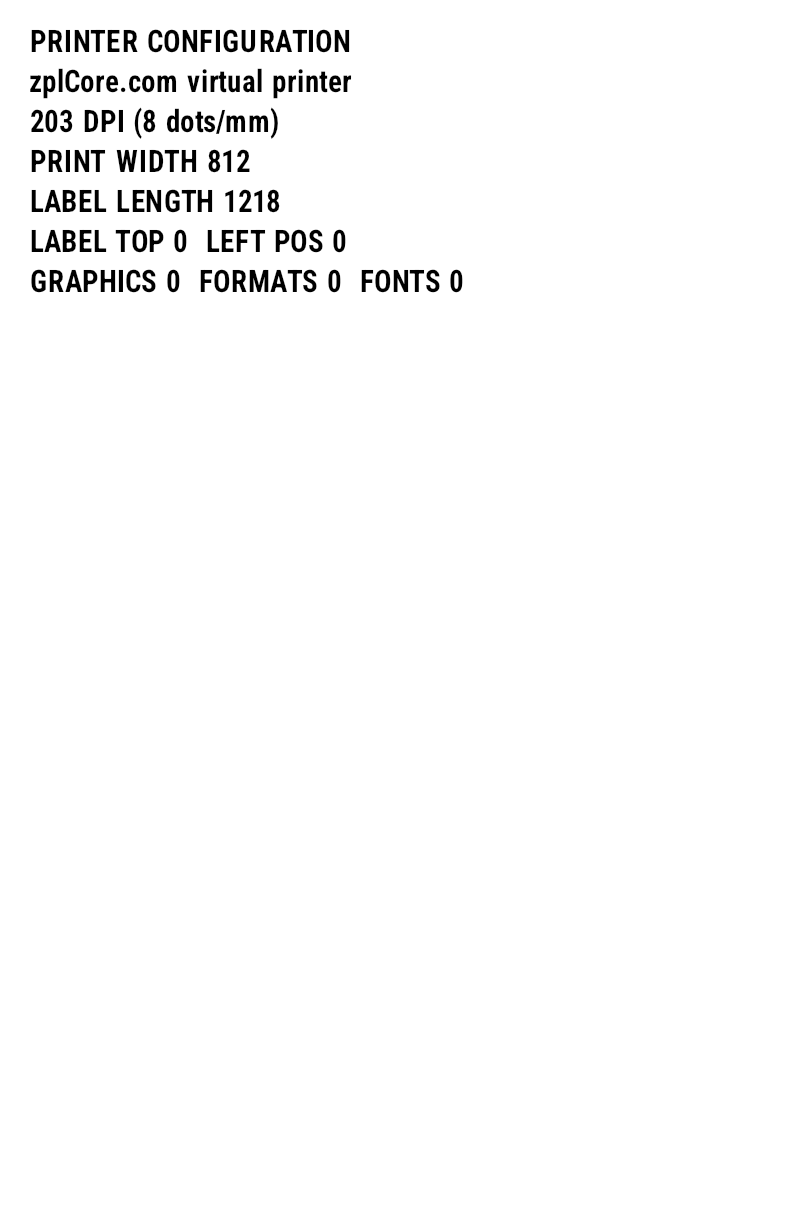
Commands without visual effect (media, darkness, calibration, ~HS …) raise PrinterControl; replies to host queries end up in Responses. LabelRendered fires after each encoded label. ~WC prints a configuration label.
var renderer = new ZplRenderer();
renderer.PrinterControl += (_, e) =>
{
    Console.WriteLine($"Steuerbefehl {e.Command.Prefix}{e.Command.Name} {e.Command.Parameters}");
    // e.Response is prefilled for ~HS and can be overridden
};
renderer.LabelRendered += (_, e) =>
    File.WriteAllBytes($"label{e.Index + 1}.png", e.Data);

renderer.ProcessCommands("~SD25^XA^MD10^FO50,50^GB100,100,4^FS^XZ~HS");
var status = ZplPrinterStatus.Parse(renderer.Responses[0]);
Console.WriteLine(status.IsReady ? "bereit" : "Fehler");
~WC configuration label
Stored formats
Formats (^DF/^XF), graphics (~DG, ~DY, ^IS) and fonts live in renderer.Store (ZplResourceStore), which can also be shared between multiple renderers (new ZplRenderer { Store = shared }).
Printer memory: ^DF / ^XF, ^IS / ^IL
var renderer = new ZplRenderer();

// ^DF stores a format in printer memory, ^XF recalls it, ^FN fills the fields
renderer.ProcessCommands("^XA^DFR:ADR.ZPL^FS^FO50,50^A0N,40,40^FN1^FS^FO50,110^A0N,30,30^FN2^FS^XZ");
var labels = renderer.ProcessCommands(
    "^XA^XFR:ADR.ZPL^FN1^FDMax Mustermann^FS^FN2^FDGraz^FS^XZ" +
    "^XA^XFR:ADR.ZPL^FN1^FDErika Muster^FS^FN2^FDWien^FS^XZ");

// memory persists between calls – like a real printer
Console.WriteLine(string.Join(", ", renderer.Store.Formats));
renderer.Store.AddGraphic("R:LOGO.GRF", SKBitmap.Decode("logo.png"), dither: true);
renderer.Reset();                      // Power-on-Reset (~JR)
^XA^FO10,10^GB300,80,3^FS^FO30,30^A0N,40,40^FDFormular^FS
^ISR:FORM.GRF^XZ                 ← save label as image (and print)
^XA^ILR:FORM.GRF                 ← load image as background
^FO30,120^A0N,30,30^FDVariable Daten^FS^XZ
Serial numbers, clock, ^MC, ^RF
^MC Map Clear
^MCN keeps the image for the next label (overlay), ^MCY clears it again.
^RF RFID watermark
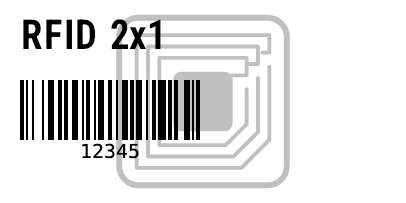
Labels with an RFID operation (^RF, ^WT, ^WF, ^RQ) show a gray RFID symbol in the preview: centered, approx. 0.86" in size, behind the content, rotated with ^PO I; as a path in SVG/vector PDF. Only PNG/JPEG/WebP/BMP/GIF/PDF/SVG/HTML/EPS – never in GRF, EPL, PCL, Fingerprint, ESC/POS or 1-bit TIFF/PCX. RfidIndicator = ZplRfidIndicator.None turns it off.
^SO / ^ST
Secondary and tertiary clock with offset (e.g. best-before +2 months) or setting the clock. ^CD/^CC/^CT change the control characters, ^TO copies stored objects, ^JM halves the dot density.
03Supported ZPL commands
Searchable by command or description. Unlisted control, media and status commands are accepted and reported via PrinterControl.
| Command | Description | Category |
|---|
04Barcode gallery
All barcode commands from ZPL – every image was rendered from real ZPL. Click “ZPL” to show the source, click the image to enlarge it. ^B7 (PDF417), ^BX (Data Matrix, pixel-identical to Zebra) and ^BQ (QR, BWIPP engine with Zebra's EC boost) use their own encoders; new are ^BB Codablock F, ^B4 Code 49, ^BF MicroPDF417 and ^BZ type 3 (Intelligent Mail), as well as ^FM for Macro PDF417 (one field, multiple symbols at their own positions).
Label model: symbologies without a ZPL command
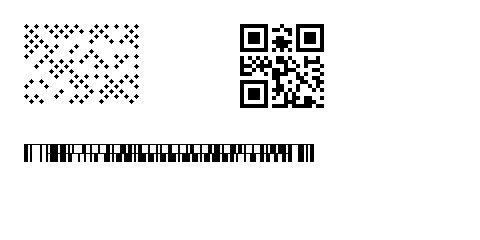
Labels.BarcodeItem additionally supports Micro QR, rMQR, GS1 QR, Swiss QR, EPC QR, GS1 Data Matrix, Aztec Rune, Han Xin, DotCode, Ultracode, Code 16K, Telepen, postal codes and much more. If ZPL has no command for it, the barcode generator renders the symbol and it is output automatically as a ^GFA graphic – correctly even with UseStoredFormat(). Codablock F, Code 49, MicroPDF417 and Intelligent Mail remain native commands.
// in the label model: symbologies without a ZPL command are emitted as ^GFA automatically
var label = new Label(LabelUnit.Mm, 60, 30)
    .Add(new BarcodeItem { X = 3, Y = 3, Code = "DotCode 42", Symbology = ZplCore.Labels.Symbology.DotCode, ModuleWidth = 5 })
    .Add(new BarcodeItem { X = 30, Y = 3, Code = "(01)09521234543213", Symbology = ZplCore.Labels.Symbology.Gs1QrCode, ModuleWidth = 4 })
    .Add(new BarcodeItem { X = 3, Y = 18, Code = "CODABLOCK", Symbology = ZplCore.Labels.Symbology.CodablockF, BarHeight = 2 }); // native: ^BB
string zpl = label.ToZpl();   // also applies with UseStoredFormat()
05EPL2
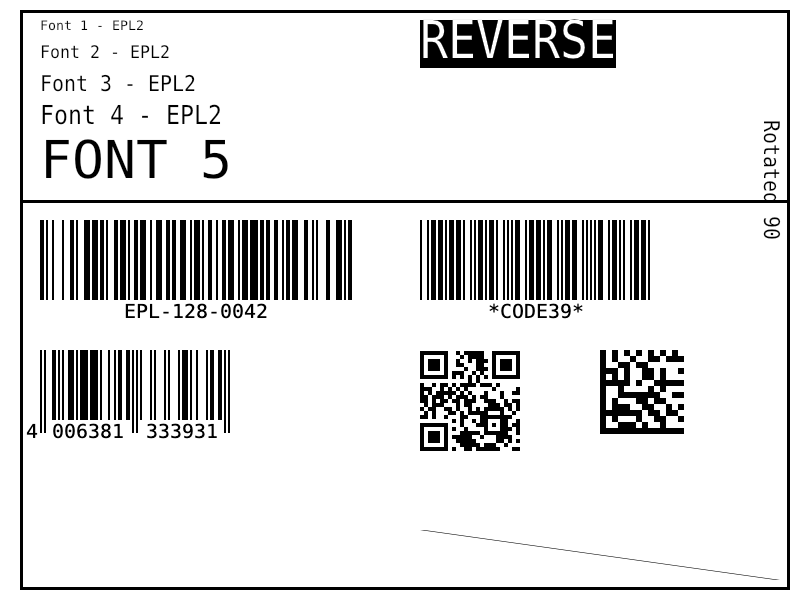
EplRenderer is a virtual EPL2 printer: EPL is translated to ZPL and rendered by the same ZplRenderer – same fonts, barcodes, output formats and settings. ToZpl() returns the translation directly, i.e. an EPL→ZPL converter for migrating legacy forms.
var epl = new EplRenderer(new ZplRenderSettings { Dpi = 203 }.WithLabelSizeInches(4, 3));
epl.Clock = () => new DateTime(2026, 10, 18, 14, 5, 9);      // for TT/TD fields
epl.PrinterControl += (_, e) => Console.WriteLine($"EPL-Steuerbefehl: {e.Command.Name}");

List<byte[]> pngs = epl.ProcessFile("samples/zpl/sample.epl");   // one PNG per printed label
File.WriteAllBytes("sample.png", pngs[0]);

// EPL → ZPL: the same translation the renderer uses internally
string zpl = epl.ToZpl(File.ReadAllText("samples/zpl/form.epl"));
File.WriteAllText("form.zpl", zpl);                              // three ^XA…^XZ blocks (P3)

epl.AddGraphic("LOGO", File.ReadAllBytes("logo.pcx"));          // for GG x,y,"LOGO"
epl.Settings.OutputFormat = ZplOutputFormat.Pdf;
File.WriteAllBytes("form.pdf", epl.ProcessFile("samples/zpl/form.epl")[0]);
Show translated ZPL (ToZpl)
Forms, variables & counters
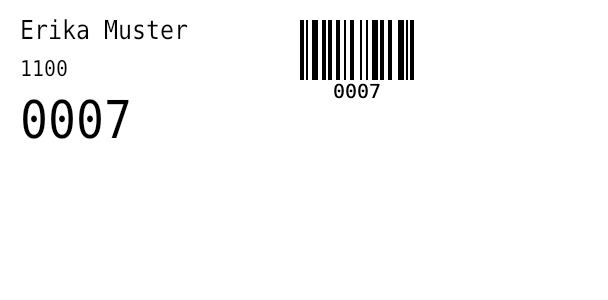
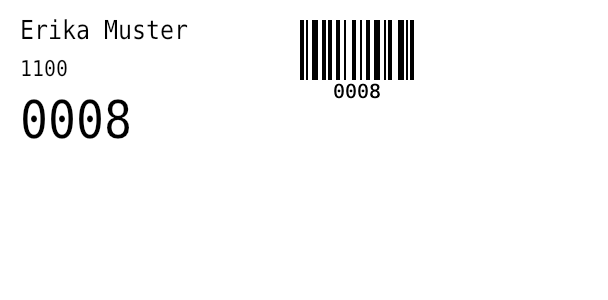
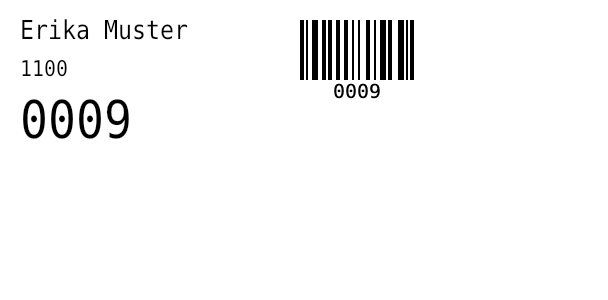
FS"name" … FE records a form, FR"name" recalls it. V00–V99 are variables, C0–C9 counters (with step size and fixed length); the data follows after ?, one line each. P3 prints three labels and increments C0 each time. As on the printer, the form remains in memory.
Translated ZPL
Supported EPL2 commands
| Command | Meaning |
|---|---|
N | Clear image buffer |
q / Q | Label width / height and gap |
R | Reference point (shift origin) |
ZT / ZB | Print direction top / bottom (ZB = 180°) |
A | Text: resident fonts 1–5 (203/300 dpi), rotation, magnification, N/R (reverse) |
B | 1D barcodes: Code 128 (A/B/C/Auto), Code 39, Code 93, EAN/UPC, I2of5, Codabar, MSI, Plessey, POSTNET … |
b | 2D barcodes: QR (Q), Data Matrix (D), PDF417 (P), MaxiCode (M), Aztec (A) |
X | Rectangle (box) |
LO / LW / LE | Line black / white / XOR |
LS | Diagonal |
GW | Direct graphic (binary) |
GM / GG / GK | Store / print / delete PCX graphic |
FS … FE | Record form |
FR / FK | Recall / delete form |
V | Form variable (length, justification, prompt) |
C | Counter (length, justification, step ±) |
? | Variable data for V and C |
P | Print (number of sets), increments counters |
TS / TT / TD | Set clock, time and date fields |
S D I O U JF JB W … | Speed, density, character set, options: reported via PrinterControl |
S, D, I, O, U, JF …) raise EplRenderer.PrinterControl. TT/TD use Clock, TS sets an offset. PCX graphics for GG come via GM or AddGraphic(name, pcx).06Barcode generator
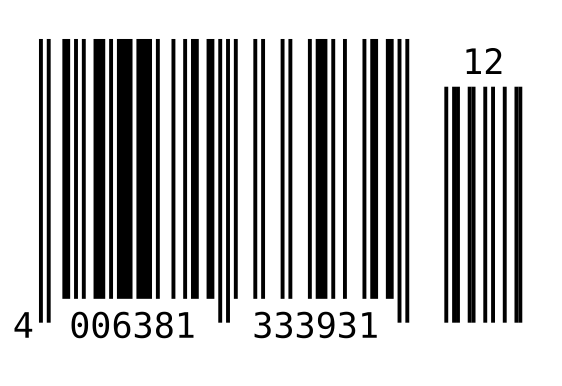
ZplCore.Barcodes.Barcode creates barcodes without any ZPL: 144 symbologies (enum Symbology), output as raster, vector or ZPL graphic.
var bc = new Barcode
{
    Symbology = Symbology.Ean13,
    Code = "400638133393",                 // check digit is appended
    Unit = BarcodeUnit.Millimeter,
    Dpi = 300,
    BarWidth = 0.33,                       // X-Dimension (100 %)
    BarHeight = 22,
};
File.WriteAllBytes("ean13.png", bc.ToPng());
File.WriteAllBytes("ean13.webp", bc.ToWebp(90));
File.WriteAllText("ean13.svg", bc.ToSvg());    // vector
File.WriteAllBytes("ean13.pdf", bc.ToPdf());   // vector, physical size
File.WriteAllText("ean13.eps", bc.ToEps());    // PostScript
string gfa = bc.ToZplGraphic(50, 100);         // ^FO50,100^GFA,…^FS for any ZPL label

using var bmp = new SKBitmap(1200, 600);       // or straight onto your own canvas
using var canvas = new SKCanvas(bmp);
canvas.Clear(SKColors.White);
bc.Draw(canvas, 40, 40);
SKSize size = bc.Size;                         // pixels at Dpi, incl. quiet zone and text
Raster
ToBitmap(), ToPng(), ToJpeg(q), ToWebp(q)
Vector
ToSvg(), ToPdf() (physical size), ToEps(), Draw(SKCanvas, x, y)
ZPL
ToZplGraphic(x, y) – ^FO…^GFA…^FS for any Zebra label
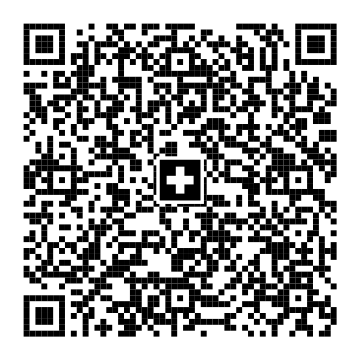
Sample files: ean13.svgean13.pdfean13.epsswissqr.svgswissqr.pdfgs1-datamatrix.epsean13-gfa.zpl
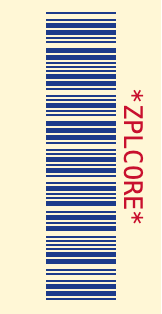
All options
var bc = new Barcode
{
    Symbology = Symbology.Code39,
    Code = "ZPLCORE",
    Unit = BarcodeUnit.Pixel,                      // Pixel, Millimeter, Inch, Mil
    Dpi = 203,
    BarWidth = 2,                                  // narrow bar / module
    BarHeight = 70,                                // 1D only; 2D modules are square
    WideRatio = 2.5,                               // wide:narrow for Code 39, 2 of 5, Codabar …
    QuietZone = 6,                                 // modules (null: 10 for 1D, 4 for 2D)
    AddChecksum = true,                            // optional check digit
    ForeColor = new SKColor(0x1d, 0x3b, 0x8a),
    BackColor = new SKColor(0xff, 0xf7, 0xd6),
    TextColor = new SKColor(0xc8, 0x10, 0x2e),
    TextPosition = BarcodeTextPosition.Above,      // None, Below, Above
    HumanReadableText = "*ZPLCORE*",            // instead of the encoded data
    FontSize = 9,                                  // pt; 0 = automatic
    Rotation = 90,                                 // 0, 90, 180, 270
};
// more: Typeface, GuardBars, BearerBars/BearerBarWidth, Supplement,
// QrErrorCorrection, Pdf417Columns, Pdf417SecurityLevel, MaxiCodeMode, DataBarSegmentsPerRow
| Property | Default | Meaning |
|---|---|---|
Symbology, Code | Code128, "" | Symbology and data |
Unit | Pixel | Unit for BarWidth/BarHeight/BearerBarWidth: Pixel, Millimeter, Inch, Mil |
Dpi | 300 | Resolution for raster and unit conversion |
BarWidth | 2 | Narrow bar or module size |
BarHeight | 80 | Height of linear codes (2D modules are square) |
WideRatio | 3.0 | Wide-to-narrow (2.0–3.0) for two-width codes |
QuietZone | null | Quiet zone in modules (null: 10 for 1D, 4 for 2D) |
ForeColor, BackColor, TextColor | Black/White/Black | Colors (also in SVG/PDF/EPS) |
TextPosition | Below | Human-readable text: None, Below, Above |
HumanReadableText | null | custom human-readable text instead of the data (null = automatic, incl. check digit) |
FontSize, Typeface | 0, null | font size in points (0 = proportional to the module), typeface |
GuardBars | true | extend EAN/UPC guard bars into the human-readable text |
BearerBars, BearerBarWidth | None (ITF-14: Frame), 4 | bearer bars: Frame or HorizontalRules |
Supplement | null | 2- or 5-digit EAN/UPC add-on |
AddChecksum | false | optional check digit (Code 39, 2 of 5, Code 11 …) |
Rotation | 0 | 0, 90, 180, 270 degrees |
QrErrorCorrection | 'M' | L, M, Q, H (QR, Micro QR, rMQR, GS1 QR) |
Pdf417Columns, Pdf417SecurityLevel | 0, 2 | PDF417 columns (0 = automatic), security level |
MaxiCodeMode | 4 | MaxiCode mode 2–6 |
DataBarSegmentsPerRow | 4 | segments per row for DataBar Expanded Stacked |
ModuleShape, FinderShape | Square, Square | 2D module shape (Square, Circle, RoundedSquare, Diamond); QR finder (Square, Rounded, Circle) |
LogoImage, LogoSizePercent, LogoOpacity, LogoBackground | null, 20, 1, true | logo in the center of 2D codes (QR: error correction H) |
LightMarginIndicator | false | EAN/UPC: </> in the quiet zones |
TextFormatPattern, HumanReadableAlignment | null, Center | format the human-readable text (mask or {0:…}) and align it (Center, Left, Right, Justify) |
CodeEncoding | Text | data as text, Base64 or hex |
ProcessTilde | false | ~~, ~dNNN, ~1 (FNC1), ~2IICC (Structured Append), ~eNNNNNN (ECI) |
QrVersion, QrMask | 0, -1 | force QR version 1–40 and mask 0–7 |
StructuredAppendInfo / StructuredAppend(i, n) | null | split data across several symbols (QR, Data Matrix, Aztec, MaxiCode, PDF417) |
Special symbols
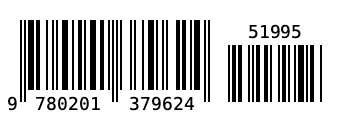
EAN-13 with 5-digit add-on
var bc = new Barcode
{
    Symbology = Symbology.Ean13,
    Code = "978020137962",
    Supplement = "51995",          // 2- or 5-digit add-on to the right
    GuardBars = true,              // edge digits extend into the human-readable text
    Dpi = 203, BarWidth = 2, BarHeight = 70,
};
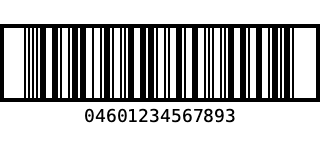
ITF-14 with bearer frame
var bc = new Barcode
{
    Symbology = Symbology.Itf14,
    Code = "0460123456789",        // 13 digits → check digit 3 is appended
    Dpi = 203, BarWidth = 2, BarHeight = 70,
    BearerBars = BearerBarStyle.Frame,   // default for ITF-14; HorizontalRules = top/bottom only
    BearerBarWidth = 4,
};
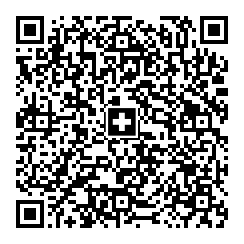
Swiss QR (QR-bill)
string payload = string.Join("\n",
    "SPC", "0200", "1", "CH4431999123000889012",
    "S", "Muster AG", "Bahnhofstrasse", "1", "8000", "Zürich", "CH",
    "", "", "", "", "", "", "",
    "1949.75", "CHF",
    "S", "Pia Rutschmann", "Marktgasse", "28", "9400", "Rorschach", "CH",
    "QRR", "210000000003139471430009017", "Rechnung 4711", "EPD");
var bc = new Barcode
{
    Symbology = Symbology.SwissQrCode,   // UTF-8, EC level M, Swiss cross in the centre
    Code = payload,
    Unit = BarcodeUnit.Millimeter, Dpi = 203,
    BarWidth = 0.5,
};
EPC QR (GiroCode)
// EPC069-12 (GiroCode / SEPA credit transfer): fields are validated (length, BIC, amount, IBAN without spaces)
string payload = QrExtras.EpcPayload(
    name: "Max Mustermann",
    iban: "DE89 3704 0044 0532 0130 00",
    amount: 12.50m,
    bic: "COBADEFFXXX",
    remittance: "Rechnung 4711");
var bc = new Barcode { Symbology = Symbology.EpcQrCode, Code = payload, Dpi = 203, BarWidth = 4 };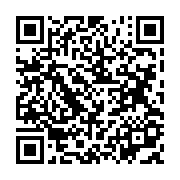
QrExtras.EpcPayload builds the payload (version 002, UTF-8) and validates lengths, BIC, amount and reference/remittance information.
Ultracode (color) & DotCode (dots)
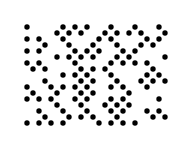
var ultra = new Barcode { Symbology = Symbology.Ultracode, Code = "Ultracode 2026", Dpi = 203, BarWidth = 6 };
var dot = new Barcode { Symbology = Symbology.DotCode, Code = "DotCode 2026", Dpi = 203, BarWidth = 6 };
File.WriteAllBytes("ultracode.png", ultra.ToPng());   // coloured modules (cyan, magenta, yellow, green …)
File.WriteAllText("dotcode.svg", dot.ToSvg());        // DotCode as round dots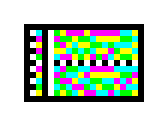
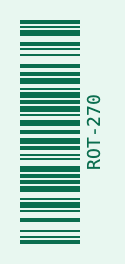
Rotated & colored
var bc = new Barcode
{
    Symbology = Symbology.Code128,
    Code = "ROT-270",
    Dpi = 203, BarWidth = 2, BarHeight = 60,
    Rotation = 270,
    ForeColor = new SKColor(0x0b, 0x6e, 0x4f),
    BackColor = new SKColor(0xe8, 0xf7, 0xf0),
    TextColor = new SKColor(0x0b, 0x6e, 0x4f),
};
Logo, module and finder shapes
QR with logo
// logo: e.g. SKBitmap.Decode("logo.png")
var bc = new Barcode
{
    Symbology = Symbology.QrCode,
    Code = "https://example.com/zplcore",
    Dpi = 203, BarWidth = 6,
    LogoImage = logo,                   // QR: error correction is raised to H
    LogoSizePercent = 22,               // width in % of the symbol
    LogoBackground = true,              // BackColor area behind the logo
    FinderShape = FinderShape.Rounded,  // Square, Rounded, Circle
    ForeColor = new SKColor(0x1d, 0x3b, 0x8a),
};
Round modules, dots, diamonds
var round = new Barcode
{
    Symbology = Symbology.QrCode, Code = "Runde Module", Dpi = 203, BarWidth = 6,
    ModuleShape = ModuleShape.RoundedSquare, FinderShape = FinderShape.Circle,
};
var dots = new Barcode
{
    Symbology = Symbology.DataMatrix, Code = "Punkte 2026", Dpi = 203, BarWidth = 8,
    ModuleShape = ModuleShape.Circle,    // Square, Circle, RoundedSquare, Diamond
};
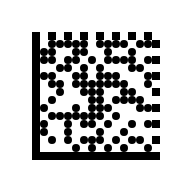
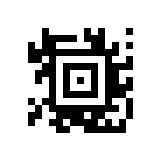
var diamond = new Barcode { Symbology = Symbology.Aztec, Code = "Diamond", Dpi = 203, BarWidth = 7, ModuleShape = ModuleShape.Diamond };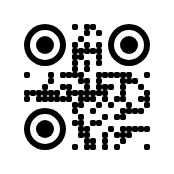
Human-readable text, encoding & Structured Append
Light margin indicator, text mask, alignment
var ean = new Barcode
{
    Symbology = Symbology.Ean13, Code = "400638133393", Dpi = 203, BarWidth = 2, BarHeight = 60,
    LightMarginIndicator = true,                   // ‹ › in the quiet zones (GS1)
};
var pattern = new Barcode
{
    Symbology = Symbology.Code128, Code = "AB1234567", Dpi = 203, BarWidth = 2, BarHeight = 50,
    TextFormatPattern = "AA-999 99 99",            // mask: A a 9 # X x * ? each take one character
    HumanReadableAlignment = HumanReadableAlignment.Justify,   // Center, Left, Right, Justify
};
// numeric values also as composite format: TextFormatPattern = "{0:### ### ###}"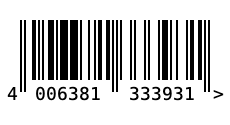
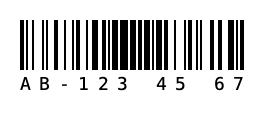
Base64/hex, tilde & ECI, QR version/mask, Structured Append
// pass data as Base64 or hex (binary data)
var b64 = new Barcode { Symbology = Symbology.QrCode, Code = "SGVsbG8gV29ybGQ=", CodeEncoding = CodeEncoding.Base64 };
var hex = new Barcode { Symbology = Symbology.DataMatrix, Code = "48 65 6C 6C 6F", CodeEncoding = CodeEncoding.Hex };

// Tilde-Escapes: ~~ ~dNNN (Byte) ~1 (FNC1) ~2IICC (Structured Append) ~eNNNNNN (ECI)
var eci = new Barcode { Symbology = Symbology.QrCode, Code = "~e000026Gr~d195~d188~d195~d159e", ProcessTilde = true };

// pin QR settings: version 1–40 (0 = automatic), mask 0–7 (-1 = automatic)
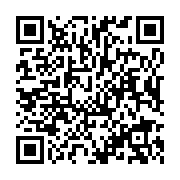
var fixedQr = new Barcode { Symbology = Symbology.QrCode, Code = "VERSION 5", QrVersion = 5, QrMask = 3, QrErrorCorrection = 'Q' };

// Structured Append: split data across several symbols (QR, Data Matrix, Aztec, MaxiCode, PDF417)
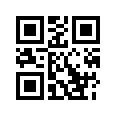
var part1 = new Barcode { Symbology = Symbology.QrCode, Code = "Teil eins / ", Dpi = 203, BarWidth = 4 }.StructuredAppend(1, 2);
var part2 = new Barcode { Symbology = Symbology.QrCode, Code = "Teil zwei", Dpi = 203, BarWidth = 4 }.StructuredAppend(2, 2);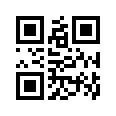
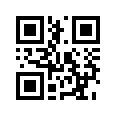
More output formats
Besides PNG/JPEG/WebP, SVG, PDF, EPS and ^GFA: TIFF, PCX, PCL, EPS in CMYK or grayscale, and a ready-made HTML <img> with a data URI.
File.WriteAllBytes("code.tif", bc.ToTiff());                       // 1-bit TIFF (PackBits)
File.WriteAllBytes("code.pcx", bc.ToPcx());
File.WriteAllBytes("code.pcl", bc.ToPcl());                        // PCL5 raster page
File.WriteAllText("code-cmyk.eps", bc.ToEps(EpsColorMode.Cmyk));   // Rgb, Cmyk, Gray
string img = bc.ToHtmlImgTag(HtmlImageFormat.Svg, alt: "Barcode"); // <img src="data:image/svg+xml;base64,…">
Size, border, error behavior & symbology options
Fixed Data Matrix sizes (incl. DMRE) and encoding, PDF417 rows/aspect ratio/compaction, Aztec format/layers/error correction, QR mode (incl. Kanji), Code 128 character set, Han Xin/DotCode/Ultracode parameters and the composite choice CC-A/B/C are properties of Barcode. In addition: sizing modes (None, Fill, FitProportional, AutoSize), padding, border, ErrorBehavior (exception, empty image or image with error text), IsCodeValid and the public class Checksums.
var bc = new BC.Barcode
{
    Symbology = BC.Symbology.DataMatrix, Code = "ZPLCORE-0001",
    DataMatrixSize = "16x48", DataMatrixDmre = true,
    Sizing = BC.BarcodeSizing.FitProportional, TargetWidth = 300, TargetHeight = 120,
    Padding = new BC.BarcodePadding(8), BorderWidth = 2,
    ErrorBehavior = BC.BarcodeErrorBehavior.ErrorDescriptionImage,
};
if (!bc.IsCodeValid(out string? error)) Console.WriteLine(error);
int check = BC.Checksums.Mod10("400638133393");
return bc;
TLC39, Deutsche Post BZL, GS1 dimensions, ECI & more settings
Symbology.Tlc39 produces the Code 39 with 6-digit ECI and a linked MicroPDF417 (part after the comma, spacing Tlc39Gap). Symbology.DeutschePostBzl is experimental ([Experimental("ZPLBZL001")]): Code 128 of the S10 item number with check digit. Also UseQuietZoneForText (human-readable text in the quiet zone), SupplementTopMargin (add-on offset), MagnificationFactor (GS1 nominal size 0.80–2.00 for EAN/UPC), HanXinMode (forced mode), MaxiCodePixelAligned (no grayscale), ArtBarImagePattern (image as module fill), ByteEncodingName with automatic ECI (Eci.FromEncodingName) and Gs1Builder (GTIN, SSCC, date, measures, check digit).
            // TLC39: Code 39 (6-digit ECI) + linked MicroPDF417 after the comma
            var tlc = new BC.Barcode { Symbology = BC.Symbology.Tlc39, Code = "123456,ABCD12345678901234", BarWidth = 3, BarHeight = 90, Tlc39Gap = 6 };

#pragma warning disable ZPLBZL001 // experimental
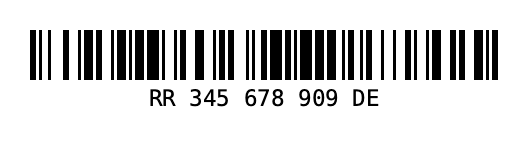
            var bzl = new BC.Barcode { Symbology = BC.Symbology.DeutschePostBzl, Code = "RR34567890DE", BarWidth = 3 }; // check digit appended
#pragma warning restore ZPLBZL001

            var ean = new BC.Barcode
            {
                Symbology = BC.Symbology.Ean13, Code = "400638133393", Dpi = 600,
                MagnificationFactor = 1.0,           // GS1 magnification (0.80–2.00)
                Supplement = "12", SupplementTopMargin = 40,
            };
            var compact = new BC.Barcode { Symbology = BC.Symbology.Code128, Code = "QZ", UseQuietZoneForText = true };
            var hx = new BC.Barcode { Symbology = BC.Symbology.HanXin, Code = "1234567890", HanXinMode = BC.HanXinMode.Numeric };
            var maxi = new BC.Barcode { Symbology = BC.Symbology.MaxiCode, Code = "PIXEL", MaxiCodePixelAligned = true };
            var art = new BC.Barcode { Symbology = BC.Symbology.QrCode, Code = "ART", ArtBarImagePattern = pattern };
            var cyr = new BC.Barcode { Symbology = BC.Symbology.QrCode, Code = "Привет", ByteEncodingName = "ISO-8859-5" }; // ECI 7
            int eci = BC.Eci.FromEncodingName("utf-8");                                                               // 26

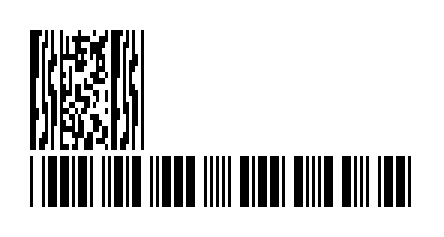
            string gs1 = BC.Gs1Builder.Build(("01", BC.Gs1Builder.Gtin("950110153000")[4..]), ("10", "LOT"));
            string date = BC.Gs1Builder.Date("17", new DateOnly(2026, 12, 31));   // (17)261231
            string kg = BC.Gs1Builder.Measure("310", 1.5m, 3);                   // (3103)001500
Gallery: all symbologies
All 144 values of the enum ZplCore.Barcodes.Symbology, including the new Korea Post, Royal Mail Mailmark (4-state), DPD, UPU S10, flattermarken, BC412, UPNQR, Grid Matrix and Code One, plus the application formats (ISBT 128, HIBC, VICS, USPS IMpb …). Each image is produced with new Barcode { Symbology = …, Code = …, Dpi = 203, BarWidth = 2 (2D: 3), BarHeight = 50 }.ToPng().
07GS1
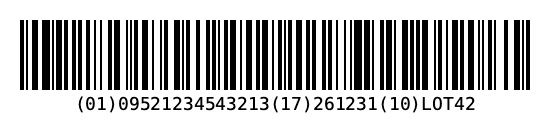
All GS1 symbologies go through a shared parser and validator (ported from BWIPP's gs1process, a table of 534 application identifiers): length, character set, check digits, dates and mandatory/exclusive combinations. Input in bracketed form (01)…(10)… or raw with FNC1/GS.
// GS1-128: AIs in parentheses; the encoder inserts FNC1 and separators, AIs are validated
var gs1 = new Barcode { Symbology = Symbology.Gs1_128, Code = "(01)09521234543213(17)261231(10)LOT42", Dpi = 203, BarWidth = 2, BarHeight = 70 };
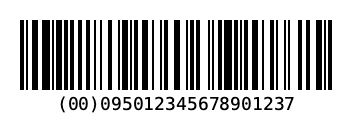
var sscc = new Barcode { Symbology = Symbology.Sscc18, Code = "09501234567890123", Dpi = 203, BarWidth = 2, BarHeight = 70 }; // check digit appended
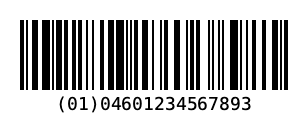
var ean14 = new Barcode { Symbology = Symbology.Ean14, Code = "(01)04601234567893", Dpi = 203, BarWidth = 2, BarHeight = 70 };
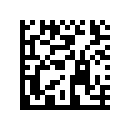
var dm = new Barcode { Symbology = Symbology.Gs1DataMatrix, Code = "(01)09521234543213(21)SN12345", Dpi = 203, BarWidth = 5 };

// Composite: "linear part|(AI)2D part" – CC-A/B/C is chosen automatically
var cc = new Barcode { Symbology = Symbology.Ean13Composite, Code = "2112345678900|(99)1234-abcd", Dpi = 203, BarWidth = 2, BarHeight = 60 };

try
{
    new Barcode { Symbology = Symbology.Gs1_128, Code = "(01)09521234543213(17)261301" }.ToPng();
}
catch (FormatException ex)
{
    Console.WriteLine(ex.Message);   // invalid date in AI 17 (month 13)
}
GS1-128
SSCC-18
EAN-14
GS1 Data Matrix
EAN-13 Composite (CC-A)
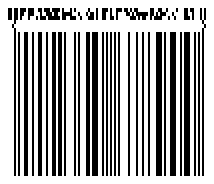
DataBar Expanded Composite
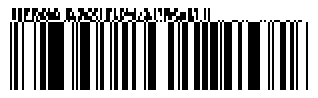
GS1-128 Composite (CC-C)
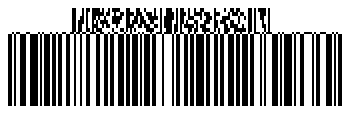
"linear part|(AI)…". Supported for EAN-13/8, UPC-A/E, GS1-128 and all DataBar variants; CC-A, CC-B or CC-C (GS1-128 only) is chosen by data volume. When encoding, invalid data raises a FormatException with the AI and the reason.Using the parser & validator directly
Gs1.Parse, ParseBracketed, ParseRaw, Validate, ToElementString, ToRaw and NeedsSeparator are public; the result is a Gs1Result with Elements and Errors. For QR there are also QrExtras.Gs1, SwissQr (matrix plus cross geometry) and Epc.
Gs1Result r = Gs1.Parse("(01)09521234543213(17)261301(10)LOT42");   // parenthesised or raw with GS
foreach (Gs1Element e in r.Elements)
    Console.WriteLine($"AI {e.Ai} = {e.Value}");
if (!r.IsValid)
    foreach (Gs1Error err in r.Errors)
        Console.WriteLine(err);              // "AI 17: Invalid month" (err.Ai, err.Code, err.Message)

var ok = Gs1.Parse("(01)09521234543213(10)LOT42(17)261231");
string raw = Gs1.ToRaw(ok.Elements);         // "0109521234543213" + "10LOT42" + GS + "17261231"
string text = Gs1.ToElementString(ok.Elements);
List<Gs1Error> errors = Gs1.Validate(ok.Elements, lintReqs: true);   // incl. mandatory combinations
bool gs = Gs1.NeedsSeparator("10");          // true: variable length → FNC1/GS after it
08Text & shapes
^GF understands ASCII hex with ZPL compression (G–z, ,, !, :), :Z64:, :B64: and binary data; plus ~DG/^XG, ^IM, ~DY (PNG/GRF), ^ID, ~EG.
09Fonts
Font 0 ≈ Swiss 721 Bold Condensed via the embedded Roboto Condensed Bold (OFL), calibrated to Zebra metrics (cap height 0.735·h, cap top at ^FO); measured within 1–3 dots of the Labelary output. The bitmap fonts A–H use DejaVu Sans Mono with Zebra advance (cell width + spacing) × magnification. Your own TTFs replace them or are added via ^A@.
var renderer = new ZplRenderer();
FontManager fonts = renderer.Store.Fonts;

fonts.RegisterFont("0", File.ReadAllBytes("MyZebraLike.ttf"));   // replace font 0
fonts.RegisterFont("E:ARIAL.TTF", File.ReadAllBytes("arial.ttf"));  // for ^A@N,..,E:ARIAL.TTF
fonts.RegisterFolder("fonts/");                                   // 0.ttf, A.ttf, ... PLATE.TTF
fonts.LinkFont("E:ARIAL.TTF", "E:NOTOCJK.TTF");                   // like ^FL: fallback glyphs

renderer.ProcessCommands("^XA^CI28^FO50,50^A@N,40,40,E:ARIAL.TTF^FDÄrger? Nö!^FS^XZ");
Download via ZPL
~DYE:MONO,A,T,size,,hex or ~DUE:MONO.TTF,size,hex loads a TTF into printer memory; ^A@N,40,40,E:MONO.TTF uses it, ^CW assigns a letter alias.
Label model
label.AddFont("MONO.TTF", bytes) embeds the font: ToZpl() sends it via ~DY, JSON stores it as well.
Complex scripts, bidi & fallback
Text is shaped with HarfBuzz: Arabic ligatures, Hebrew and Arabic right-to-left rendering (bidi), Devanagari and Thai combining marks. If glyphs are missing, a suitable system font is found automatically (CJK, Thai, Hindi …). ^PA turns shaping/bidi off, ^FL (or FontManager.LinkFont) links an extension font to a base font.
^XA^FLE:NOTOCJK.TTF,E:ARIAL.TTF,1^XZ     ← take glyphs missing in ARIAL from NOTOCJK
^XA^FLE:NOTOCJK.TTF,E:ARIAL.TTF,0^XZ     ← remove the link
~DB bitmap fonts
Bitmap fonts downloaded with ~DB are drawn glyph-exact and magnified by integer factors; usable via ^A@…,R:NAME.FNT or a ^CW alias.
PrintAsGraphic
For printers without memory for TTFs: PrintAsGraphic = true renders the element (barcodes too) in the preview engine and sends it as ^GFA. Pixel-identical to direct TTF rendering – verified in tests.
var label = new Label(LabelUnit.Dots, 600, 200) { DownloadFonts = false }
    .AddFont("MONO.TTF", File.ReadAllBytes("DejaVuSansMono.ttf"))
    .Add(new TextItem
    {
        X = 20, Y = 20, Font = "E:MONO.TTF", Text = "TTF als Grafik", FontSize = 22,
        PrintAsGraphic = true,                // text is sent as ^GFA
    });

string zpl = label.ToZpl();                   // contains ^GFA, no ~DY and no ^A@
10Label model
ZplCore.Labels.Label describes a label in Mm, Cm, Inch, Point or Dots. From it you get ZPL, preview PNG/PDF, HTML and JSON.
TextItem
Font, FontSize (pt), Rotation, Width/MaxLines/Alignment (→ ^FB), CounterStep, MaxLength, HideIfEmpty, AutoFit, ValidationRegex, InputMask
BarcodeItem
all 144 symbologies (ZPL command or ^GFA graphic), generator options (colors, human-readable text, QR version/mask, module shapes), ModuleWidth, WideRatio, BarHeight, HumanReadable(Above), AddChecksum, QrErrorCorrection
Shapes
RectangleItem (CornerRounding, Filled, White), LineItem, EllipseItem, CircleItem
ImageItem
PNG/JPEG → ^GFA, dither or threshold, Width/Height
TableItem · RepeaterItem
tables with [Field] placeholders; repetition per element of a collection
RfidItem · RawZplItem
^RF write command, or ZPL 1:1 as an escape hatch
Common to all elements: Name, X/Y, Visible, DataField + DataFieldFormat, Expression, Reverse, PrintAsGraphic. At label level: GapLength, Darkness, PrintSpeed, PrintInverted, PrintMirror, CutAfterPrinting.
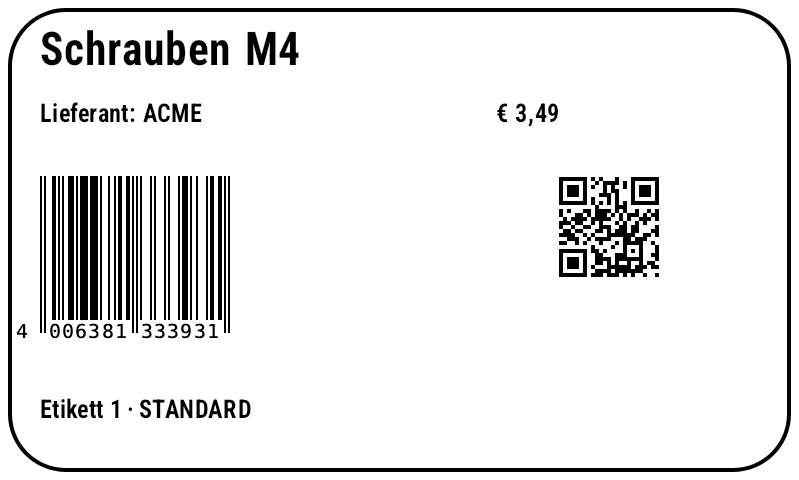
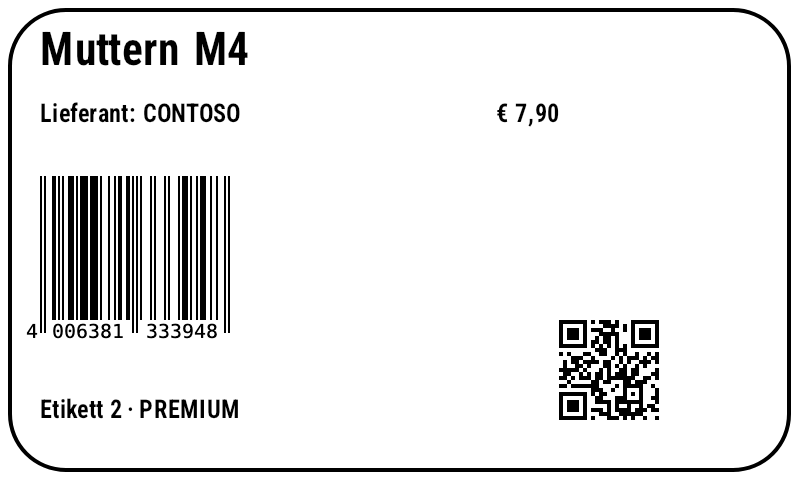
var label = new Label(LabelUnit.Mm, 100, 60)
    .Add(new RectangleItem { X = 1, Y = 1, Width = 98, Height = 58, StrokeThickness = 0.5, CornerRounding = 2 })
    .Add(new TextItem { X = 5, Y = 4, DataField = "Name", FontSize = 16 })
    .Add(new TextItem { X = 5, Y = 13, Expression = "\"Lieferant: \" + Upper([Supplier.Name])", FontSize = 9 })
    .Add(new TextItem { X = 62, Y = 13, DataField = "Price", DataFieldFormat = "€ 0.00", FontSize = 9 })
    .Add(new BarcodeItem { X = 5, Y = 22, DataField = "Sku", Symbology = Symbology.Ean13, BarHeight = 18 })
    .Add(new BarcodeItem { X = 70, Y = 22, DataField = "Url", Symbology = Symbology.QrCode, BarHeight = 4 })
    .Add(new TextItem { X = 5, Y = 50, FontSize = 9,
        Expression = "\"Etikett \" + LABEL_NUMBER + \" · \" + If([Price] > 5, \"PREMIUM\", \"STANDARD\")" });

string zpl = label.ToZpl(products);              // one label per record
byte[] preview = label.RenderPng();              // preview without data
File.WriteAllText("label.json", label.ToJson());
Label copy = Label.FromJson(File.ReadAllText("label.json"));
Show generated ZPL
Barcode options in the label (BarcodeItem.Options)
BarcodeItemOptions brings every render and symbology option of the generator into the label model (colors, borders, padding, human-readable text position, Data Matrix size, Aztec layers, TLC39 gap …) and is stored in the label JSON. Without any option set, the native ZPL command is kept; with options, the barcode is output as a ^GFA graphic.
var label = new Label(LabelUnit.Dots, 600, 600).Add(new BarcodeItem
{
    X = 20, Y = 20, Symbology = Symbology.DataMatrix, Code = "Label options",
    Options = new BarcodeItemOptions                // every generator option, also in JSON
    {
        DataMatrixSize = "32x32", BorderColor = "#000000",
        PaddingLeft = 8, PaddingTop = 8, PaddingRight = 8, PaddingBottom = 8,
    },
}).Add(new BarcodeItem
{
    X = 20, Y = 300, Symbology = Symbology.Tlc39, Code = "123456,SERIAL1", ModuleWidth = 3, BarHeight = 90,
    Options = new BarcodeItemOptions { TextPosition = BC.BarcodeTextPosition.None, Tlc39Gap = 3 },
});
string zpl = label.ToZpl();                          // with options: the generator's ^GFA graphic
Expressions
Fields as [Name] or [Customer.Address.City], element names ([TextItem1]), literals, operators + - * / % (+ concatenates text), = <> < <= > >=, and/or/not. Variables LABEL_INDEX, LABEL_NUMBER and your own.
var label = new Label();
label.Expressions.Variables["SHIFT"] = "B";
label.Expressions.Functions["Euro"] = args => $"{ExpressionEngine.Num(args[0]):0.00} €";

label.Add(new TextItem { Expression = "Euro([Price] * 1.2) + \" / Schicht \" + SHIFT" });
label.Add(new TextItem { Y = 8, Expression = "Format(AddDays(Today(), 30), \"dd.MM.yyyy\")" });
label.Add(new TextItem { Y = 16, Expression = "Gs1CheckDigit(\"40063813339\")" });

var engine = new ExpressionEngine();
string s = engine.EvaluateToString("PadLeft(Str(42), 6, \"0\")");   // "000042"
Types, custom functions and variables
Expressions may call public members of registered types (AddTypeReference) – everything else stays blocked. SetCustomFunction/SetCustomVariable are the chainable counterparts of Functions[…]/Variables[…].
var label = new Label();
label.Expressions
    .AddTypeReference(typeof(Math))                 // Math.Max(1, [Qty]) …
    .AddTypeReference<DateTime>()                   // DateTime.Now.AddDays(3)
    .SetCustomVariable("WERK", "Graz")
    .SetCustomFunction("Kg", args => $"{ExpressionEngine.Num(args[0]):0.0} kg");

label.Add(new TextItem { Expression = "\"Werk \" + WERK + \": \" + Kg([Weight])" });
label.Add(new TextItem { Y = 8, Expression = "Math.Max(1, [Qty]) + \" Stk\"" });
label.Add(new TextItem { Y = 16, Expression = "DateTime.Now.AddDays(3).ToString(\"dd.MM.\")" });
// unregistered types are blocked → FormatException
Tables & repeaters
var label = new Label(LabelUnit.Mm, 100, 60)
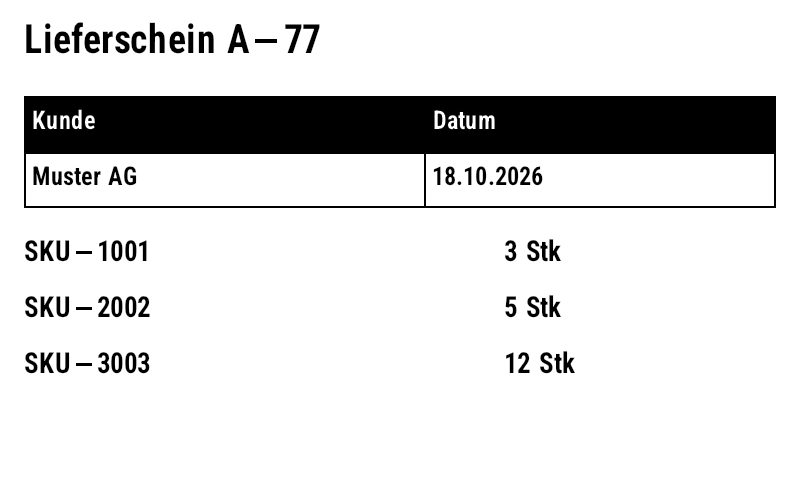
    .Add(new TextItem { X = 3, Y = 3, Expression = "\"Lieferschein \" + [No]", FontSize = 14 })
    .Add(new TableItem
    {
        X = 3, Y = 12, ColumnWidths = [50, 44], RowHeights = [7, 7], HeaderRow = true, FontSize = 9,
        Cells = [["Kunde", "Datum"], ["[Customer]", "18.10.2026"]],
    })
    .Add(new RepeaterItem
    {
        X = 3, Y = 30, OffsetY = 7, MaxCount = 4, DataField = "Lines",   // one row per line item
        Items = [new TextItem { DataField = "Sku" }, new TextItem { X = 60, DataField = "Qty", DataFieldFormat = "0 Stk" }],
    });

byte[] png = label.For<Order>().Render([order]).First();
How it works
The repeater reads the record's Lines collection and offsets its child elements by OffsetY per entry; children bind to the entry's members. MaxCount limits the number of rows.
Validation, AutoFit, Micro QR, HTML
var label = new Label(LabelUnit.Mm, 100, 60)
    .Add(new TextItem { Name = "Plz", DataField = "Plz", ValidationRegex = @"^\d{4,5}$" })
    .Add(new TextItem { Name = "Lot", X = 30, DataField = "Lot", InputMask = "AA-0000", MaxLength = 7 })
    .Add(new TextItem { Y = 8, DataField = "Hinweis", HideIfEmpty = true })
    .Add(new TextItem { Y = 16, DataField = "Name", Width = 90, FontSize = 20, AutoFit = true })
    .Add(new BarcodeItem { Y = 30, Code = "01234567", Symbology = Symbology.MicroQr, BarHeight = 4 })
    .Add(new RfidItem { Data = "3034257BF7194E4000001A85" });

var record = new Dictionary<string, object?> { ["Plz"] = "x", ["Lot"] = "AB-12", ["Name"] = "Sehr langer Produktname" };
foreach (string error in label.Validate(record))
    Console.WriteLine(error);                        // "Plz: 'x' does not match ^\d{4,5}$" ...

File.WriteAllText("vorschau.html", label.ToHtml(records: [record]));
Mask counters (Mask / MaskIncrement)
Counters with mixed positions: digits, letters and alphanumeric positions form a mixed-radix number – the carry rolls over from 9999 into the letters, and at the end the mask starts over. The increment is "+1", "-2" or per position such as "0010". Works in the ZPL, EPL and Fingerprint export.
var label = new Label(LabelUnit.Mm, 50, 25)
    .Add(new TextItem { X = 3, Y = 3, Text = "Charge", FontSize = 9 })
    // mask: # / 0 digit, A letter, a lowercase letter, ? alphanumeric, anything else literal
    .Add(new TextItem { X = 3, Y = 9, Text = "AZ-9998", Mask = "AA-0000", MaskIncrement = "+1", FontSize = 16 })
    // per-digit increment: "0010" counts up the tens digit (with carry)
    .Add(new TextItem { X = 30, Y = 3, Text = "0100", Mask = "####", MaskIncrement = "0010", FontSize = 9 });

string zpl = label.ToZpl();   // AZ-9998, AZ-9999, BA-0000 … (carry into the letters)

Label sheets (LabelSheet)
LabelSheet places labels on A4 office sheets or wide media: rows, columns, margins, gaps, order (RowWise/ColumnWise) and a start position for partially used sheets. Output as one PNG per sheet, PDF or ZPL (side by side on wide media), serializable as JSON.
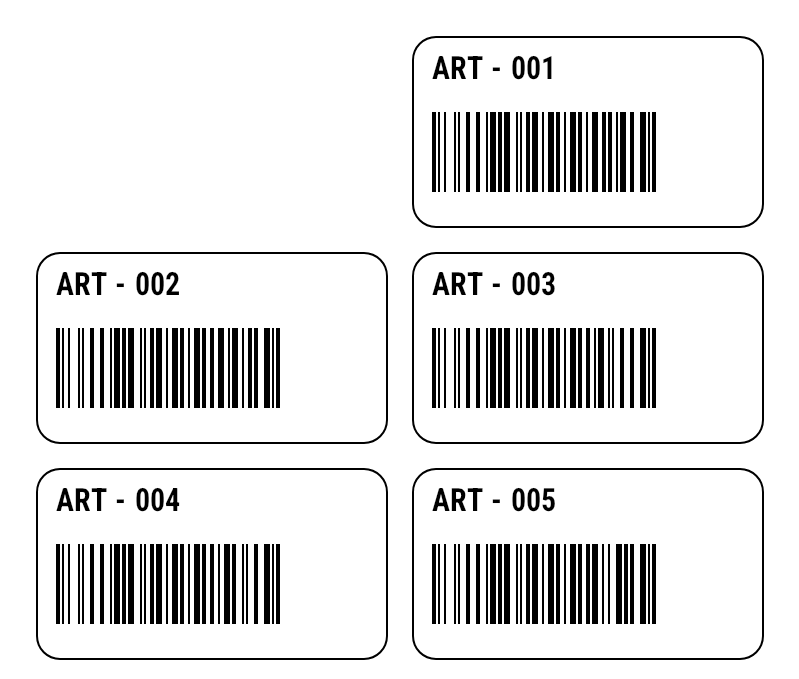
var label = new Label(LabelUnit.Mm, 45, 25)
    .Add(new RectangleItem { X = 0.5, Y = 0.5, Width = 44, Height = 24, CornerRounding = 2 })
    .Add(new TextItem { X = 3, Y = 3, DataField = "Sku", FontSize = 11 })
    .Add(new BarcodeItem { X = 3, Y = 10, DataField = "Sku", BarHeight = 10, HumanReadable = false });

var sheet = new LabelSheet
{
    PageWidth = 100, PageHeight = 85, Rows = 3, Columns = 2,       // mm, small sheet
    MarginLeft = 4, MarginTop = 4, HorizontalGap = 2, VerticalGap = 2,
    Order = LabelSheetOrder.RowWise,
    StartPosition = 2,                                            // continue a partially used sheet
};
var items = Enumerable.Range(1, 5).Select(i => new { Sku = $"ART-{i:000}" });
List<byte[]> pages = sheet.ToPng(label, items);   // one PNG per sheet
byte[] pdf = sheet.ToPdf(label, items);           // office printer
string json = sheet.ToJson();
Multi-page labels & duplex (Label.Pages)
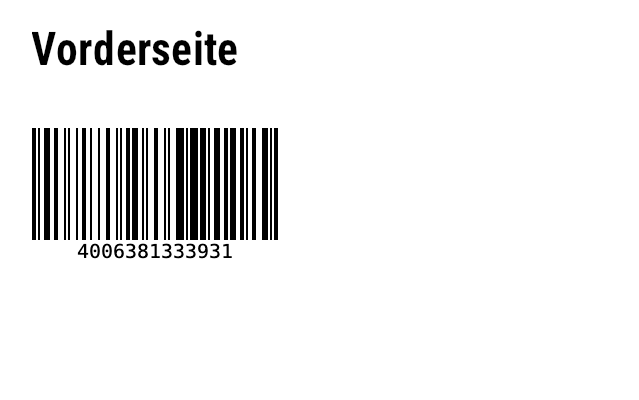
Items is page 1, AddPage() adds further pages (page 2 = back side on duplex printers). Each page becomes its own format; with UseStoredFormat each page gets its own ^DF format (R:NAME2.ZPL …).
var label = new Label(LabelUnit.Mm, 80, 50)
    .Add(new TextItem { X = 4, Y = 4, Text = "Vorderseite", FontSize = 16 })
    .Add(new BarcodeItem { X = 4, Y = 16, DataField = "Sku", BarHeight = 14 });
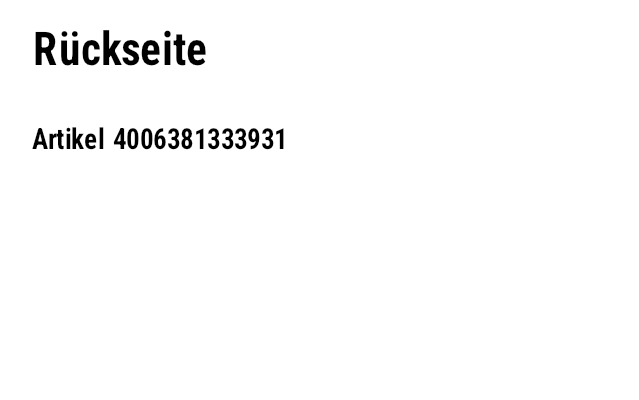
label.AddPage("Rückseite")                     // page 2 = back side on duplex printers
    .Add(new TextItem { X = 4, Y = 4, Text = "Rückseite", FontSize = 16 })
    .Add(new TextItem { X = 4, Y = 16, Expression = "\"Artikel \" + [Sku]" });

int count = label.PageCount;                     // 2 – each page becomes its own format
string zpl = label.ToZpl(new[] { new { Sku = "4006381333931" } });
Page 1
Page 2
Duplex, per-side frames, table corners, counters & input masks
Duplex convention: Label.Duplex outputs every copy as a front/back pair (^FXDUPLEX FRONT/BACK, a missing back side is blank). FrameThickness sets frames per side, TableItem.CornerRounding rounded corners, CounterUseLeadingZeros controls leading zeros, InputMaskPromptChar the placeholder and ValidationErrorMessage a custom message ({name}, {value}). The label JSON has schemaVersion 3; version 2 is migrated on load.
var label = new Label(LabelUnit.Mm, 50, 30) { Duplex = true };   // front/back as pairs
label.Add(new TextItem { Text = "FRONT", Width = 40, Height = 8,
    FrameThickness = new FrameThickness { Top = 0.5, Bottom = 0.3 } });   // frame per page
label.AddPage("back").Items.Add(new TextItem { Text = "BACK" });
label.Add(new TableItem { Y = 12, ColumnWidths = [20, 20], RowHeights = [6], CornerRounding = 4, Cells = [["a", "b"]] });
label.Add(new TextItem { Y = 20, Text = "A0001", CounterStep = 1, CounterUseLeadingZeros = true });
label.Add(new TextItem
{
    Name = "Lot", Y = 25, Text = "AB-1234", InputMask = "AA-0000", InputMaskPromptChar = '_',
    ValidationErrorMessage = "{name} ist ungültig: {value}",
});
IReadOnlyList<string> errors = label.Validate();
string zpl = label.ToZpl(copies: 2);       // FRONT, BACK, FRONT, BACK
Item references & localization
Expressions and table cells access the text of other items with [Items.Name] or [Items.Name.Text] (forward references work too; circular references yield ""). Multilingual templates: Label.Strings (via AddString), Label.Culture and {t:key} placeholders; resolution de-CH → de → "" → key; per print job with LabelBinding.WithCulture.
var label = new Label(LabelUnit.Dots, 400, 200)
    .Add(new TextItem { Name = "Total", Expression = "\"Summe: \" + [Items.Price.Text]" })
    .Add(new TextItem { Name = "Price", Y = 50, Expression = "Format(2 * 21, \"0.00\", \"de-DE\")" })
    .Add(new TableItem { Y = 100, ColumnWidths = [200], RowHeights = [30], Cells = [["[Items.Total]"]] });
var l = new Label(LabelUnit.Dots, 400, 200) { Culture = "de-CH" }
.AddString("", "weight", "Weight") // Fallback
.AddString("de", "weight", "Gewicht") // de-CH → de → "" → key
.AddString("fr", "weight", "Poids");
l.Add(new TextItem { Text = "{t:weight}: 5 kg" });
string de = l.ToZpl(); // Weight: 5 kg
string fr = l.For<Dictionary<string, object?>>().WithCulture("fr-FR").ToZpl([new()]); // Poids: 5 kgText sizing, styles, images, shapes, RFID & schema version
TextItem.Sizing chooses between fixed size, ShrinkToFit and FitToBox (natively via ^FB), Stretch, Arc/OuterArc (as a graphic) and stacked characters (^FPV). Plus vertical alignment, padding, character spacing, foreground/background, border, outline, bold/italic/underline/strikethrough, slashed zero, RTL and culture. ImageItem scales with aspect ratio, mirrors, dithers (Threshold, Floyd-Steinberg, Atkinson, Bayer, Otsu) and can store the graphic once in printer memory. Shapes have stroke styles (Solid, Dash, Dot, DashDot), fill and per-corner radii; tables have row/column fills and individually switchable lines. RfidItem writes EPC/TID/user memory with tag type, passwords and locks. Every item can have its own unit; the JSON carries schemaVersion 3 and is migrated on load.
var label = new Label(LabelUnit.Mm, 100, 60)
    .Add(new TextItem
    {
        Name = "title", X = 5, Y = 5, Width = 90, Height = 12, Text = "Sehr langer Artikelname",
        Sizing = TextSizing.ShrinkToFit,              // also FitToBox, Stretch, Arc, OuterArc …
        VerticalAlignment = TextVerticalAlignment.Middle, Padding = new ItemPadding(1),
        Bold = true, Underline = true, CharSpacing = 0.2,
        ForeColor = ItemColor.White, Background = ItemColor.Black, BorderThickness = 0.3,
    })
    .Add(new ImageItem
    {
        X = 70, Y = 20, Width = 25, LockAspectRatio = ImageAspectRatio.Width,
        ImageData = logoPng, DitherMethod = DitherMethod.Atkinson,   // Threshold, FloydSteinberg, Bayer, Otsu
        UsePrinterStorage = true, StorageName = "R:LOGO.GRF",          // ~DG once, then ^XG
    })
    .Add(new RectangleItem { X = 5, Y = 20, Width = 60, Height = 30, StrokeStyle = StrokeStyle.Dash,
                             CornerRadius = new CornerRadius(2), Fill = ItemColor.None })
    .Add(new BarcodeItem { X = 8, Y = 24, Symbology = Symbology.Gs1DataMatrix,  // all 142 symbologies
                           Code = "(01)09521234543213(10)LOT42", ModuleWidth = 4 })
    .Add(new RfidItem { Data = "3034257BF7194E4000001A85", MemoryBank = RfidMemoryBank.Epc,
                        TagType = RfidTagType.EpcClass1Gen2, AccessPassword = "12345678",
                        MemoryBankLock = RfidLockValue.Lock });

string json = label.ToJson();            // "schemaVersion": 3; older JSON is migrated on load
var copy = Label.FromJson(json);
var inch = label.ConvertToUnit(LabelUnit.Inch);
return label.ToZpl(dpi: 300);
11Bulk data binding
label.For<T>() returns a typed, streaming LabelBinding<T>: works with lists, LINQ, EF Core (IQueryable or AsAsyncEnumerable()), LiteDB, DataRow and dictionaries – millions of records without holding them in memory.
var binding = label.For<OrderRec>()
    .Map("Total", o => o.Price * o.Quantity)    // computed field (compiled lambda)
    .Copies(o => o.Quantity)                    // ^PQ per record
    .UseStoredFormat();                         // ^DF once, then only ^XF + ^FN values

// DataField = "Customer.Address.City" is resolved via PropertyPath
string zpl = binding.ToZpl(orders);
foreach (string chunk in binding.Generate(orders)) { /* lazy, record by record */ }
foreach (string batch in binding.Batches(orders, labelsPerBatch: 500)) { /* Druckjobs */ }

await using var file = new StreamWriter("job.zpl");
await binding.WriteZplAsync(stream, file);                       // IAsyncEnumerable

int sent = await binding.PrintAsync(new ZplPrinterClient("192.168.1.50"), stream, labelsPerBatch: 500);
IEnumerable<byte[]> pngs = binding.Render(orders.Take(3));
byte[] pdf = binding.RenderPdf(orders.Take(100));
| Method | Purpose |
|---|---|
Map(field, o => …) / MapItem(name, …) | bind a field or named item to a compiled lambda |
Copies(o => n) | number of copies per record (^PQ) |
UseStoredFormat(name) | template once via ^DF, then only ^XF/^FN values – typically 80–95 % less data |
Across(columns, gap) | several records side by side (multi-lane rolls) |
ToZpl / WriteZpl / WriteZplAsync | complete as a string or into a TextWriter |
Generate / GenerateAsync | lazy, one ZPL format per record |
Batches(records, n) | print jobs of n labels each |
PrintAsync(printer, records, n) | send directly to ZplPrinterClient, returns the count |
Render / RenderPdf | preview as images or PDF |
DataField = "Customer.Address.City" navigates through properties, fields, dictionaries, DataRow, JsonElement and anonymous types. Custom wrapper types (e.g. BsonValue) are unwrapped by PropertyPath.RegisterUnwrapper<T>().EF Core + SQLite
From the DatabaseBindingTests test: 2000 shipments in SQLite, navigation properties, asynchronous streaming with a stored format – the last barcode is rendered and decoded with ZXing.
var label = new Label(LabelUnit.Mm, 100, 60)
    .Add(new TextItem { X = 3, Y = 3, DataField = "Customer.Name", FontSize = 14 })
    .Add(new TextItem { X = 3, Y = 12, DataField = "Customer.City" })
    .Add(new TextItem { X = 60, Y = 12, DataField = "Weight", DataFieldFormat = "0.0 kg" })
    .Add(new BarcodeItem { X = 3, Y = 22, DataField = "TrackingNo", BarHeight = 15 })
    .Add(new TextItem { X = 3, Y = 50, Expression = "\"Paket \" + LABEL_NUMBER" });

var options = new DbContextOptionsBuilder<ShippingDb>().UseSqlite("Data Source=shipping.db").Options;
await using var db = new ShippingDb(options);

// streaming over all open shipments – never everything in memory
var query = db.Shipments.Include(s => s.Customer)
    .Where(s => !s.Printed && s.Customer.City == "Wien")
    .OrderBy(s => s.TrackingNo)
    .AsNoTracking()
    .AsAsyncEnumerable();

await using var output = new StreamWriter("versand.zpl");
await label.For<Shipment>()
    .Copies(s => s.Parcels)
    .UseStoredFormat()
    .WriteZplAsync(query, output);
LiteDB
using var db = new LiteDatabase("produkte.db");
PropertyPath.RegisterUnwrapper<BsonValue>(v => v.RawValue);   // BsonValue → .NET value

var label = new Label(LabelUnit.Mm, 60, 40)
    .Add(new TextItem { X = 2, Y = 2, DataField = "Name" })
    .Add(new TextItem { X = 2, Y = 9, DataField = "Supplier.Name" })
    .Add(new TextItem { X = 40, Y = 9, DataField = "Price", DataFieldFormat = "0.00" })
    .Add(new BarcodeItem { X = 2, Y = 16, DataField = "Sku", BarHeight = 12 });

// typed with LINQ
var typed = db.GetCollection<LiteProduct>("products").Query()
    .Where(p => p.Price > 400 && p.Supplier.Name == "ACME")
    .OrderBy(p => p.Price)
    .ToEnumerable();
string zpl = label.For<LiteProduct>().ToZpl(typed);

// untyped: BsonDocument, nested paths work the same way
var docs = db.GetCollection("products").Find(Query.EQ("Supplier.Name", "Contoso"));
string zpl2 = label.For<BsonDocument>().ToZpl(docs);
Multi-lane labels
var small = new Label(LabelUnit.Mm, 30, 20)
    .Add(new TextItem { X = 2, Y = 2, DataField = "Sku", FontSize = 9 })
    .Add(new BarcodeItem { X = 2, Y = 7, DataField = "Sku", Symbology = Symbology.DataMatrix });

// 3 labels side by side on a 96 mm liner, 3 mm gap
string zpl = small.For<Line>().Across(3, gap: 3).ToZpl(lines);
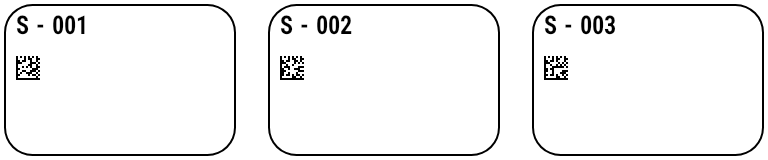
JSON & dynamic records, record count, Stream/PipeWriter, expressions
Bind without a class of your own: JsonElement, JsonNode, ExpandoObject, dictionaries, DataRow and LiteDB BsonDocument (paths such as order.no). If the count is known (WithRecordCount, CountQueryableWith or recordCount:), TOTAL_PAGES and PrintJobInfo.RecordCount are available from the first label on. WriteZplAsync writes UTF-8 directly into a Stream or PipeWriter (ASP.NET Core). Variables: LABEL_INDEX, LABEL_NUMBER, LABEL_WIDTH, LABEL_HEIGHT, RECORD_INDEX, PAGE_NUMBER, TOTAL_PAGES plus your own. Functions include Upper Lower Left Right Mid Substring Trim PadLeft Replace Contains If Coalesce IsEmpty IsNumeric Format ToNumber ToDate Today Now AddDays Round Min Max Mod10 Mod11 Mod43 Luhn Gs1CheckDigit VoicePickCode. Numbers and dates use Expressions.Culture (default: invariant); Format/ToNumber optionally take a culture name.
Try it: the live demo binds a JSON template to JSON records (label.For<JsonElement>()) and shows the ZPL, previews and per-phase timings.
// records without a class of their own: JsonElement, JsonNode, ExpandoObject, dictionaries, DataRow, BsonDocument
using var doc = JsonDocument.Parse("""[{"name":"Anna","order":{"no":"A-1"}},{"name":"Ben","order":{"no":"A-2"}}]""");
string zpl = label.For<JsonElement>().ToZpl(doc.RootElement.EnumerateArray());

dynamic d = new ExpandoObject(); d.name = "Cleo";
string one = label.For<ExpandoObject>().ToZpl([(ExpandoObject)d]);

// known count → TOTAL_PAGES/RecordCount available from the first label; UTF-8 straight into a Stream or PipeWriter
var binding = label.For<JsonElement>().WithRecordCount(2);
await binding.WriteZplAsync(rows, response, dpi: 203, recordCount: 2);
await binding.WriteZplAsync(rows, pipe);

// expressions: functions, variables and culture
label.Expressions.Culture = System.Globalization.CultureInfo.GetCultureInfo("de-DE");
label.Add(new TextItem { X = 5, Y = 50,
    Expression = "\"Seite \" + PAGE_NUMBER + \"/\" + TOTAL_PAGES + \" · \" + Format(Today(), \"d\") + \" · \" + Upper(Left(name, 3))" });
12Print jobs & bulk printing
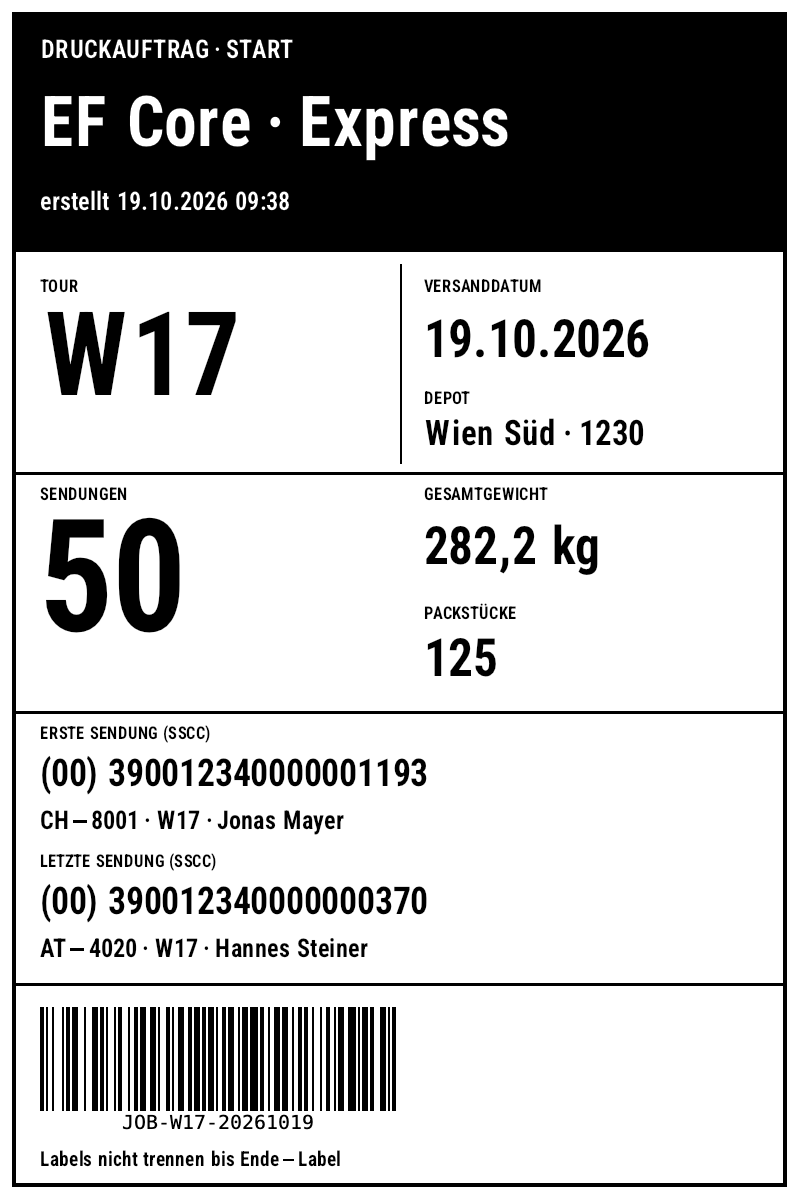
A print job is one ZPL stream: an optional leading label, one label per record and an optional trailing label. With CutAfterLastLabel() the whole job runs in tear-off mode and the cut happens only after the last label.
Leading label, trailing label and cut (LabelBinding)
// header and trailer labels are bound to PrintJobInfo:
// JobName, Created, RecordCount, LabelCount, FirstKey, LastKey
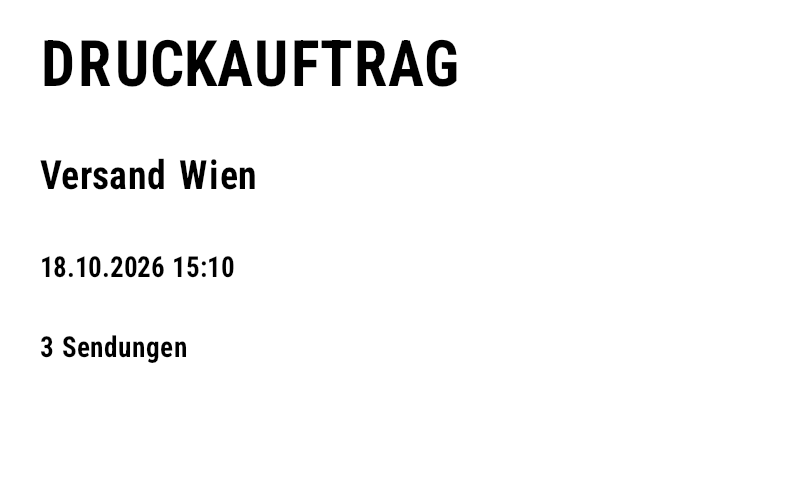
var leading = new Label(LabelUnit.Mm, 100, 60)
    .Add(new TextItem { X = 5, Y = 5, Text = "DRUCKAUFTRAG", FontSize = 22 })
    .Add(new TextItem { X = 5, Y = 20, DataField = "JobName", FontSize = 14 })
    .Add(new TextItem { X = 5, Y = 32, Expression = "Format([Created], \"dd.MM.yyyy HH:mm\")" })
    .Add(new TextItem { X = 5, Y = 42, Expression = "[RecordCount] + \" Sendungen\"" });
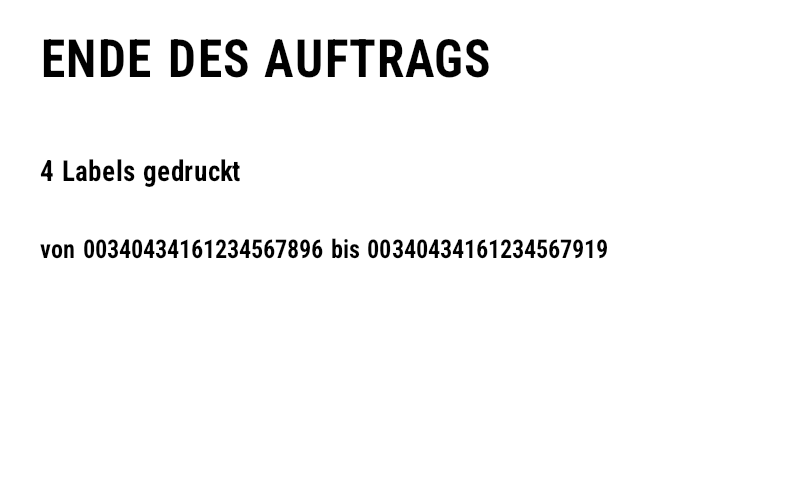
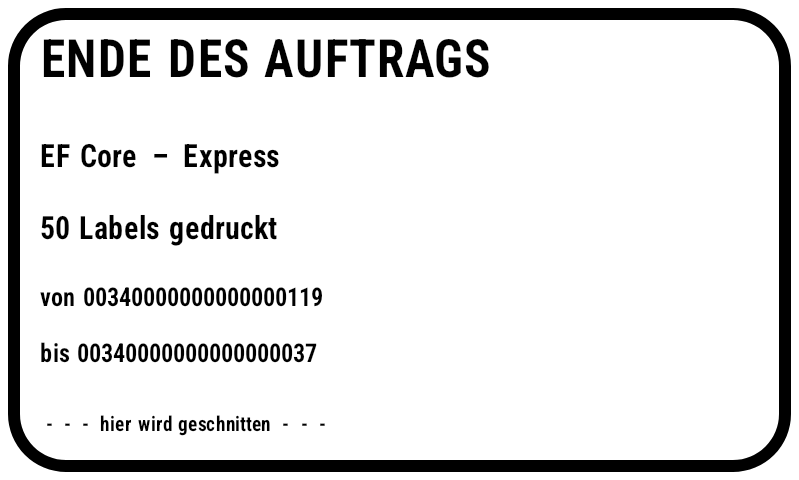
var trailing = new Label(LabelUnit.Mm, 100, 60)
    .Add(new TextItem { X = 5, Y = 5, Text = "ENDE DES AUFTRAGS", FontSize = 18 })
    .Add(new TextItem { X = 5, Y = 20, Expression = "[LabelCount] + \" Labels gedruckt\"" })
    .Add(new TextItem { X = 5, Y = 30, Expression = "\"von \" + [FirstKey] + \" bis \" + [LastKey]", FontSize = 9 });
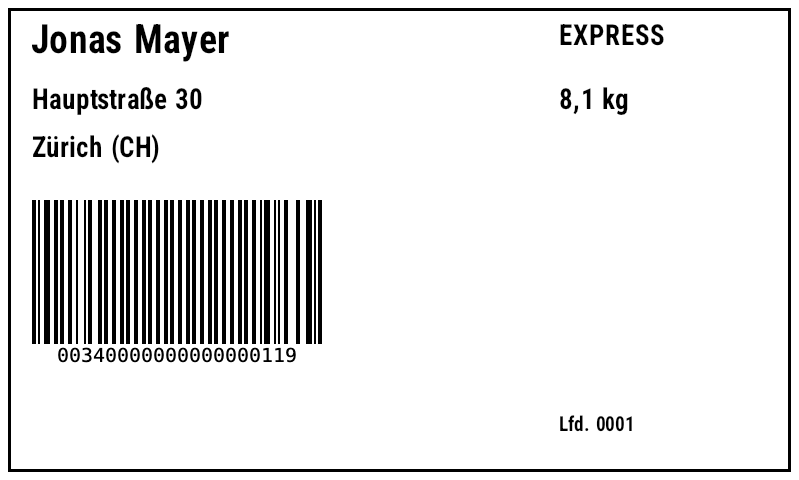
var label = new Label(LabelUnit.Mm, 100, 60)
    .Add(new TextItem { X = 4, Y = 4, DataField = "Name", FontSize = 14 })
    .Add(new TextItem { X = 4, Y = 12, DataField = "City" })
    .Add(new BarcodeItem { X = 4, Y = 22, DataField = "TrackingNo", BarHeight = 18 });

string zpl = label.For<Parcel>()
    .Job("Versand Wien", p => p.TrackingNo)   // name + key for FirstKey/LastKey
    .Copies(p => p.Parcels)                   // LabelCount includes copies
    .WithLeadingLabel(leading)
    .WithTrailingLabel(trailing)
    .CutAfterLastLabel()                      // 1st format ^MMT (tear-off), last ^MMC (cut)
    .ToZpl(parcels);                          // list → RecordCount already known on the header label
| Method / field | Meaning |
|---|---|
.Job(name, keySelector) | job name and per-record key (e.g. tracking number) for FirstKey/LastKey |
.WithLeadingLabel(label) | leading label, bound to PrintJobInfo |
.WithTrailingLabel(label) | trailing label with totals, bound to PrintJobInfo |
.CutAfterLastLabel() | the first format gets ^MMT (tear-off, applies to all following), only the last format ^MMC (cut) |
PrintJobInfo.JobName, Created | name and creation time of the job |
PrintJobInfo.RecordCount | number of records – known in the leading label when a list/collection is passed; always set in the trailing label |
PrintJobInfo.LabelCount | printed labels including copies (Copies) |
PrintJobInfo.FirstKey, LastKey | key of the first and last record |
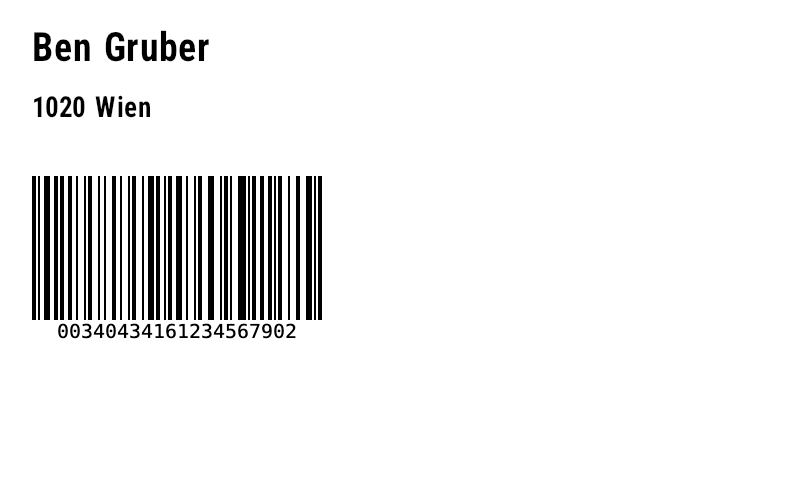
All fields can be used as DataField or in expressions ([RecordCount] + " Sendungen"). The result for three shipments (one of them with two copies): 5 formats, 6 labels.
Leading label
Record 2 (^PQ2)
Trailing label (^MMC)
Show generated ZPL
PrintJobTemplate: one job from JSON templates
PrintJobTemplate combines the leading, record and trailing label together with options. Load from three label templates (FromFiles(leading, label, trailing), leading/trailing optional) or from one JSON file (ToJson/FromJson); SaveFiles splits it back into three files. For<T>() returns the fully configured LabelBinding<T>.
// three JSON templates (e.g. from a designer) → ONE print job
var job = PrintJobTemplate.FromFiles("templates/leading.json", "templates/shipping.json", "templates/trailing.json");
job.JobName = "Tagesversand";
job.CutAfterLastLabel = true;          // cut only after the trailer label
job.StoredFormatName = "R:SHIP.ZPL";   // template once via ^DF, then only ^XF + ^FN values
job.KeyField = "TrackingNo";           // FirstKey/LastKey on the trailer
job.CopiesField = "Parcels";           // ^PQ per record

string zpl = job.For<Shipment>().ToZpl(shipments.ToList());

// the same job as ONE JSON file – or split back into three files
File.WriteAllText("printjob.json", job.ToJson());
PrintJobTemplate same = PrintJobTemplate.FromJson(File.ReadAllText("printjob.json"));
same.SaveFiles("leading.json", "shipping.json", "trailing.json");
| Option | Effect |
|---|---|
JobName | name for PrintJobInfo.JobName (default "Druckauftrag") |
CutAfterLastLabel | ^MMT for all, ^MMC only for the last label |
StoredFormatName | store the record label once via ^DF, then only ^XF + ^FN |
KeyField | property path for FirstKey/LastKey |
CopiesField | property path for the number of copies per record |
leading.json (excerpt)
printjob.json – everything in one file (excerpt)
Templates: leading.json · shipping.json · trailing.json · printjob.json
Bulk data demo: EF Core + LiteDB → one .zpl file
samples/MassDataDemo loads the three templates, queries 50 shipments via LINQ from SQLite (EF Core) or LiteDB and writes one job each: leading label, ^DF template, 50 shipping labels, trailing label, cut.
// samples/MassDataDemo: 50 shipping labels + header + trailer + cut in ONE .zpl file
var job = PrintJobTemplate.FromFiles("templates/leading.json", "templates/shipping.json", "templates/trailing.json");
job.CutAfterLastLabel = true;        // tear-off for all, cut after the trailer label
job.KeyField = "TrackingNo";         // first/last shipment number on the trailer

// ---------- EF Core + SQLite ----------
using var connection = new SqliteConnection("Data Source=:memory:");
connection.Open();
var options = new DbContextOptionsBuilder<ShippingDb>().UseSqlite(connection).Options;
using var db = new ShippingDb(options);
db.Database.EnsureCreated();
db.Shipments.AddRange(seedData);
db.SaveChanges();

var query = db.Shipments.AsNoTracking()          // executed by SQLite
    .Where(s => !s.Printed && s.Service == "EXPRESS")
    .OrderByDescending(s => s.Id)
    .Take(50);

job.JobName = "EF Core – Express";
job.StoredFormatName = "R:SHIP.ZPL";             // template once, then only field values
string efZpl = job.For<Shipment>()
    .Map("Total", s => s.WeightKg.ToString("0.0") + " kg")
    .ToZpl(query.ToList());
File.WriteAllText("massdata-efcore.zpl", efZpl);

// ---------- LiteDB ----------
using var lite = new LiteDatabase(new MemoryStream());
var col = lite.GetCollection<Shipment>("shipments");
col.InsertBulk(seedData);
col.EnsureIndex(s => s.Country);
var docs = col.Query().Where(s => s.Country == "AT").OrderBy(s => s.TrackingNo).Limit(50).ToEnumerable();

job.JobName = "LiteDB – Österreich";
job.StoredFormatName = null;                     // full format per label
string liteZpl = job.For<Shipment>()
    .Map("Total", s => s.WeightKg.ToString("0.0") + " kg")
    .ToZpl(docs.ToList());
File.WriteAllText("massdata-litedb.zpl", liteZpl);

// preview of the whole job as PDF
var renderer = new ZplRenderer(new ZplRenderSettings { OutputFormat = ZplOutputFormat.Pdf }.WithLabelSizeMm(100, 60));
File.WriteAllBytes("massdata-efcore.pdf", renderer.ProcessCommands(efZpl)[0]);
dotnet run --project samples/MassDataDemo -- samples/output samples/templates
Leading label (^MMT)
Shipping label 1 of 50
Trailing label (^MMC)
massdata-efcore.zpl (excerpt)
^DF/^XF) · massdata-efcore.pdf · massdata-litedb.zpl (17 KB, full formats) · massdata-litedb.pdf – 52 labels each.13Printing
ZplPrinterClient sends raw TCP to port 9100 and queries the status via ~HS (ZplPrinterStatus: PaperOut, Paused, HeadOpen, RibbonOut, OverTemperature, UnderTemperature, LabelsRemainingInBatch, FormatsInBuffer).
var printer = new ZplPrinterClient("192.168.1.50")   // Port 9100 (Raw)
{
    Timeout = TimeSpan.FromSeconds(5),
};

ZplPrinterStatus status = await printer.GetStatusAsync();   // ~HS
if (!status.IsReady)
    throw new InvalidOperationException(
        $"Papier leer: {status.PaperOut}, Kopf offen: {status.HeadOpen}, Pause: {status.Paused}");

await printer.SendAsync(zpl);
await printer.SendAsync(label, dpi: 203, copies: 5);
Connections: IPrinterConnection
All transports implement IPrinterConnection (SendAsync(byte[]), QueryAsync); extension methods send ZPL strings and labels and query the ~HS status via GetStatusAsync(). PrinterSettings + PrinterConnectionFactory.Create make the transport configurable.
// one interface for all transports
await using IPrinterConnection printer = PrinterConnectionFactory.Create(new PrinterSettings
{
    CommunicationType = CommunicationType.Network,   // Network, Serial, Usb, File, WindowsDriver, Cups, Stream
    Host = "192.168.1.50", Port = 9100,
    Timeout = TimeSpan.FromSeconds(5),
});
ZplPrinterStatus? status = await printer.GetStatusAsync();   // ~HS (null for write-only transports)
await printer.SendAsync(zpl);
await printer.SendAsync(label, dpi: 203, copies: 2);

// generated directly
IPrinterConnection tcp = new TcpPrinterConnection("192.168.1.50");
IPrinterConnection serial = new SerialPrinterConnection("COM3", 9600, Parity.None, 8, StopBits.One, Handshake.XOnXOff);
IPrinterConnection usb = new RawFilePrinterConnection("/dev/usb/lp0");          // or \\.\USB001, file
IPrinterConnection cups = new CupsPrinterConnection("Zebra_ZD421") { JobTitle = "Versand" };
IPrinterConnection mem = new StreamPrinterConnection(new MemoryStream());        // Tests
if (OperatingSystem.IsWindows())
{
    IPrinterConnection spooler = new WindowsSpoolerPrinterConnection("ZDesigner ZD421-203dpi", documentName: "Versand");
}
| Class | CommunicationType | Status (~HS) |
|---|---|---|
TcpPrinterConnection | Network (Raw, port 9100) | yes |
SerialPrinterConnection | Serial (baud, parity, handshake) | yes |
RawFilePrinterConnection | Usb, File (device path or file) | no |
WindowsSpoolerPrinterConnection | WindowsDriver (RAW print job, Windows only) | no |
CupsPrinterConnection | Cups (lp -o raw) | no |
StreamPrinterConnection | Stream (any Stream, tests) | if readable |
Virtual printer (TCP 9100)
ZplVirtualPrinter listens on the raw port, renders incoming ZPL and EPL jobs (EPL is detected) and saves every label as PNG or PDF – ideal for testing applications that would otherwise print to a Zebra. Status queries are answered as a ready printer (HostQueryHandler for custom responses). As a console program: dotnet run --project samples/VirtualPrinter -- --port 9100 --out labels [--pdf] [--any].
await using var printer = new ZplVirtualPrinter(9100, IPAddress.Loopback)
{
    RenderSettings = new ZplRenderSettings { Dpi = 203, OutputFormat = ZplOutputFormat.Png },
    OutputDirectory = "labels",                // every label as labels/*.png
};
printer.LabelReceived += (_, e) => Console.WriteLine($"Etikett #{e.Index} → {e.FilePath}");
printer.Start();                               // answers ~HS, ~HI and ~HQ (ES, SN, OD …)
Print settings, extended status, discovery & dry run
ZplJobSettings generates ^MM (tear-off, peel-off, cutter, RFID …), ^MN (gap, mark, continuous), ^MT, ^LL/^ML, ^MD, ^PR and the orientation, and inserts them after every ^XA. GetExtendedStatusAsync evaluates ~HQES (error and warning flags), plus serial number, odometer and ~HI. PrinterDiscovery.FindUsbPrintersAsync finds USB printers; with EnablePrinting = false the factory returns a DryRunPrinterConnection that only logs. Further transports: TCP, serial, USB/file, parallel port, Windows spooler, CUPS, stream.
var settings = new PrinterSettings
{
    Host = "127.0.0.1", Port = 9100,
    EnablePrinting = true,                     // false = dry run (DryRunPrinterConnection)
    Job = new ZplJobSettings
    {
        PrintMode = PrintMode.Cutter,          // ^MMC
        MediaTracking = MediaTracking.Gap,     // ^MNY
        MediaType = MediaType.DirectThermal,   // ^MTD
        Darkness = 20, PrintSpeed = 4,         // ^MD, ^PR
        Orientation = JobOrientation.Portrait180,
    },
};
await using IPrinterConnection conn = PrinterConnectionFactory.Create(settings);
await conn.SendAsync(settings.Job.Apply(zpl));
ZplExtendedStatus? status = await conn.GetExtendedStatusAsync();      // ~HQES
if (status is { IsReady: false }) Console.WriteLine(status.Errors);

IReadOnlyList<DiscoveredPrinter> usb = await PrinterDiscovery.FindUsbPrintersAsync();
14Export to other formats & languages
RasterExport
Rendered bitmaps as PCX, multi-page TIFF (PackBits/CCITT), EPL2 graphic, Fingerprint, ESC/POS (raster image + cut) and PCL.
LabelLanguageWriter
The label model natively as EPL, Fingerprint, ESC/POS or PCL – text and barcodes remain printer commands.
var renderer = new ZplRenderer();
var results = renderer.Render(File.ReadAllText("labels.zpl"));
SKBitmap bmp = results[0].Bitmap;

File.WriteAllBytes("label.pcx", RasterExport.Pcx(bmp));
File.WriteAllBytes("labels.tif", RasterExport.Tiff(results.Select(r => r.Bitmap), TiffCompression.PackBits));
File.WriteAllBytes("label.epl", RasterExport.Epl(bmp));          // EPL2 GW graphic
File.WriteAllBytes("label.fp", RasterExport.Fingerprint(bmp));   // Honeywell/Intermec
File.WriteAllBytes("label.escpos", RasterExport.EscPos(bmp, cut: true));
File.WriteAllBytes("label.pcl", RasterExport.Pcl(bmp, dpi: 300));

// native commands from the label model (text stays text, barcodes stay barcodes)
string epl = LabelLanguageWriter.ToEpl(label);
string fingerprint = LabelLanguageWriter.ToFingerprint(label);
byte[] escpos = LabelLanguageWriter.ToEscPos(label);
byte[] pcl = LabelLanguageWriter.ToPcl(label);
EPL and Fingerprint with records
With records, LabelLanguageWriter generates a stored EPL form (FS/FK) with variables and one data block per record, or Fingerprint with a copy count – mask counters included.
// label model + records natively as EPL2 or Fingerprint (text and barcodes stay commands)
string epl = LabelLanguageWriter.ToEpl(label, parcels, dpi: 203, copies: p => p.Parcels, formName: "VERSAND");
string fp = LabelLanguageWriter.ToFingerprint(label, parcels, dpi: 203, copies: p => p.Parcels);
File.WriteAllText("versand.epl", epl);   // FS/FK form + variables, one data block per record
File.WriteAllText("versand.fp", fp);
TIFF, PCL, ESC/POS NV, GIF, HTML, EPS, mirroring & DPI conversion
TIFF with CCITT G3/G4, LZW, Deflate or PackBits and 1-bit, Gray8, RGB or RGBA; PCL monochrome/gray/color with mode 0/2/3; ESC/POS with NV graphics; GIF, SVG, HTML (embedded as PNG, GIF or SVG) and EPS (optionally as outlines). Outputs can be mirrored (Flip), set to landscape, scaled, made transparent and given DPI metadata. ZplGraphicEncoder converts images with dithering into ^GF (hex, ACS, Z64, B64 or automatically the shortest). ZplRescaler converts raw ZPL between resolutions: origins, label size, shapes, fonts, field blocks, ^BY, 2D module sizes and ^GF graphics.
var s = new ZplRenderSettings
{
    OutputFormat = ZplOutputFormat.Tiff,
    TiffCompression = TiffCompression.CcittGroup4,   // None, CcittGroup3, Lzw, Deflate, PackBits
    TiffPixelFormat = TiffPixelFormat.BlackWhite1,   // Gray8, Rgb24, Rgba32
    Flip = ZplFlip.X, PaperOrientation = ZplPaperOrientation.Landscape,
    WriteDpiMetadata = true,
}.WithLabelSizeMm(100, 60);
byte[] tiff = new ZplRenderer(s).ProcessCommands(zpl)[0];

s.OutputFormat = ZplOutputFormat.Pcl;  s.PclColorMode = PclColorMode.Grayscale; s.PclCompression = PclCompression.DeltaRow;
s.OutputFormat = ZplOutputFormat.Eps;  s.EpsTextAsOutlines = true;
s.OutputFormat = ZplOutputFormat.Html; s.HtmlImageFormat = HtmlLabelImageFormat.Svg;
s.OutputFormat = ZplOutputFormat.Gif;

// ESC/POS: store the graphic once in NV memory, then just recall it
byte[] define = EscPosNv.DefineGraphic(photo, "G1"), print = EscPosNv.PrintGraphic("G1");

// image → ^GF with dithering and the shortest encoding
string gf = ZplGraphicEncoder.ToZpl(photo, GraphicCompression.Auto, DitherMode.FloydSteinberg, x: 20, y: 20);

// convert ZPL from 203 to 300 dpi (coordinates, fonts, ^BY, ^GF …)
string zpl300 = ZplRescaler.Rescale(zpl, 203, 300);
ZPL optimizer
ZplOptimizer.Optimize shrinks ZPL without changing a single pixel (verified on the entire Labelary corpus): Safe removes redundant state commands (^BY, ^CF …), Aggressive additionally removes line breaks and default parameters and recompresses graphics (GraphicCompression Hex/ACS/Z64). Field data is left untouched; with ^CC/^CT the input is returned unchanged. In the label model: Label.Optimization.
string safe = ZplOptimizer.Optimize(zpl, ZplOptimization.Safe);              // remove duplicate ^BY/^CF/...
string small = ZplOptimizer.Optimize(zpl, ZplOptimization.Aggressive,        // + line breaks, default parameters
    GraphicCompression.Z64);                                                 // + recompress graphics

label.Optimization = ZplOptimization.Aggressive;     // applies to ToZpl and data binding
label.GraphicCompression = GraphicCompression.Z64;
Font download, renaming stored objects & elements as JSON
Label.FontDownloadZpl() returns only the ~DY/~DU commands of the label fonts, FontManager.Convert turns any TTF into a download command, and Label.FontAsGraphicThreshold sends large fonts as a graphic instead. The ZplResourceStore can rename graphics, formats and fonts and cache decoded graphics. ZplRenderResult.RenderedElementsAsJson() outputs the traced elements with type, data, bounds, rotation and source position.
var label = new Label(LabelUnit.Mm, 50, 20).AddFont("MYFONT.TTF", ttf);
label.Add(new TextItem { Text = "Hallo", Font = "E:MYFONT.TTF" });
string fonts = label.FontDownloadZpl();                         // only ~DY…, sent to the printer once
string du = label.FontDownloadZpl(FontDownloadCommand.DU);
string raw = FontManager.Convert(ttf, "R:OTHER", FontDownloadCommand.DU); // any TTF → ZPL
label.FontAsGraphicThreshold = 512 * 1024;                     // larger fonts as ^GFA graphic
var r = new ZplRenderer();
r.Render("~DGR:OLD.GRF,8,1,FFFFFFFFFFFFFFFF");
r.Store.RenameGraphic("OLD", "E:LOGO.GRF");
r.Store.RenameFormat("A", "C");
r.Store.RenameFont("E:F1.TTF", "F2.TTF");
r.Store.CacheGraphics = true; // reuse decoded ^GF graphics
int cached = r.Store.CachedGraphicCount;var renderer = new ZplRenderer(new ZplRenderSettings { TraceElements = true });
foreach (var res in renderer.Render(zpl))
{
// [{"type":"A","data":"Hi","bounds":{"x":..},"rotation":90,"sourceOffset":..,"sourceLength":..}, ...]
string json = res.RenderedElementsAsJson(indented: true);
res.Bitmap.Dispose();
}
15ZPL object model
ZplDocument.Parse splits ZPL into ZplFormats with typed commands – one subclass of ZplCommandBase per ZPL command (FieldOriginCommand, Code128Command, Pdf417Command …, unknown ones as UnknownCommand). Change properties, and ToString() writes ZPL again. ZplBuilder builds formats fluently.
// typed object model: parse, modify, write back
ZplDocument doc = ZplDocument.Parse(zplIn);
foreach (ZplFormat format in doc.LabelFormats)
{
    foreach (FieldOriginCommand fo in format.OfType<FieldOriginCommand>())
        fo.X += 20;                                       // everything 20 dots to the right
    foreach (Code128Command bc in format.OfType<Code128Command>())
        bc.Height = 60;
}
string moved = doc.ToString();

// or from scratch with the ZplBuilder
string zpl = new ZplBuilder()
    .Format(f => f
        .Encoding(28)
        .Text(30, 30, "ZplBuilder", height: 40)
        .FieldOrigin(30, 90).BarcodeDefaults(2, height: 70).Code128().FieldData("BUILD-42")
        .FieldOrigin(330, 30).QrCode(magnification: 4).FieldData("QA,ZplDocument")
        .FieldOrigin(20, 20).GraphicBox(540, 200, 3, rounding: 2).FieldSeparator())
    .ToString();
ZplBuilder output
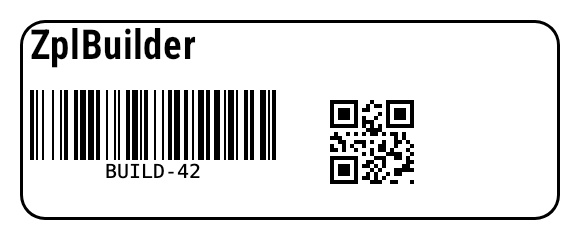
ZPL
16Color & preview
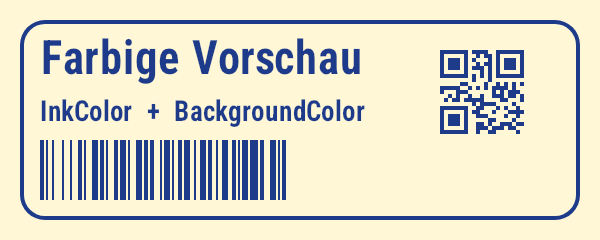
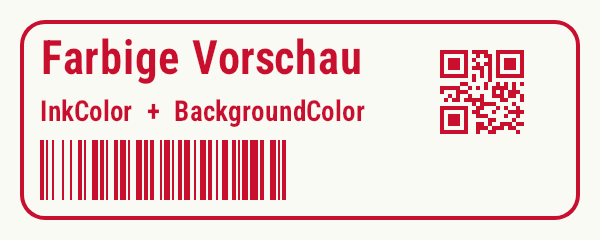
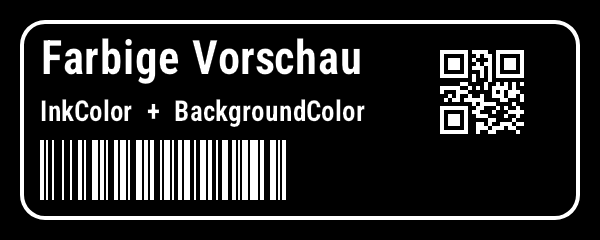
The same ZPL, three settings.
InkColor + BackgroundColor
Red ribbon look
InvertColors
Show ZPL
17Sample labels
The five labels from samples/zpl/five-labels.zpl – shipping, product, storage location, inventory, pallet. Also available as PDF.
17bCommand line, server image & Helm
tools/ZplCli can be packed as a .NET tool (package ZplCore.Cli, command zplcore).
dotnet pack tools/ZplCli -c Release -o nupkg
dotnet tool install -g ZplCore.Cli --add-source nupkg

zplcore render label.zpl -o label.png --dpi 300 --width 100 --height 150   # mm; one image per label
zplcore render label.zpl -o labels.pdf                                       # pdf/tiff/html contain all labels
zplcore render label.epl -f tiff -o out.tif                                  # EPL is detected (or --epl)
zplcore render label.zpl -f svg > label.svg                                  # stdout; "-" reads stdin
zplcore epl2zpl label.epl -o label.zpl
zplcore print label.zpl --host 192.168.1.50 --port 9100
zplcore barcode qrcode "https://example.com" -o qr.svg                       # png/svg/pdf/eps/jpeg/zpl
zplcore validate label.zpl                                                   # exit code 1 on warnings
zplcore formats
More options: --labels 0,2, --flip x|y|xy, --landscape, --no-antialias.
Server image (distroless) and Helm chart
build/Dockerfile.server publishes samples/WebApiDemo on mcr.microsoft.com/dotnet/aspnet:10.0-azurelinux3.0-distroless: no shell, user app (non-root), port 8080, /health, SQLite demo data in /tmp – runs with --read-only. deploy/helm/zplcore contains a Deployment, Service and HorizontalPodAutoscaler (default 2–10 replicas, 70 % CPU), probes on /health, app settings via env and a read-only root file system with emptyDir on /tmp.
docker build -f build/Dockerfile.server -t zplcore-server .
docker run --rm --read-only --tmpfs /tmp -p 8080:8080 zplcore-server
curl -X POST 'localhost:8080/api/jobs/preview?format=pdf' -H 'Content-Type: application/json' \
     -d '{"data":[{"trackingNo":"00340000000000000001","name":"Anna Huber","city":"Wien","country":"AT"}]}' -o preview.pdf

helm install labels deploy/helm/zplcore --set image.repository=myregistry/zplcore-server --set image.tag=1.0.0
17cDiagnostics, source positions, limits & threads
Every ZplRenderResult has Diagnostics: ZplDiagnostic with a stable code, severity, message, command and position (offset, line, column). Warnings is kept and contains the messages of all warnings and errors.
| Code | Severity | Meaning |
|---|---|---|
ZPL1001 | Error | Command with invalid parameters ignored (the rest of the label is rendered) |
ZPL1002 | Warning | Field could not be drawn (e.g. invalid barcode data) |
ZPL1003 | Warning | Barcode data longer than any symbology can hold |
ZPL1101 | Warning | ^GF larger than the label or MaxGraphicBytes |
ZPL1102 | Warning | ^GF data cannot be decoded |
ZPL1103 | Warning | ^XG/^IM references a graphic that is not stored |
ZPL1201 | Warning | ^A@ font not found – font A is used, as on a Zebra |
ZPL2001 | Info | Accepted, no effect on the image (^FE, ^FA, RFID operations other than writing) |
With TraceElements, every element carries SourceOffset/SourceLength (its ^FO…^FS block); every parsed ZplCommand has Offset/Length, and ZplParser.LineColumn converts them. Missing ^A@ fonts can be supplied on demand by the FontProvider callback.
var renderer = new ZplRenderer(new ZplRenderSettings
{
    TraceElements = true,
    FontProvider = name => name == "E:BRAND.TTF" ? File.ReadAllBytes("fonts/Brand.ttf") : null,
});
foreach (var result in renderer.Render(zpl))
{
    foreach (ZplDiagnostic d in result.Diagnostics)          // e.g. "ZPL1201 warning (3:12): …"
        Console.WriteLine($"{d.Code} {d.Severity} {d.Command} Zeile {d.Line}, Spalte {d.Column}: {d.Message}");
    foreach (var e in result.Elements)                       // ^FO…^FS range in the source
        Console.WriteLine(zpl.Substring(e.SourceOffset, e.SourceLength));
    result.Bitmap.Dispose();
}
Limits for untrusted input & thread safety
Defaults: MaxLabelSide 32000, MaxLabelDots 64 million, MaxQuantity 10000, MaxLabels 100000, MaxGraphicBytes 32 MB (also the Z64 decompression limit against zip bombs), MaxFieldDataLength 1 million, ZplResourceStore.MaxTotalBytes 256 MB. ZplRenderer/EplRenderer hold printer state and are not thread-safe – use one renderer per thread; ZplResourceStore, FontManager, ZplCaches, PropertyPath and configured LabelBindings are. ConcurrencyTests compares the SHA-256 of all outputs from 16 threads with the single-threaded run; samples/FuzzRunner feeds the parser random and mutated input, samples/LeakTest renders 1 million labels and logs heap and RSS. Details: THREADING.md, DIAGNOSTICS.md.
var shared = new ZplResourceStore();                          // thread-safe, shareable by many renderers
var safe = new ZplRenderSettings
{
    MaxLabelSide = 8000, MaxLabelDots = 16_000_000, MaxQuantity = 100,
    MaxLabels = 1000, MaxGraphicBytes = 4 * 1024 * 1024, MaxFieldDataLength = 10_000,
};
Parallel.For(0, 8, _ =>
{
    var r = new ZplRenderer(safe) { Store = shared };         // one renderer per thread
    r.ProcessCommands(untrusted);
});
17dPlatforms, writing systems & databases
Platforms
Tested on macOS, Windows 11, Debian (mcr.microsoft.com/dotnet/sdk:10.0) and Azure Linux 3.0 (sdk, runtime and runtime-distroless). No native packages required: SkiaSharp NativeAssets.Linux.NoDependencies, HarfBuzzSharp ships its own library, and the fonts are embedded. Minimal images have no system fonts – supply characters outside the embedded fonts (CJK, emoji) via RegisterFont/~DY/~DU (build/LINUX.md, build/Dockerfile.test.azurelinux).
Databases
Binding and print jobs are tested with SQLite (EF Core) and LiteDB in the unit tests, and in tests/ZplCore.IntegrationTests via Testcontainers against SQL Server 2022 (EF Core), PostgreSQL (Npgsql EF Core) and MongoDB (MongoDB.Driver and MongoDB.EntityFrameworkCore). Without Docker these tests are skipped.
Writing systems of the world
WorldScriptTests renders Arabic, Chinese, Hindi (Devanagari), Korean, Japanese and Russian with downloaded Noto TTFs – once as a TTF in printer memory (~DU + ^A@), once as a graphic in the label model (PrintAsGraphic, so the printer needs no font). On Linux containers without system fonts this proves that the loaded font, including HarfBuzz shaping, is really used. Examples in samples/fonts:
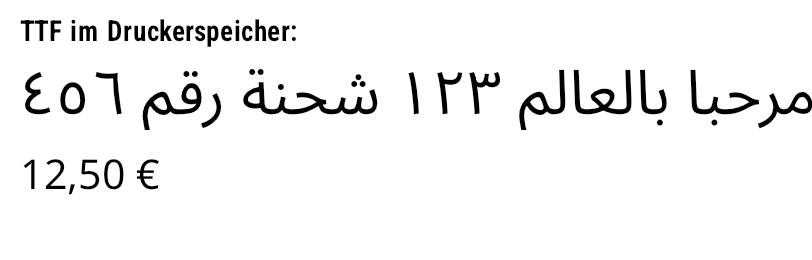
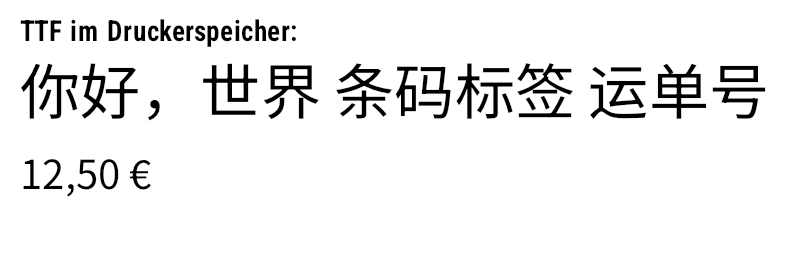
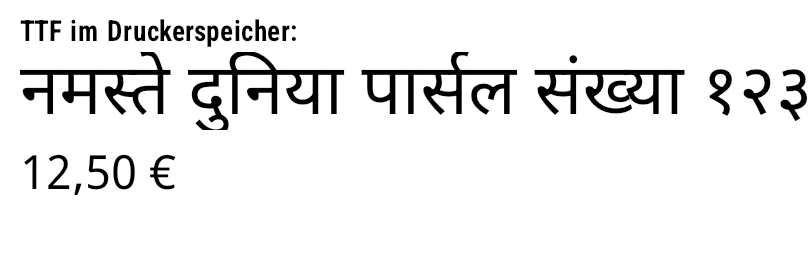

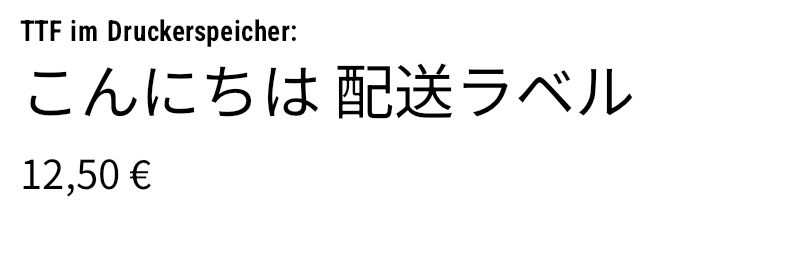
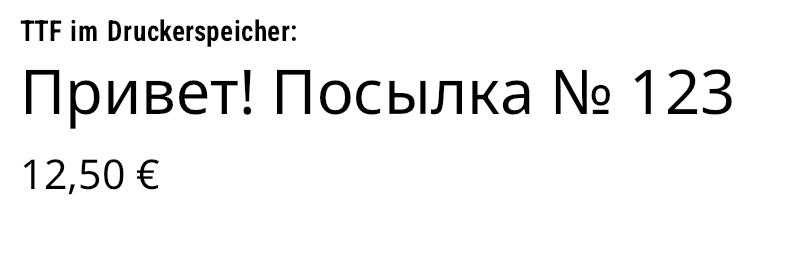
18Tests & verification
1656 xUnit tests
Parser, rendering, fonts, shaping, binding, print jobs, export, object model, connections, printer commands, settings – dotnet test runs in a few seconds.
Barcodes are read back
Every ported encoder (postal codes, Codablock F, Code 16K/49, PDF417/MicroPDF417, Han Xin, DotCode, Ultracode, rMQR, QR variants, Data Matrix, Aztec, GS1, Composite …) is verified bit-exact against bwip-js (zint ports against zint) – including all 7 GS1 DataBar variants with 80 dedicated reference cases – and the reference matrices are in the tests. Where ZXing.Net knows the symbology, the barcode is additionally decoded.
Databases
EF Core with SQLite (in-memory, 2000 rows) and LiteDB (typed + BsonDocument) in the unit tests, SQL Server 2022, PostgreSQL and MongoDB via Testcontainers in tests/ZplCore.IntegrationTests; samples/MassDataDemo generates the sample jobs.
This documentation
All screenshots are generated by samples/DocsGenerator from real ZPL/EPL or the barcode API; all C# examples live in compilable form in samples/DocsExamples and are copied verbatim into this page by the generator.
dotnet test                                  # 1656 tests
dotnet run --project samples/LabelaryCompare # pixel comparison against Labelary references
dotnet run --project samples/DocsGenerator   # docs/img, docs/zpl, docs/files, docs/examples.js, C# snippets
dotnet build samples/DocsExamples            # compile check of the docs snippets
19Accuracy
samples/LabelaryCompare renders the ZPL corpus samples/labelary/*.zpl and compares it pixel by pixel (2-dot tolerance) with printer-accurate Labelary references. LabelaryReferenceTests keeps every case at least at its current value.
| Case | Score | Precision | Recall | reference only | zplCore.com only |
|---|---|---|---|---|---|
ll-clip | 0.645 | 1.000 | 0.476 | 12483 | 0 |
gs-symbols | 0.686 | 0.685 | 0.686 | 2372 | 2386 |
rss-stacked | 0.767 | 0.926 | 0.655 | 9949 | 1409 |
qr-encodings | 0.842 | 0.737 | 0.981 | 212 | 3836 |
gd-orient | 0.848 | 0.844 | 0.852 | 812 | 957 |
maxicode-modes | 0.860 | 0.797 | 0.933 | 2143 | 9764 |
gs-sizes | 0.868 | 0.903 | 0.835 | 4192 | 2255 |
fp-rot | 0.880 | 0.894 | 0.868 | 407 | 297 |
aat-cw | 0.888 | 0.869 | 0.907 | 847 | 1203 |
ft-barcodes-r | 0.898 | 0.885 | 0.912 | 4213 | 5713 |
imb-postal | 0.901 | 1.000 | 0.819 | 2120 | 0 |
code128-invoc | 0.901 | 0.840 | 0.973 | 825 | 5512 |
fb-rot-i | 0.904 | 0.915 | 0.894 | 1067 | 846 |
fb-bitmap | 0.913 | 0.917 | 0.909 | 806 | 581 |
fonts-efgh | 0.915 | 0.950 | 0.883 | 664 | 218 |
The 15 weakest of 122 cases; 79 cases reach ≥ 0.99. Full list: dotnet run --project samples/LabelaryCompare (offline against the stored references in tests/ZplCore.Tests/Reference/labelary).
The weakest cases concern edge cases such as clipping beyond the label length (ll-clip), ^GS symbols, stacked DataBar variants, QR encoding modes, ^GD orientation and MaxiCode modes. All symbols remain decodable; Labelary does not render ^BB and ^B4, so these are verified exclusively against bwip-js.
19bPerformance
samples/PerfTest generates 100,000 labels in a single print job (start label + 100,000 shipping labels + end label, cut only after the last label) – from objects, streamed from EF Core/SQLite and from LiteDB. Measured in a Release build on 14 cores (.NET 10).
| Test (100,000 labels, one job) | Time | Labels/s | File | Heap |
|---|---|---|---|---|
Objects → ZPL, stored format (^DF/^XF) | 0.73 s | 136,000 | 14.7 MB | 24 MB |
| Objects → ZPL, full format per label | 0.39 s | 256,000 | 29.1 MB | 24 MB |
EF Core / SQLite AsAsyncEnumerable() → file | 0.57 s | 176,000 | 14.7 MB | 29 MB |
| LiteDB query → file | 0.50 s | 202,000 | 14.7 MB | 64 MB |
| PNG preview, sequential (799 × 480 px, grayscale PNG) | ≈ 3.4 min | 490 | 18.2 MB / 2,000 | 84 MB |
| PNG preview, parallel (14 cores) | ≈ 25 s | 4,033 | 17.1 MB / 2,000 | 106 MB |
Generating ZPL for the printer is practically free and streams with constant memory. The stored format halves the amount of data transferred.
Render optimization
Black-and-white labels are written as 8-bit grayscale PNG (with anti-aliasing) or true 1-bit PNG (AntiAlias = false) instead of 32-bit RGBA (ZplRenderSettings.CompactPng, PngCompression Fastest/Optimal/SmallestSize). Simple ^GB boxes are drawn directly, and the label image is only copied when ^MC N needs it.
| Per label (100 × 60 mm, 203 dpi) | before | now |
|---|---|---|
| Render to bitmap | 1.28 ms | 0.39 ms |
| Render + PNG | 8.19 ms | 1.86 ms |
| PNG size | 18 KB | 9 KB |
| 100,000 previews in parallel | 2.2 min | 25 s |
Parallel scaling
SkiaSharp serializes two things globally: Skia's glyph cache (every DrawText) and SkiaSharp's handle table (every newly created SKPaint/SKFont/SKBitmap – and DrawBitmap, which internally creates an SKImage every time). zplCore.com therefore rasterizes each glyph once per font/size into a lock-free cache of SKImage masks and draws text via DrawImage; fonts are passed through explicitly instead of being queried via SKFont.Typeface. Results measured with samples/RenderBench -- 150 scale (Apple M3 Max, 10 performance + 4 efficiency cores):
| Threads | Render + PNG before | Render + PNG now | Text only before | Text only now |
|---|---|---|---|---|
| 1 | 499/s (1.0×) | 549/s (1.0×) | 5,665/s (1.0×) | 6,306/s (1.0×) |
| 4 | 1,984/s (4.0×) | 2,225/s (4.1×) | 3,770/s (0.7×) | 28,183/s (4.5×) |
| 8 | 2,245/s (4.5×) | 4,090/s (7.5×) | 3,162/s (0.6×) | 42,434/s (6.7×) |
| 10 | 1,826/s (3.7×) | 5,022/s (9.2×) | 3,150/s (0.6×) | 39,384/s (6.2×) |
dotnet run -c Release --project samples/RenderBench -- 150 scale [label|text|barcode|box|empty]
dotnet run -c Release --project samples/RenderBench -- 500 # micro-benchmark per element
dotnet run -c Release --project samples/PerfTest -- 100000 perf-out
20Limitations
Listed honestly – so there are no surprises at the printer.
Store.Fonts.RegisterFont("0", bytes). The human-readable line under barcodes is monospaced, but not true OCR-B.Not implemented
- Pharmacode 2D, Response Plus PostMatrix (no public specification)
- HIBC per ISO/IEC 15434 (data format envelope)
- Experimental: Deutsche Post BZL (
ZPLBZL001) and JABCode – the JABCode encoder is slow (approx. 0.5 s for 120 random Unicode characters) - ISBT 128: helper functions only for the data structures DS001–DS011
- JAB Code is experimental (bit-exact against BWIPP, but no decoder for cross-checking)
Deviations & limited verification
- Glyph shapes of the resident Zebra bitmap fonts A–H
- PDF417 (
^B7): without columns/rows, Zebra sometimes picks a different geometry - QR (
^BQ): mask selection differs from Zebra in individual cases (the symbol is still valid) - Labelary does not render
^BB(Codablock F) and^B4(Code 49) – verified only against bwip-js - Fingerprint output and the real printer transports (serial, USB, Windows spooler, CUPS) are not tested on hardware; TCP 9100 is tested against the virtual printer
- On Linux, glyph rasterization (FreeType instead of CoreText) differs slightly:
bitmap-fontsreaches 0.774 there instead of ≥ 0.919 ZplRescalerdoes not scale~DG/~DYdownloads and binary^GFB; 1D modules are rounded to whole dots- Media, sensor and configuration commands are accepted but do not affect the image
21Licenses & third parties
| Component | License | Usage |
|---|---|---|
| BWIPP / bwip-js (© Terry Burton, Mark Warren) | MIT | Parts of the barcode encoders (postal codes, stacked and 2D symbologies, Composite, GS1 tables) and the reference matrices of the tests |
| zint (© Robin Stuart et al.) | BSD-3-Clause | Ports of, among others, Korea Post, Mailmark 4-State, DPD, UPU S10, Flattermarken, UPNQR, Grid Matrix and Code One |
| ZXing.Net | Apache-2.0 | Building blocks for QR, Data Matrix, PDF417, Aztec and EAN/UPC; used in the tests to read barcodes back |
| SkiaSharp, HarfBuzzSharp | MIT | Rendering, text shaping |
| Roboto Condensed | SIL OFL 1.1 | Replacement for Zebra font 0 |
| DejaVu Sans / Sans Mono | Bitstream Vera / DejaVu license (free) | Replacement for fonts A–H, human-readable text |
Derived files carry a header comment. Full texts: THIRD-PARTY-NOTICES.md